
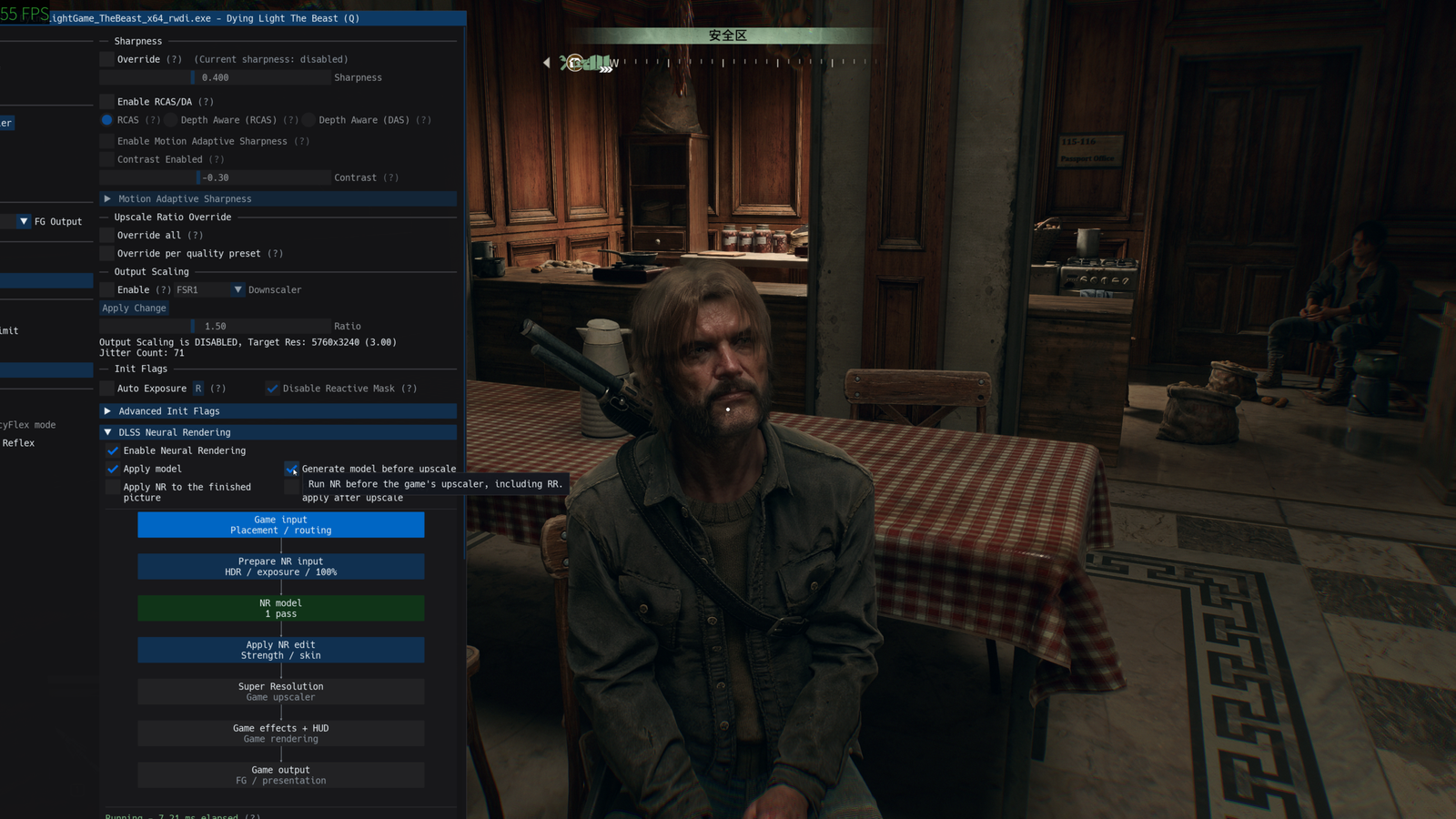
The project DLSSNR-AMD runs DLSS 5 on the RX 9070 XT through a new Vulkan implementation created specifically for Radeon RX 9000 cards with the RDNA 4 architecture. Developer mochizuki0323 made the code public on September 24, 2026, and showcased tests in real games on Linux, including Dying Light: The Beast, 7 Days to Die, and Tomb Raider (2013).
In the results published by the author, Dying Light: The Beast achieved 56 FPS at 4K output using FSR 4 Performance and Neural Rendering before the upscaler. The test did not use Frame Generation. When the project ran the same neural network after the upscale, directly at 4K, performance dropped to 27 FPS.
The difference helps demonstrate why the so-called Pre-SR gained importance in experiments with DLSS 5. Instead of running the neural network at the final resolution of 3840 × 2160, the system can process it at the game's internal resolution and subsequently let FSR 4 handle the upscale to 4K.
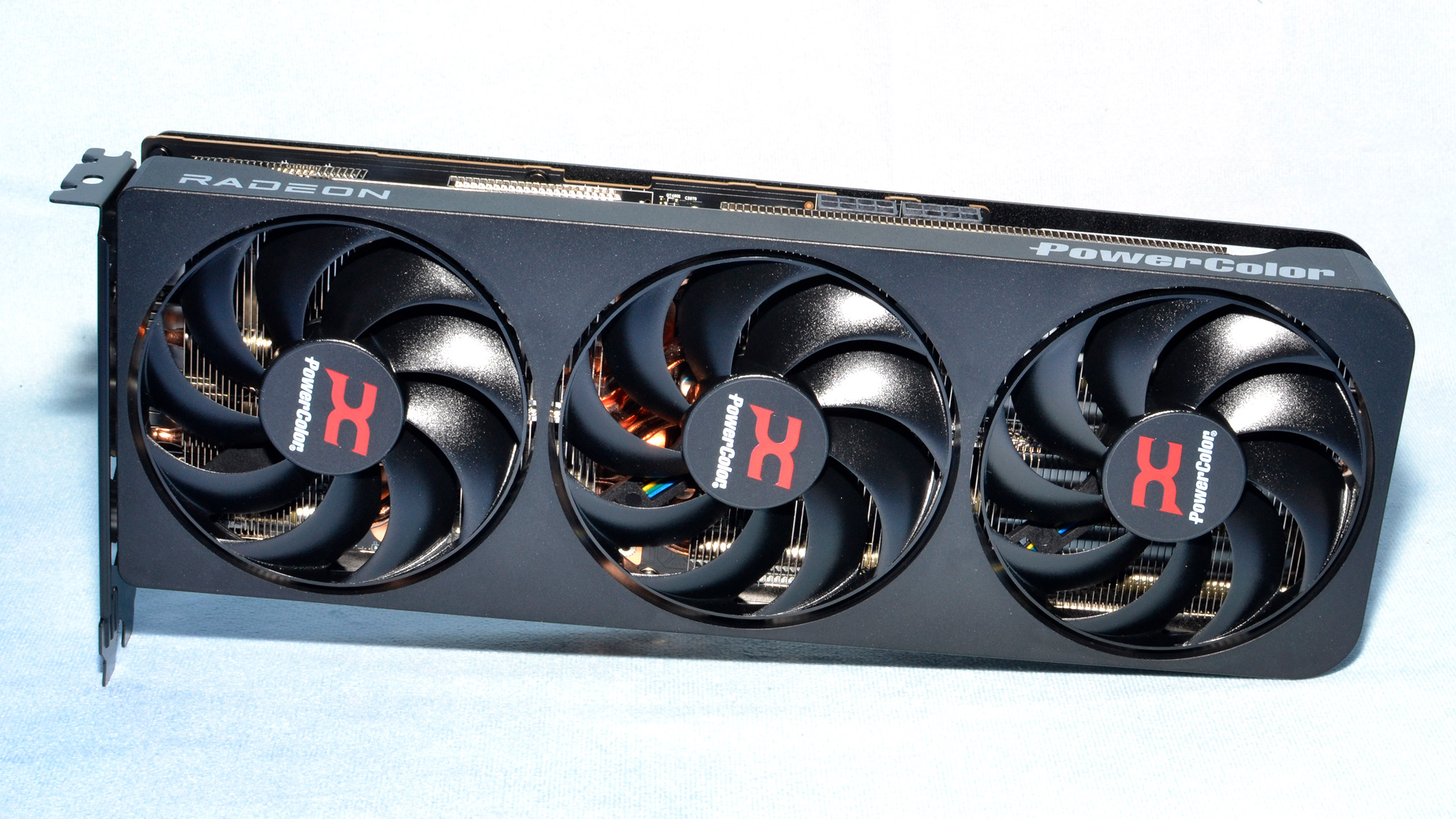
DLSSNR-AMD was tested by the developer on a Radeon RX 9070 XT. Illustrative photo of a PowerColor RX 9070 XT. Image: Tom's Hardware.
DLSSNR-AMD reimplements DLSS 5 Neural Rendering in Vulkan
The DLSSNR-AMD has open-source code on GitHub and reimplements the DLSS 5 Neural Rendering network as Vulkan compute shaders.
The project uses extensions such as VK_KHR_cooperative_matrix and VK_EXT_shader_float8. On the RDNA 4 architecture, these operations can utilize the hardware-available FP8 matrix instructions.
In addition, the code aims to reproduce the precision used by the original model. The developer uses FP8 at the points where they identified FP8 operations in the NVIDIA runtime and keeps FP16 or FP32 in the remaining steps.
However, the project itself highlights an important limitation: the visual output is close to NVIDIA's result, but not numerically identical.
Therefore, DLSSNR-AMD should not be confused with an official execution of DLSS 5 on Radeon cards. This is an independent reimplementation of the neural network.
The project also has no affiliation or support from NVIDIA or AMD.
What changes compared to other DLSS 5 projects on AMD cards?
This is not the first demonstration of DLSS 5 Neural Rendering on a Radeon. Other projects have already run the network on AMD GPUs through different paths.
For example, the DLSS-NR-on-AMD project by Daniel Balanescu developed its own runtime for Radeon cards and previously advanced in tests with the RX 9070 XT and other GPUs.
DLSSNR-AMD follows a different architecture. Instead of using HIP as its main backend, it runs the network directly through Vulkan.
This difference becomes especially important on Linux. DirectX games run via Proton already pass through a Vulkan layer using technologies like DXVK and vkd3d-proton.
Thus, DLSSNR-AMD is able to insert neural processing into the same Vulkan device that the game is already using.
According to the technical documentation of the architecture, the system registers the network's shaders in the GPU's own command stream. This way, it avoids transporting each frame to a separate compute API and then copying it back to the graphics pipeline.
This design also explains why the developer chose Vulkan instead of HIP/ROCm for the Linux version.
How does DLSSNR-AMD work inside games?
The project offers different integration paths depending on the graphics API and game features.
In DirectX 11 or DirectX 12 games that already offer DLSS, FSR, or XeSS, the user can use the OptiScaler-NR. In this mode, the system takes advantage of real information provided by the game engine, including motion vectors.
On the other hand, DirectX 10, 11, or 12 games that lack a compatible upscaler can use the ReShade-based route.
The project also offers paths for Vulkan and DirectX 9:
- DirectX 12 with DLSS, FSR or XeSS: OptiScaler-NR on Linux.
- DirectX 11 with DLSS, FSR or XeSS: OptiScaler-NR on Linux.
- DirectX 10, 11 and 12 without upscaler: ReShade.
- Vulkan: ReShade loaded as a Vulkan layer.
- DirectX 9: DXVK converts the game to Vulkan, while ReShade works as a Vulkan layer.
- OpenGL: does not support it yet.
In addition, the Linux version offers packages for 32-bit games through the i686 architecture. In this case, however, the OptiScaler path does not work.
The Windows version remains limited to 64-bit applications.
Pre-SR brings Dying Light: The Beast to 56 FPS at 4K output
Dying Light: The Beast tests show one of the most interesting differences of the new project.
The developer configured the game for 4K output with FSR 4 in Performance mode. In this scenario, the game renders internally at 1080p and then upscales the image to 3840 × 2160.
Without Neural Rendering, the author recorded 97 FPS.
When the system executed the neural network after FSR 4, therefore on a 4K image, performance dropped to 27 FPS.
However, Pre-SR significantly changed the result. With the "Generate model before upscaler" option, OptiScaler-NR executed the model on the 1080p internal image before FSR 4.
In this configuration, the game reached 56 FPS.
Thus, the published results were as follows:
| Settings | Model resolution | FPS |
|---|---|---|
| Without Neural Rendering | — | 97 FPS |
| Pre-SR before FSR 4 | 1920 × 1080 | 56 FPS |
| NR after FSR 4 | 3840 × 2160 | 27 FPS |
None of these numbers use Frame Generation. Therefore, the 56 FPS from the Pre-SR test represent the frames produced by the rendering pipeline, without subsequent frame multiplication.

Dying Light: The Beast appears among the games used by the developer to measure DLSSNR-AMD on an RX 9070 XT. Promotional image: Techland, reproduced by GamesRadar+.
Why does running Neural Rendering before upscaling improve performance so much?
The main explanation lies in the number of pixels that the neural network needs to process.
The higher the resolution, the greater the computational cost of inference. Therefore, running the model at 4K demands much more work than processing an image at 1080p.
The isolated benchmark of the network on the RX 9070 XT clearly shows this progression.
| Network resolution | Linux | Windows |
|---|---|---|
| 1920 × 1080 | 6.2 ms | 9.4 ms |
| 2560 × 1440 | 10.7 ms | — |
| 3840 × 2160 | 23.5 ms | 33 ms |
These numbers measure only the neural network execution. Therefore, they do not correspond to a game's full frametime.
Even so, the difference shows why Pre-SR offers such a huge advantage in the published tests. At 1080p, the network consumes 6.2 ms in the Linux benchmark. Meanwhile, at 4K, the cost rises to 23.5 ms.
That is why the pipeline can save a lot of time when running Neural Rendering before upscaling the image.
After that, FSR 4 takes over the task of reconstructing the final resolution.
7 Days to Die also practically doubles performance with Pre-SR
The developer found a similar pattern in 7 Days to Die.
With 4K output and FSR 4 Performance, the game recorded 136 FPS without Neural Rendering.
Then, the author ran the neural network at the final 4K resolution. Performance dropped to 29 FPS.
Meanwhile, Pre-SR ran the model at 1080p before FSR 4 and boosted the result to 68 FPS.
Therefore, in this specific test, reducing the resolution used by the network increased performance from 29 to 68 FPS.
This result does not mean that Pre-SR will always produce exactly double the FPS. Other games, graphics settings, processors, and driver versions may show considerable differences.
Even so, the three games tested by the author show the same trend: processing the network below the final resolution significantly reduces its cost.

7 Days to Die delivered 68 FPS with Pre-SR at 1080p and 4K output in the tests published by the author of DLSSNR-AMD. Capture: Steam community.
Tomb Raider shows the same effect when reducing the model resolution
The developer also used Tomb Raider, from 2013, to test the relationship between neural resolution and performance.
In this case, the game reached 130 FPS without Neural Rendering.
With the model resolution set to 100%, that is, 4K, the result dropped to 30 FPS.
On the other hand, by setting the model to 50%, equivalent to 1080p in this test, the game reached 60 FPS.
Thus, Tomb Raider also doubled the framerate recorded by the author when the network stopped working directly at 4K.
The numbers for the three games form a consistent pattern within the tested configuration, although there is still no wide independent reproduction of these benchmarks.
RX 9070 XT is the only card tested so far
DLSSNR-AMD currently requires an RDNA 4-based Radeon RX 9000.
According to the documentation, RX 7000 series cards and older generations do not offer the FP8 matrix instructions that this implementation uses.
In addition, the developer only tested on a Radeon RX 9070 XT.
Therefore, technical support for the RX 9000 family does not mean that the author has already validated all cards in the generation.
The main testing environment uses:
- GPU: Radeon RX 9070 XT.
- System: Linux.
- Driver: Mesa 26.2.
- Compatibility: GE-Proton 11-7.
The project is still in the 0.0.x series. Consequently, the author himself warns of possible crashes, artifacts, incompatibilities, and different results on other machines.
A Windows version exists, but it still has serious issues
The repository also contains an implementation for Windows. However, the developer clearly states that it is not yet ready for normal use.
First, the isolated benchmarks already show a performance difference.
At 1080p, the network takes 6.2 ms on Linux and 9.4 ms on Windows. At 4K, Linux records 23.5 ms, while Windows climbs to approximately 33 ms.
In addition, the Windows version needs to run games through DXVK or vkd3d-proton to create the necessary Vulkan environment.
This can alter both the original behavior and performance of the game.
The developer also reports incompatibilities with some titles and overlays. For now, they do not provide pre-compiled Windows packages; those who intend to test it need to compile the project.
Therefore, Linux currently represents the primary platform for DLSSNR-AMD.
Project does not distribute DLSS 5 weights
The repository publishes the implementation code, but does not include NVIDIA neural network weights.
To install the system, the user needs to provide their own copy of the file nvngx_dlssnr.dll version 310.8.0.
Then, the installer extracts the model locally.
The process checks 599 entries against known hashes before generating the final file. If any entry does not match the expected set, the installer aborts the operation.
Likewise, the system rejects DLLs from other versions.
When the extraction completes correctly, the resulting model is approximately 140.9 MiB.
Thus, the repository keeps proprietary weights out of the publicly distributed code.
DLSSNR-AMD does not produce the exact same output as NVIDIA
Another important difference appears when DLSSNR-AMD is compared to OpenDLSS-NR.
The OpenDLSS-NR also reimplements DLSS 5's Neural Rendering network in Vulkan. However, its developer claims to reproduce bit-exact results compared to the original runtime's references.
This project uses, among other configurations, an RTX 4070 SUPER to validate execution.
DLSSNR-AMD, on the other hand, adopts an approach geared directly toward RDNA 4 and makes it clear that its output approaches NVIDIA's, but does not remain bit-for-bit identical.
Therefore, the two projects share part of the technical objective, but should not be treated as equivalent implementations.
The 56 FPS in 4K does not mean Neural Rendering processed in 4K
This detail deserves attention because the numbers can lead to an incorrect interpretation.
Dying Light: The Beast actually produces a final output of 3840 × 2160 in the 56 FPS test.
However, Neural Rendering does not work on a 4K frame at this setting.
The game uses FSR 4 Performance and renders internally at 1080p. Pre-SR runs the neural network at this same internal resolution. After that, FSR 4 upscales the result to 4K.
When the developer runs Neural Rendering directly on the 4K frame, the performance drops to 27 FPS.
Therefore, a more accurate description of the test would be: 4K output with Neural Rendering at 1080p before FSR 4, running at 56 FPS.
This difference also shows why comparing only the final resolution can hide an important part of the computational cost.
Frame Generation is not included in the published benchmarks
The developer explicitly states that none of the presented results utilize frame generation.
OptiScaler can enable Frame Generation in other configurations. However, the author kept this feature disabled in the figures disclosed for DLSSNR-AMD.
Thus, the test allows a more direct comparison of the Neural Rendering cost before and after the upscaler.
This also differentiates these results from demonstrations where Frame Generation raises the final FPS counter even when the base pipeline works at a much lower rate.
Is it worth testing DLSSNR-AMD now?
For users with Radeon RX 9000 and Linux, the project already offers a functional foundation for experiments, especially to compare Pre-SR and Neural Rendering at the final resolution.
However, the development stage still demands caution.
The author himself tested only an RX 9070 XT, a Linux setup, and a small set of games. Furthermore, the project may still present crashes and artifacts.
On Windows, the limitations are greater. Therefore, this version still works better as an experimental tool than as a ready-to-use solution for daily life.
The developer also explicitly recommends not using injection in online games with anti-cheat systems. DLLs injected into the process can cause bans or even account penalties.
Even with these limitations, DLSSNR-AMD adds a relevant technical approach to experiments with DLSS 5 outside of NVIDIA's officially supported hardware.
In addition to running the network in real games, the project publishes the code, documents its architecture, and presents numbers that separate the neural processing cost at 1080p, 1440p, and 4K.
The tests also reinforce an important trend: running Neural Rendering before upscale can preserve a much larger share of performance.
In the most representative case disclosed so far, Dying Light: The Beast went from 27 FPS with the network processed at 4K to 56 FPS when Pre-SR ran the model at 1080p before FSR 4 — both results without Frame Generation.
Sources: DLSSNR-AMD — official repository and documentation | DLSSNR-AMD — Vulkan architecture documentation | mochizuki0323 — tests published on Reddit | OpenDLSS-NR — Vulkan implementation used for technical comparison.


Pingback: DLSS-NR-on-AMD 0.4.1 Ganha Até 9% Sob Carga
Pingback: AMDNR 0.3.4 Leva DLSS 5 ao ROG Ally
Pingback: NeuralScreen AMD 0.3.24 corrige flicker nas Radeon
Pingback: AMD Neural Rendering 0.7.2 adiciona suporte ao 0.5.1
Pingback: DLSS 5 Neural Rendering chega ao Three.js via WebGPU
Pingback: RX 6000: DLSS-NR-on-AMD 0.6.0 leva Neural Rendering