The DLSS 5 Video Player received version 0.28.1 with an important change to the playback and export pipeline. The community application now uses NVIDIA RTX Video Super Resolution, or RTX VSR, as the default upscaler when upscaling videos. Additionally, the update preserves renders between versions and limits Frame Generation options to what the GPU can actually run.
GitHub recorded the pre-release on October 2, 2026, at 19:06 UTC. However, the internal changelog identifies the version as October 3. The project explains that the 0.28.0 tag was never published because a CI analysis step failed. Therefore, all changes moved forward into 0.28.1.
The software remains independent and is not an official NVIDIA product. It processes videos, photos, and GIFs with a modified community Neural Rendering runtime. Therefore, the results and requirements should not be confused with an official DLSS 5 integration inside a game.
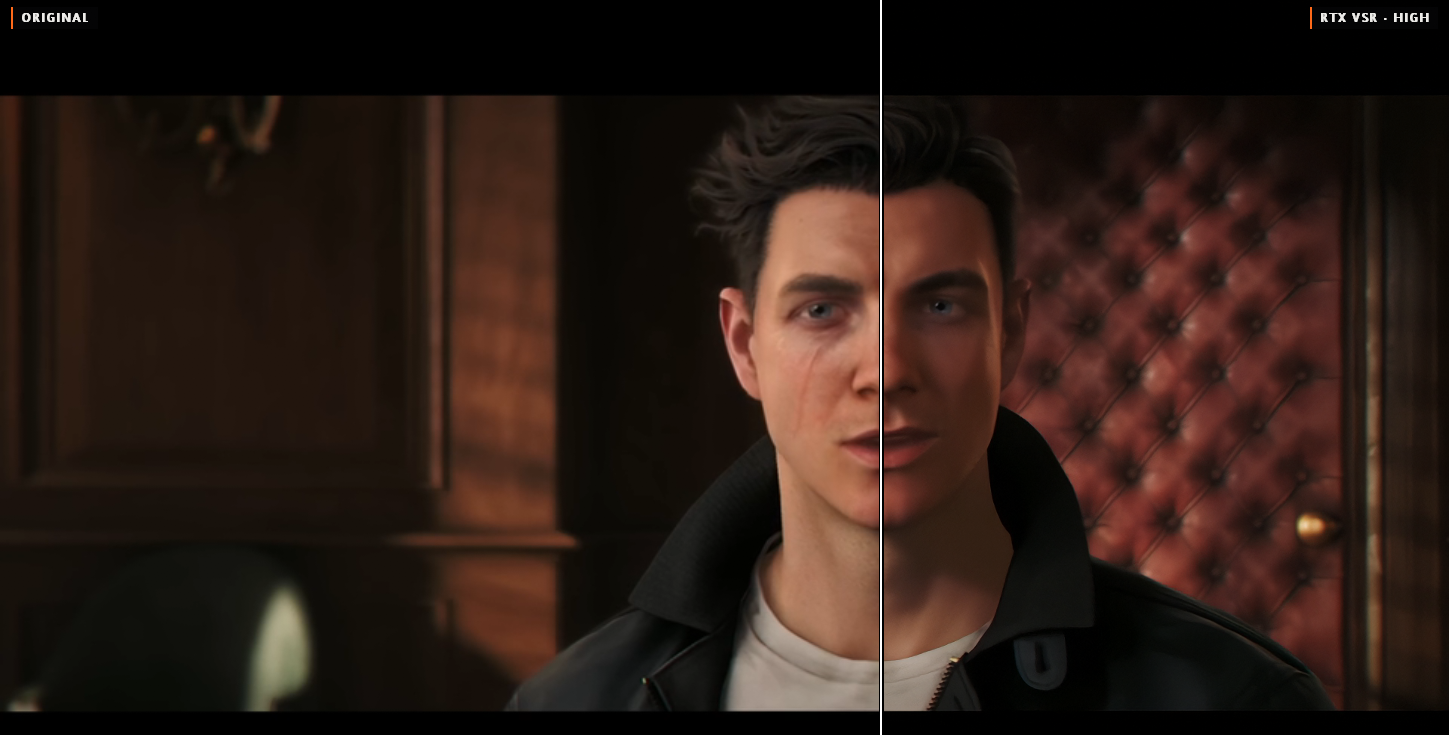
Frame from 007 First Light upscaled 1.51 times: conventional scaling on the left and RTX VSR in high quality on the right. Image: 2600th/DLSS 5 Video Player.
DLSS 5 Video Player brings RTX VSR to playback
Up to the previous version, the program could compare Neural Rendering with RTX VSR in a dedicated view. Now, RTX VSR also takes over normal playback upscaling when the window displays video above the native resolution.
The path works both in the view processed by DLSS 5 and in the original image. Thus, the comparison between the two versions continues to isolate the effect of the neural model. RTX VSR steps aside when the user activates DLSS Super Resolution, opens a dual-image view, plays HDR video, or uses debugging modes.
The option is enabled by default, but can be disabled in the menu DLSS > RTX VSR Upscaling. In addition, the program lowers RTX VSR quality when the GPU cannot keep up with playback. If frame drops still occur, it pauses the feature and reports the reason.
Official test measures 87.5 VMAF points
The developer measured the upscale from 960 × 540 to 1920 × 1080 across six clips on a GeForce RTX 5090. At high quality, RTX VSR achieved 87.5 VMAF points. Bicubic scored 80.5, while DLSS Super Resolution came in at 74.9.
In segments with H.264 input, the result dropped to 78.5 for RTX VSR, 69.5 for bicubic, and 66.1 for DLSS Super Resolution. The project report states that RTX VSR also finished ahead in VMAF NEG and PSNR metrics.
These numbers belong to the set of six videos, the settings, and the hardware described by the maintainer. Therefore, they do not prove that RTX VSR will win on any content. Even so, the report offers a reproducible comparison that is more detailed than a purely visual assessment.
The measured cost on the RTX 5090 was 0.45 ms per frame for a 540p input, 1.5 ms at 1080p, and 2.7 ms at 1440p. Slower GPUs may require more time. The project itself also warns of possible flickering in fine details during motion.
Exports also get RTX VSR
Version 0.28.1 brings the same upscaler to the export pipeline. The window Export with DLSS stages received a specific line to choose between RTX VSR, recommended by the project, and DLSS Super Resolution.
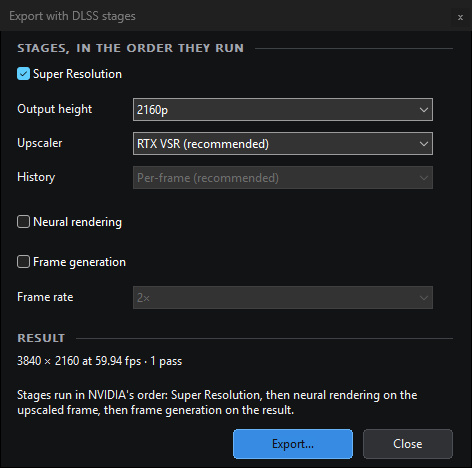
Export allows choosing RTX VSR or DLSS Super Resolution as the upscaling stage. Image: 2600th/DLSS 5 Video Player.
The command-line converter dlss5-convert also received the parameter --sr-engine vsr|dlss. Thus, scripts can explicitly select the engine. To maintain compatibility, the isolated use of --history still points to DLSS Super Resolution.
According to the changelog, a 1920 × 1080 to 3840 × 2160 export with RTX VSR reached 70 FPS on the RTX 5090. In another clip, the exported file scored 81.35 VMAF points, close to the 81.4 measured for the same path. Meanwhile, DLSS Super Resolution scored 66.6 in this sample.
Once again, these values are measurements from the project itself, not an independent benchmark. Furthermore, the cost may change depending on the chosen codec, resolution, quality, GPU, and neural steps.
Cache stops reprocessing everything after each update
Another important fix targets the cache. Since version 0.12, the key included the full player version. Consequently, any update forced the application to re-render all videos, even when the neural result had not changed.
Starting with 0.28.1, the key only changes when a release alters the content recorded by the renderer. Files produced in 0.27.2 are reused immediately. Older renders undergo one final processing and, after that, should survive future updates unless otherwise noted in the release notes.
The change matters especially in long videos and multi-pass settings. The two-pass test of DLSS 5 in The Witcher 3 has already shown how accumulated neural processing can significantly raise the GPU cost.
Frame Generation now respects the measured limit
The program also fixes the presentation of Frame Generation options. After measuring the feature, the interface disables multipliers above the limit accepted by the runtime and informs the maximum available for the GPU.
The issue appeared on an RTX 3060 with the community add-on dlssg_sm86. Previously, the user could select 5x, but the process ended at 4x without warning. Now, the player blocks the incompatible option. When the add-on is active, the confirmation also explains where to change the limit of four generated frames.
This does not turn Frame Generation into official support for RTX 20 or RTX 30. The dlssg_sm86 remains an unofficial add-on and is not included in the package. Therefore, the fix improves diagnostics and avoids a misleading configuration, but does not eliminate the risks of a community runtime.
Comparison, cache clearing and helper receive fixes
The update also resolves issues in comparison views. Labels reappear when switching modes with the video paused and now remain visible in the framing Fill. In addition, the export window displays its complete options.
The neural cache clearing command has also become safer. When the user points the cache to a custom folder, the program now deletes only the files it created. Previously, the cleaning could remove content unrelated to the player.
Finally, the Neural Rendering helper process is now terminated whenever the application stops reading its output. A failure in the player could keep this helper active and occupying the GPU until the program completely shut down.
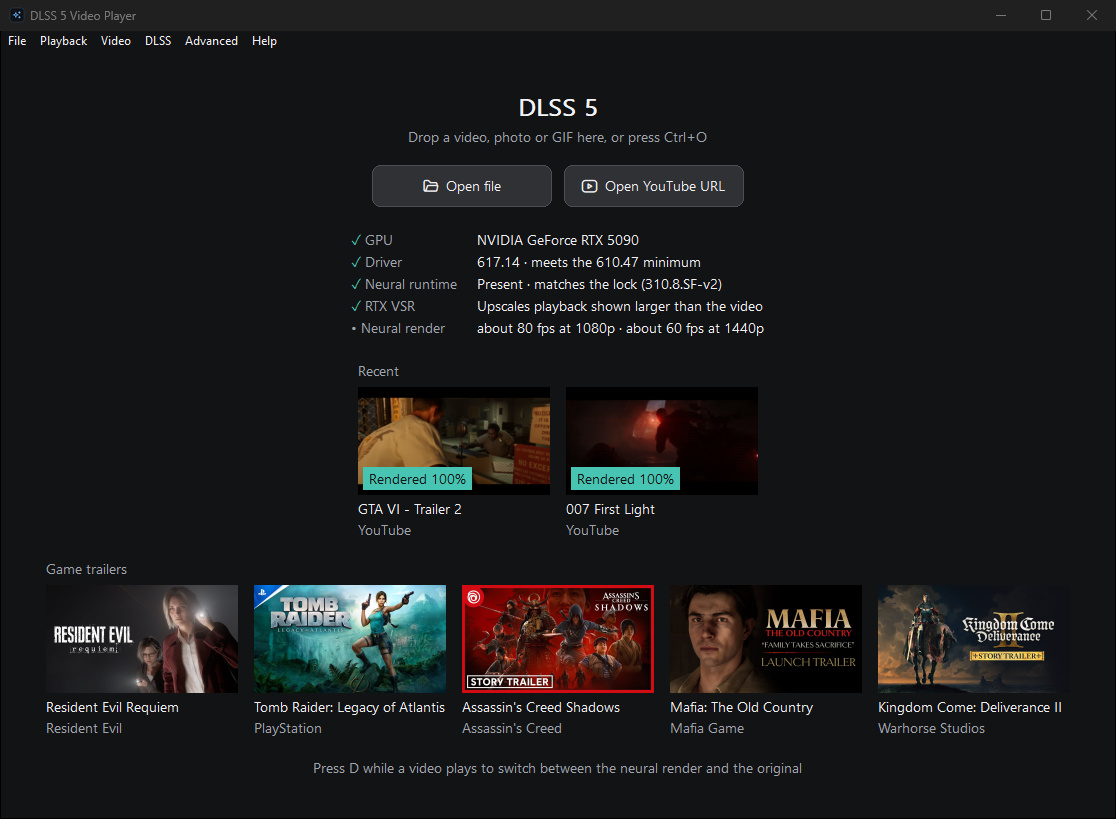
The home screen shows RTX VSR availability and recent render coverage. Image: 2600th/DLSS 5 Video Player.
Full package uses modified, unsigned runtime
The DLSS 5 Video Player requires Windows x64, an NVIDIA RTX GPU, and driver 610.47 or newer. The release offers a complete 377 MB package featuring the player, the neural runtime, and RTX VSR, alongside a 36 MB core file without these components.
The core has build provenance from the CI. However, the full package must be assembled on the maintainer's machine because the CI cannot fetch the neural runtime. The GitHub attestation confirms that the repository recognizes those bytes, but it does not prove that the CI built the complete file.
Furthermore, the neural runtime is a modified, unsigned community compilation. Anyone who decides to test it should check the SHA-256, the attestation, and the PACKAGE_MANIFEST.txt. It is not recommended to ignore system alerts or disable protections without first verifying the provenance.
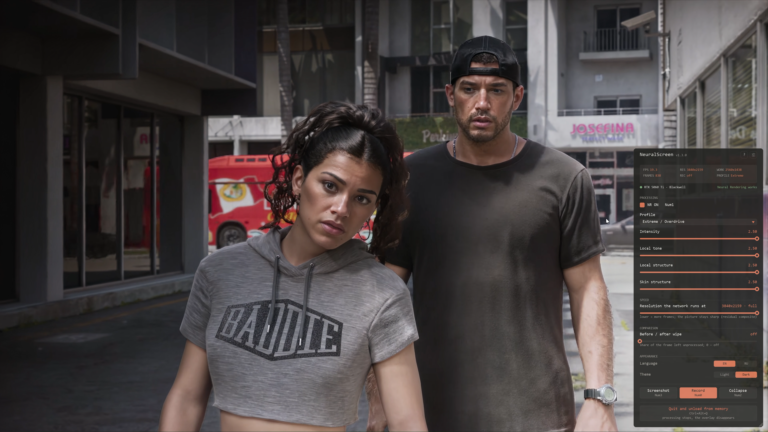
The project should also not be treated as a direct substitute for solutions that apply Neural Rendering to the entire screen. The NeuralScreen processes the captured Windows output, while the player works with files and maintains a frame-by-frame cache. As for the Borderless Gaming's DLSS5-NR runs the model through BGFX.
Version 0.28.1 turns the player into a more complete pipeline
RTX VSR as default brings playback closer to the path used in exports and reduces dependence on simple window scaling. At the same time, the new cache avoids wasting hours of processing after a patch that does not change the render.
The Frame Generation, cache clearing, and helper fixes also tackle concrete stability and diagnostic bugs. Therefore, 0.28.1 represents a material advance over 0.27.2, even without changing the main Neural Rendering model.
Sources: DLSS 5 Video Player — release 0.28.1 | Official 0.28.1 changelog | RTX VSR technical report.