
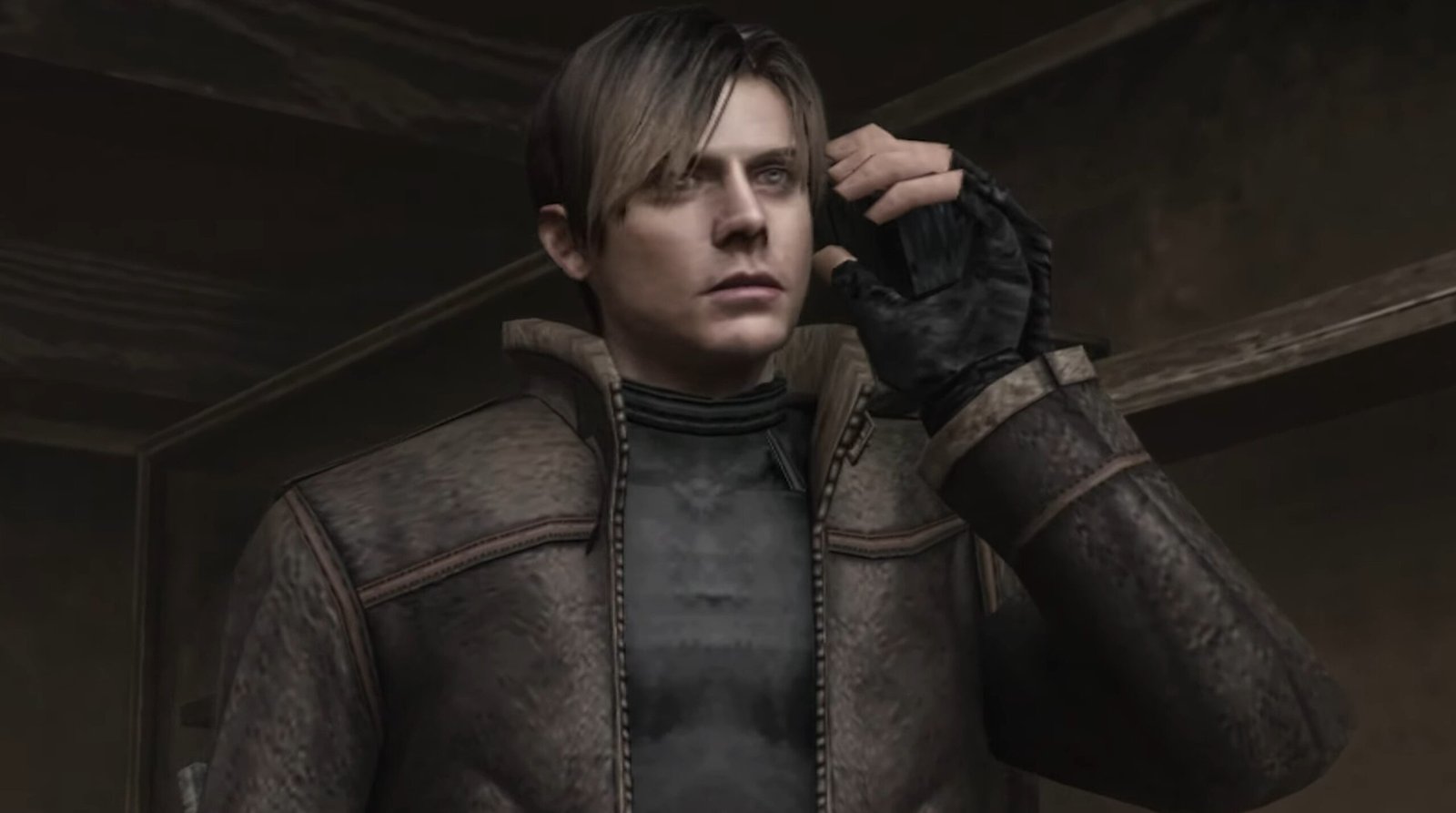
The use of Neural Rendering (the technology behind DLSS 5) in the PlayStation 2 emulator is one of the most impressive visual improvements of recent times. Until recently, enabling this feature required installing heavy modified versions, such as PCSX2 RTX Remix, in addition to several complementary tools.
https://youtu.be/zpMkkYoSercAll of this only became possible thanks to the recent leak of the DLSS 5 libraries. What initially started as a restricted glimpse into NVIDIA's upcoming technologies ended up falling into the hands of the modding community. In record time, they isolated the neural rendering files — primarily the library nvngx_dlssnr.dll — and created methods to adapt them into injectors like ReShade. The result is astonishing: we can now apply cutting-edge image reconstruction algorithms directly to graphics engines that are over 20 years old.
The method below is much cleaner, shorter, and more efficient. It uses only the base emulator and the RHI manager, completely eliminating the need to use DLSS5 Feeder, DX11 Bridge, or OptiScaler.
Download the necessary files to get started:
1. Preparing the Emulator
To avoid conflicts, it is highly recommended not to mix this process with your main emulator installation.
- Extract the clean copy of PCSX2 2.8.1 (64-bit) in a new folder.
- Open the emulator and go to
Configurações > Gráficos > Graphics API. - Change the API to Direct3D 11 (Legacy).
- Open a game (such as Burnout Revenge) just to confirm that the emulator is running normally without modifications. Then, close the game.
2. Installing and Configuring RHI
The RHI (ReShade Hook Injector) will be responsible for bridging the emulator and the Neural Rendering libraries without headaches.
- Open the RHI. On the first launch, it will ask about managing ReShade. Choose the option
Manage ReShade for me. - Click the green button
+and add the executable from your clean installation (pcsx2-qt.exe). The RHI should automatically identify that the program is 64-bit and compatible with DX11/DX12. - On the PCSX2 page inside the RHI, click on
Install ReShade(In our test, version 6.8.0 was installed). Attention: do not install OptiScaler, ReLimiter or Display Commander. - Access the tab
Shaders/Addons > ReShade Addons. - Leave turned off the following options:
DLSS5 Tool v4.60,DLSS5 Feeder,DLSS5 DX11 BridgeandRenoDX Upgrade. - Enable only the
DLSS Tool (ShortFuse). This is the new version of the add-on that makes direct integration work in PCSX2 64-bit in D3D11. - Close the add-on manager. RHI will download and place the essential files (such as
renodx-dlss.addon64,nvngx_dlss.dll,nvngx_dlssnr.dlland the Streamline componentssl.*) in your emulator's folder. Do not manually overwrite any DLLs!
3. Activating Neural Rendering in-game
The ShortFuse is not DLSS 5 itself. The add-on only handles the integration and creates the necessary call. Neural Rendering itself is executed through the runtime nvngx_dlssnr.dll using NVIDIA NGX.
- Return to the RHI and click Launch to open PCSX2. Make sure once again that the graphics API is still set to Direct3D 11 (Legacy) and open your game.
- Press the key
Homeon the keyboard to open the ReShade interface. Check if the tabRenoDX DLSSappears at the top (this confirms that the ShortFuse add-on has loaded). - Go to the
RenoDX DLSStab and configure it exactly like this:- Options Mode: DLSS-NR
- Manually Load DLSS Libraries: On
- Hook Point: On Present
- Encoding: Auto
- UI Correction: Auto
- Diffuse White: 100 nits
- Overall Intensity: 1.00
- Model: Model A
- Structure Intensity: 1.00
- Character Mask: On (Intensity at 1.00)
- Global Tone Intensity: 1.00
- Local Tone Intensity: 1.00
- Check the status message in the interface. Before configuring the Hook Point, it appeared Waiting. Now, it should change to
On Present: Active. - To ensure that the libraries and the hook were loaded perfectly, completely close PCSX2 and open it again.
4. How to confirm if it actually worked?
The "Active" message in the menu is a great sign, but the definitive proof that Neural Rendering is being executed is in the logs generated by the emulator.
- Open the game again and play for a few seconds.
- Close the emulator and go to the folder where PCSX2 is installed.
- Open the text file named
ReShade.log. - Press
Ctrl + Fand search for the termsDLSS-NR,Reserved18andEvaluateFeature. - If the process was successful, the log will show that ShortFuse found the correct DLL, initialized NVIDIA NGX, and registered
CreateFeature(Reserved18) succeeded. Right after that, you will see thousands of lines markingEvaluateFeature succeeded, proving that Neural Rendering worked throughout your entire gameplay.

Pingback: Texturas HD no PCSX2: arquivos ZIP sem extração