
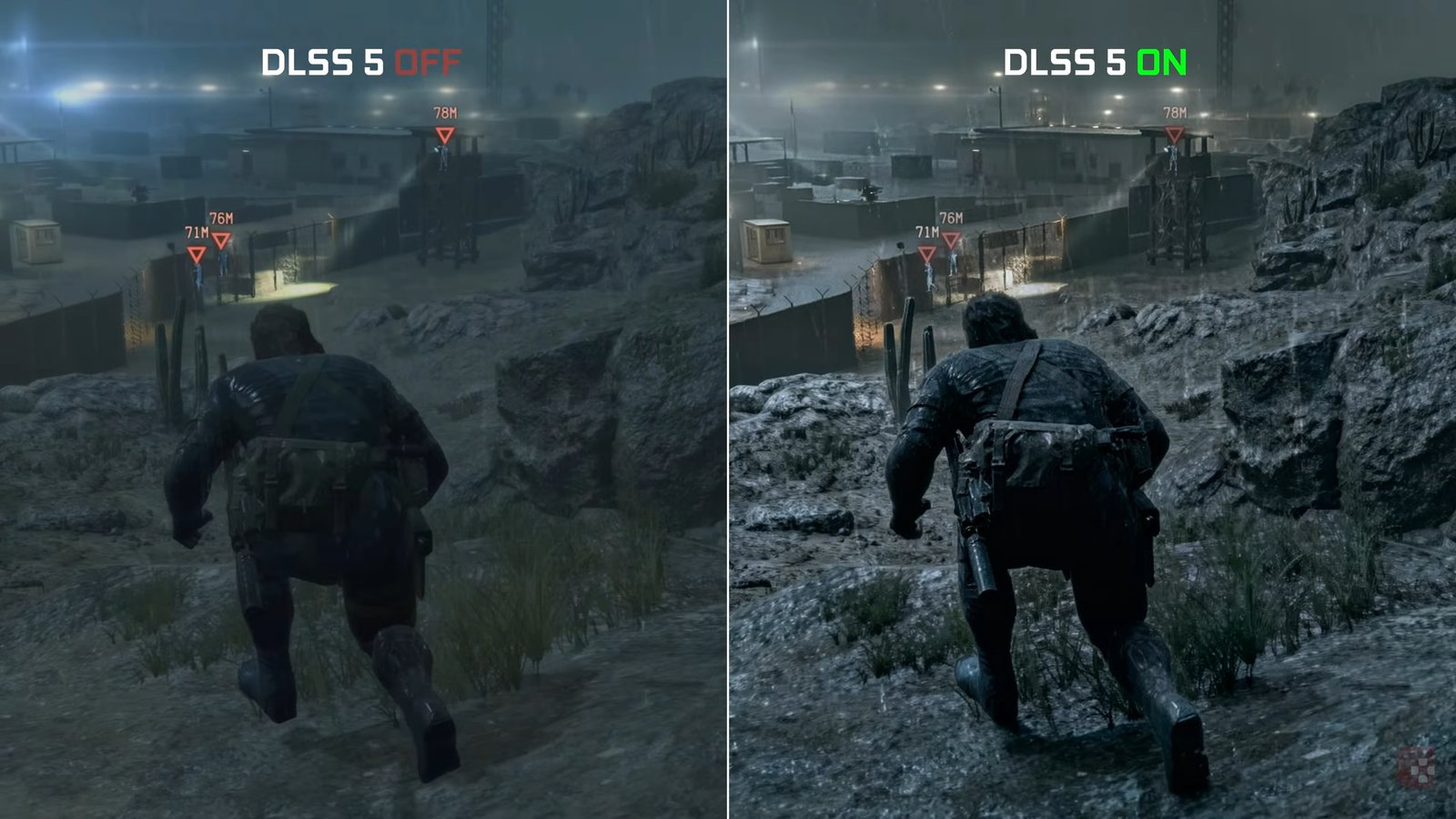
NeuralScreen 2.1.9 was released on September 29, 2026 with three fixes aimed at daily use of DLSS 5 Neural Rendering on Windows. The update prevents performance loss when the program window is minimized, fixes windowed mode on Windows 10, and eliminates an issue where the panel could open by itself at startup.
The patch arrives after NeuralScreen 2.1.8 and keeps the focus of the 2.1 series on issues reproduced by users and measurements from the project itself. The developer also updated the technical documentation after confirming that the processing cost varies with the work scale when Boost is active.
The video above shows NeuralScreen in use with Neural Rendering. Version 2.1.9, however, does not swap the neural model nor add a new visual mode: it fixes program behavior around the pipeline.
NeuralScreen 2.1.9 prevents frame drops when minimized
The main change addresses reports that the image remained smooth with the program visible, but performance plummeted when the window was minimized. According to the release documentation, Windows 11 can reduce the quality of service class of processes associated with minimized or fully hidden windows.
NeuralScreen now uses the documented option ProcessPowerThrottling to prevent this speed reduction. The setting comes enabled by default and also reaches the worker process. The project itself warns that maintaining full background performance may increase power consumption and temperature.
There is an important caveat: the developer was unable to reproduce the drop in their own benchmark. With the option enabled, they measured 107.9 FPS with the window visible and 110.4 FPS minimized; with the option disabled, they recorded 109.8 FPS. Therefore, the fix relies on documented Windows behavior and received reports, not on a local reproduction of the bug.
Windows 10 restores the effect in windowed mode
The second fix tackles a specific Windows 10 issue. In windowed mode, the program managed to draw the capture frame, but the neural effect disappeared. The bug lay in the comparison between the captured buffer size and the area used to position the overlay.
In one case measured by the project, the capture returned 1354×853 pixels, while the DWM frame was 1340×846. Because the buffer appeared larger than the destination surface, NeuralScreen hid the overlay. Version 2.1.9 now accounts for the measured border on Windows 10 prior to this comparison. On Windows 11, where this difference does not occur in the same way, the previous rule remains valid.
Panel stops opening on its own at startup
The third tweak resolves a curious behavior: when the cursor was resting over the taskbar, the menu could open by itself when starting the program. The developer reproduced the issue in four out of four startups in that position and in zero out of four when the pointer was elsewhere.
The cause lay in the small window used to create the taskbar button. Upon appearing, it could take focus and produce the same activation sequence that the program interpreted as a real click. Now, initialization uses a path that shows this window without stealing focus.
Boost also received more accurate documentation
The release also fixes an old technical comment regarding the GPU evaluation time. With Boost active, the work scale actually changes the cost: the project recorded 2.75 ms at the 0.3 scale and 6.15 ms at the 0.6 scale. With Boost turned off, the values remained practically equal, at 15.97 and 15.90 ms.
These numbers belong to the developer's benchmark and do not represent universal performance on any GPU or game. Even so, they clarify why reducing the scale can speed up the pipeline when Boost participates in processing.
The version's test suite finished with 231 passed checks, no failures, and six ignored tests. For those following the project's evolution, Allves Games NeuralScreen 2.1.7 had directly attacked the pacing of Frame Generation; whereas version 2.1.9 focuses on Windows behavior, interface, and operational consistency.
Sources: official release of NeuralScreen 2.1.9; official NeuralScreen repository.
Pingback: 007 First Light DLSS 5: D18 corrige cores e crashes
Pingback: NeuralScreen 2.2.0 reduz cintilação do DLSS 5 em até 49%