
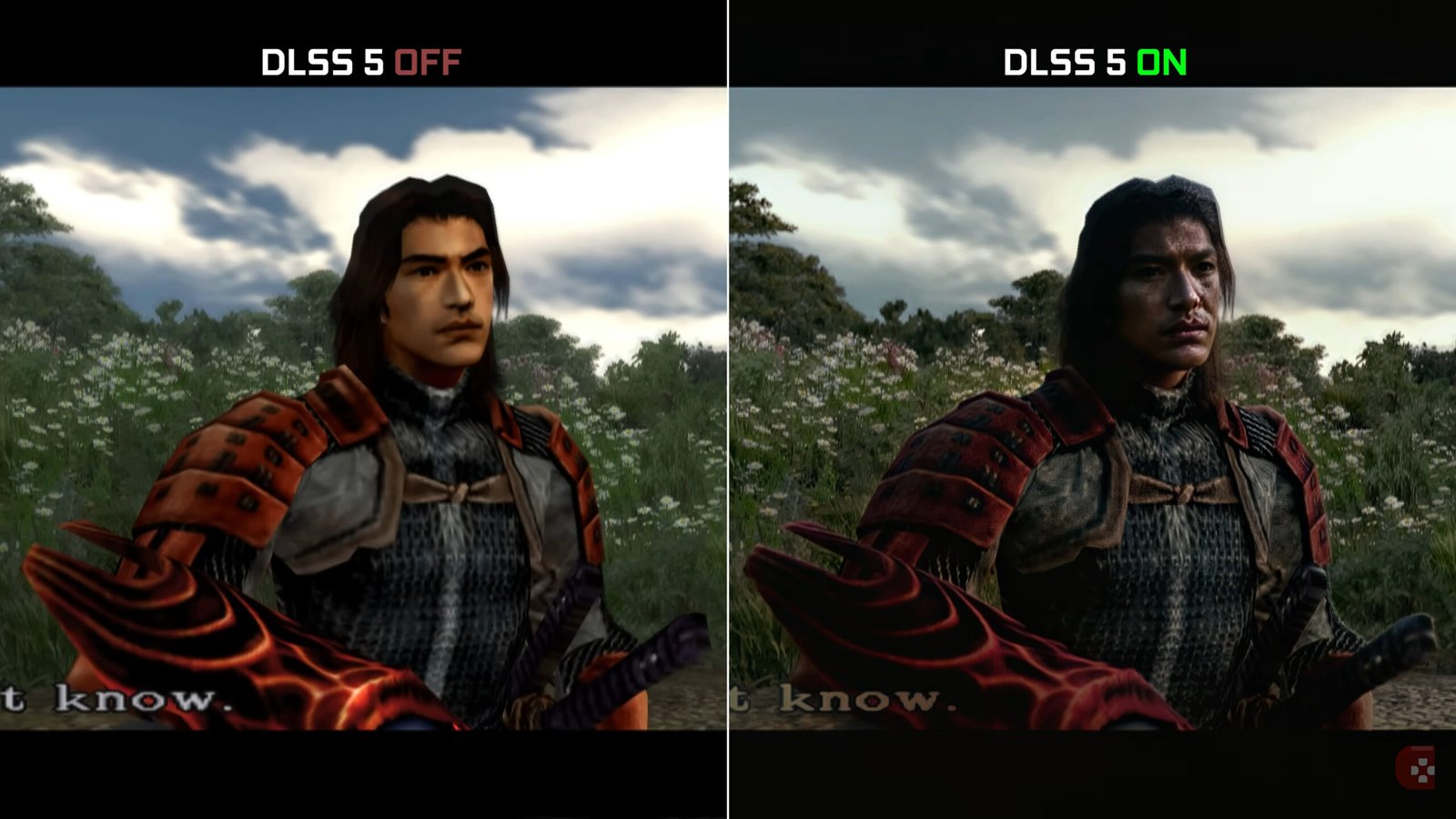
The NeuralScreen 2.1.8 was released on September 27, 2026, with fixes for screenshot capture, hotkey conflicts, and an old frame that could reappear after resizing the output. The update also adds a master switch to release all keyboard shortcuts, keeping the choice saved after restarting the program.
The patch arrives just a few hours after version 2.1.7 and resolves two open tickets in the project tracker. Additionally, the developer fixed an issue found during the native code review. The changes do not alter the Neural Rendering model, but directly affect user interaction with the program and image presentation.
The video above shows the complete NeuralScreen method in use. Below, the article details the specific version 2.1.8 fixes for captures, shortcuts, and image presentation.
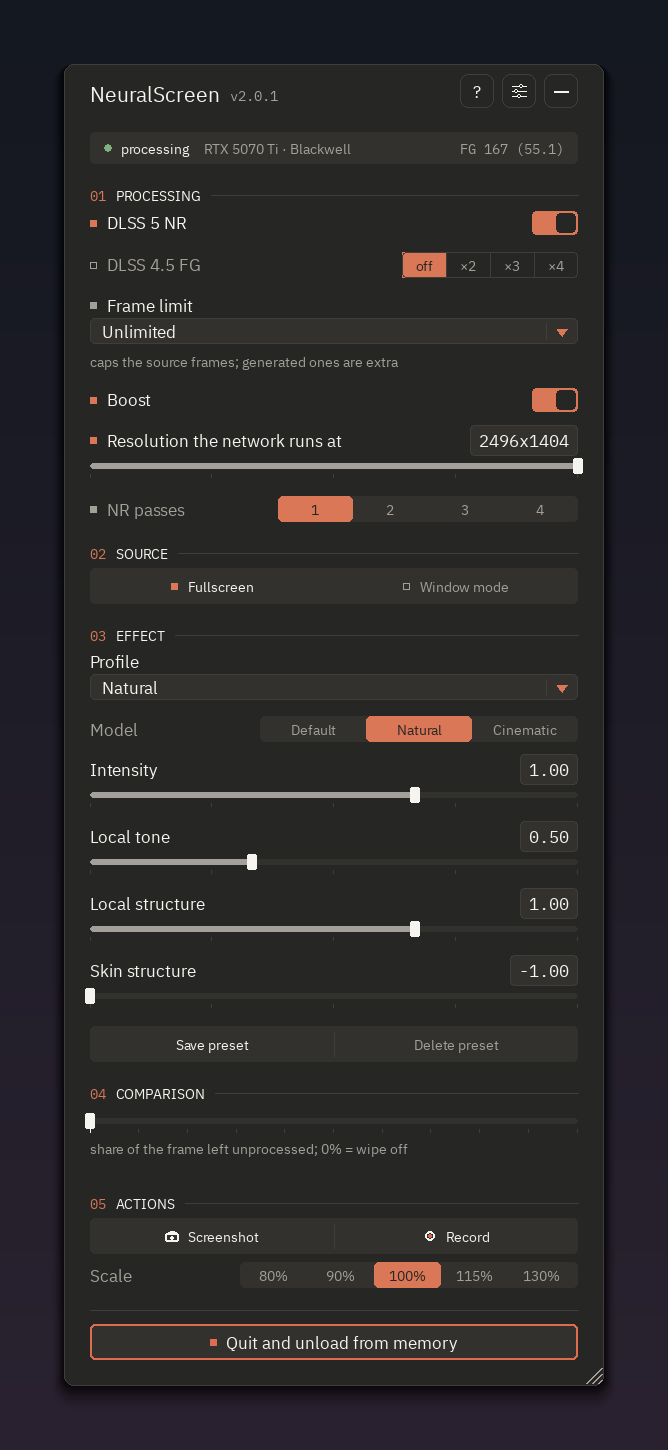
Official interface of the NVIDIA edition of NeuralScreen. The screenshot serves as a visual reference of the program and does not independently represent any of the version 2.1.8 fixes. Image: perseval-BLR/NeuralScreen.
NeuralScreen 2.1.8 fixes a wait time of nearly one minute
The first fix involves the dialog box used to save screenshots. When Neural Rendering was turned off and the panel remained closed, NeuralScreen would hide its window and go into standby. However, in this state, the program stopped processing messages for that window.
The issue had a specific consequence on Windows. The window could appear as "Not Responding", while the "Save As" dialog box depended precisely on it. Therefore, the screenshot dialog could get stuck until another action resumed processing the message queue.
The report used by the developer recorded a case where the response took 59,193 ms, or just over 59 seconds. During this interval, the only relevant change was opening the menu, which resumed processing the messages.
In local tests documented in the release, the scenario with Neural Rendering enabled and the menu open responded in 2 ms. With NR disabled and the panel closed, the dialog did not appear during a 100-second wait prior to the fix.
. The bug also explained why some screenshots included the panel even when the user believed it should not appear. The file was only saved when the dialog finally responded; therefore, the image could capture the state of the interface tens of seconds after the original command.
Hotkeys can now be disabled entirely
Another major change in the NeuralScreen 2.1.8 caters to users who need the numeric keypad in games and other programs. NeuralScreen registers various numpad keys as global shortcuts while running. Consequently, these combinations no longer reach applications like games, Blender, or calculators normally.
The section Settings → Keys now features a master switch. When the user turns it off, the program releases all shortcuts controlled by that section. In addition, the choice remains saved after restarting NeuralScreen.
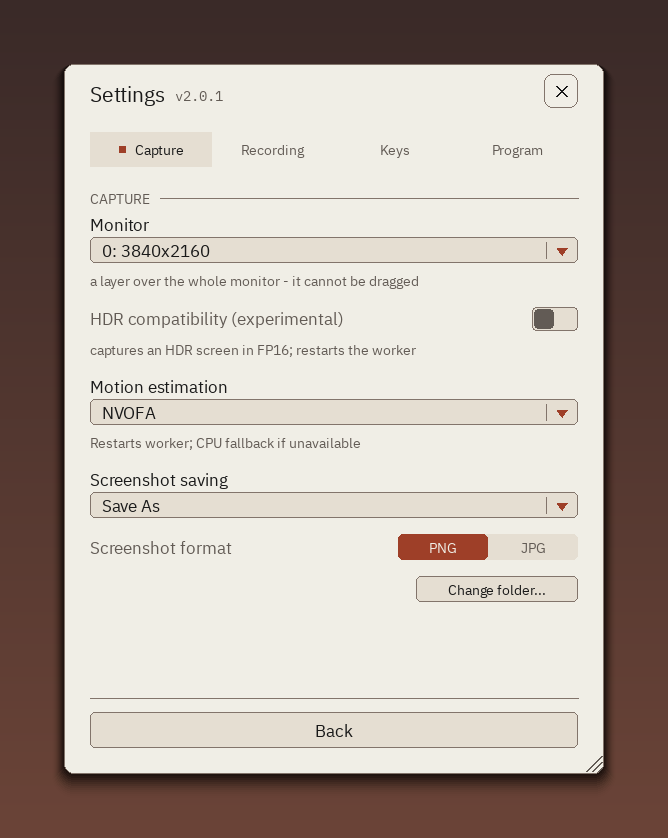
Settings screen of the NVIDIA edition of NeuralScreen. Version 2.1.8 expands control over the program's global shortcuts. Image: perseval-BLR/NeuralScreen.
Previously, the menu allowed temporarily releasing the keyboard, but the shortcuts would return when it was closed. Now, turning off the main control keeps the combinations released.
It has also become possible to remove just a hotkey. A shortcut could be replaced in previous versions, but an empty field was ignored and the default value remained active. Starting from this version, Backspace or Delete clears the combination, while the interface now displays "none".
This change is especially useful for those running NeuralScreen over games. Our NeuralScreen and DLSS 5 desktop guide explains how the program captures the screen and applies Neural Rendering to different contents.
Old frame does not reappear after resizing the output
The third fix affects the image presentation. When the output size no longer matched the overlay size, the program correctly hid the overlay to avoid displaying an image with old dimensions.
However, NeuralScreen would show the overlay again before presenting the first frame already adjusted to the new size. As a result, during a screen update, the frame prior to the change could appear, now displayed in the new dimensions.
The patch maintains the decision to hide the overlay at the same point in the pipeline, but changes the moment it reappears. Now, the program waits for the correct frame to be presented before showing the image again.
The developer also investigated suspected two-second waits when the overlay remained hidden, but could not reproduce this defect. Therefore, version 2.1.8 does not include a specific change for this case.
In a test with 4x Frame Generation and the overlay actually hidden, the internal two-second report recorded 184 frames generated, zero wait object timeouts and an average of 0.02 ms of waiting time. These numbers describe only the developer's technical test and do not represent a gaming performance benchmark.
Patch arrives after Frame Generation changes from 2.1.7
The previous version focused on deeper changes to the temporal behavior of Frame Generation. The NeuralScreen 2.1.7 reduced unnecessary FG work and fixed pacing, in addition to adding shortcuts to control Neural Rendering passes.
Meanwhile, 2.1.8 neither replaces nor redoes those fixes. The new patch addresses different issues: screenshot box processing, hotkey release, and re-displaying the overlay after resizing.
This also differentiates the update from version 2.1.6, which added NVOFA grid tests and fixed the DLSS 5 counter. Therefore, 2.1.8 constitutes a subsequent and independent delta within the 2.1 line.
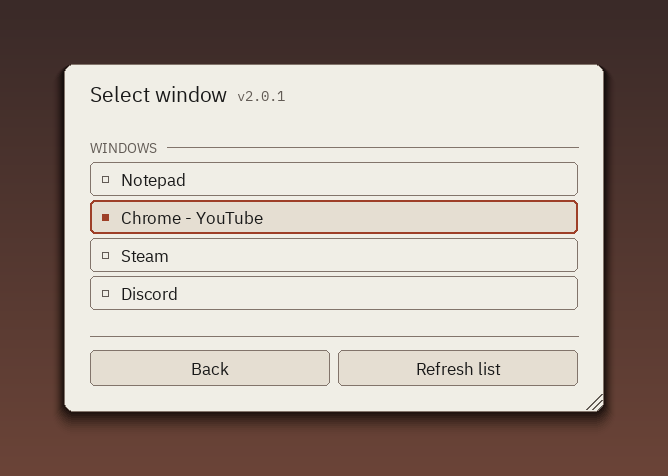
Window selection interface of the NVIDIA edition of NeuralScreen. The image is a reference of the program, whose overlay received a re-rendering fix in version 2.1.8. Image: perseval-BLR/NeuralScreen.
Version 2.1.8 tests finished without failures
The developer added specific tests for the three modified areas. The suite gained checks for message processing during the idle state, general hotkey switch, individual shortcut removal, and overlay re-rendering after a resize.
According to the release, the suite finished with 226 passing tests, zero failures and six skipped tests. The end-to-end graphics cycle also finished correctly.
The update also fixes the infrastructure used by the developer themselves to compile the native worker. The test environment used a preliminary version of Visual Studio that did not appear in the standard search for vswhere. After the adjustment, a check that previously seemed to pass without actually compiling managed to execute the step correctly.
This toolchain fix is primarily of interest for development and internal validation. For the end user, the most visible deltas continue to be the screenshot dialog, hotkey control, and the correct frame after resizing the output.
NeuralScreen 2.1.8 continues to be a community tool
The NeuralScreen 2.1.8 belongs to the NVIDIA edition of the project and requires an updated NVIDIA driver. The tool remains without official affiliation with NVIDIA.
It is also important not to confuse this release with NeuralScreen AMD. The Radeon edition lives in a separate repository, has its own versions, and follows a different technical path for neural processing.
Finally, the patch shows that the 2.1 line continues to receive rapid tweaks following the changes to Neural Rendering and Frame Generation. This time, the focus shifts away from raw performance and onto interaction issues that can directly affect games, screenshots, and resolution changes.
Sources: NeuralScreen v2.1.8 — official release | NeuralScreen — official NVIDIA edition repository.
Pingback: NeuralScreen 2.1.9 corrige desempenho minimizado