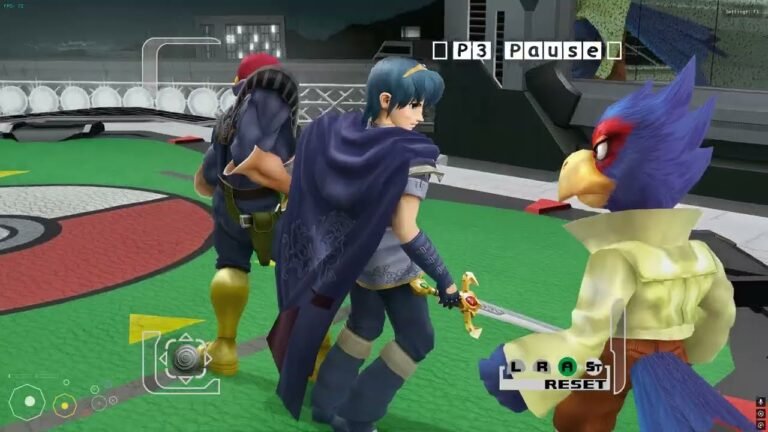

The NeuralScreen 2.1.6 was released on September 26, 2026, with two changes focused on the use and analysis of DLSS 5 Neural Rendering. The update fixes the on-screen counter and, furthermore, adds a new control to test different resolutions of the motion field produced by the NVIDIA Optical Flow Accelerator, the NVOFA.
Although the developer classifies the version as a minor patch in the 2.1 line, the new option holds technical interest. This is because it allows comparing the behavior of standard optical flow in 4×4 pixel blocks with a pixel-level field, when hardware and driver support it.
The video above shows the complete NeuralScreen method in use. Below, the article goes into the specific details of this version.
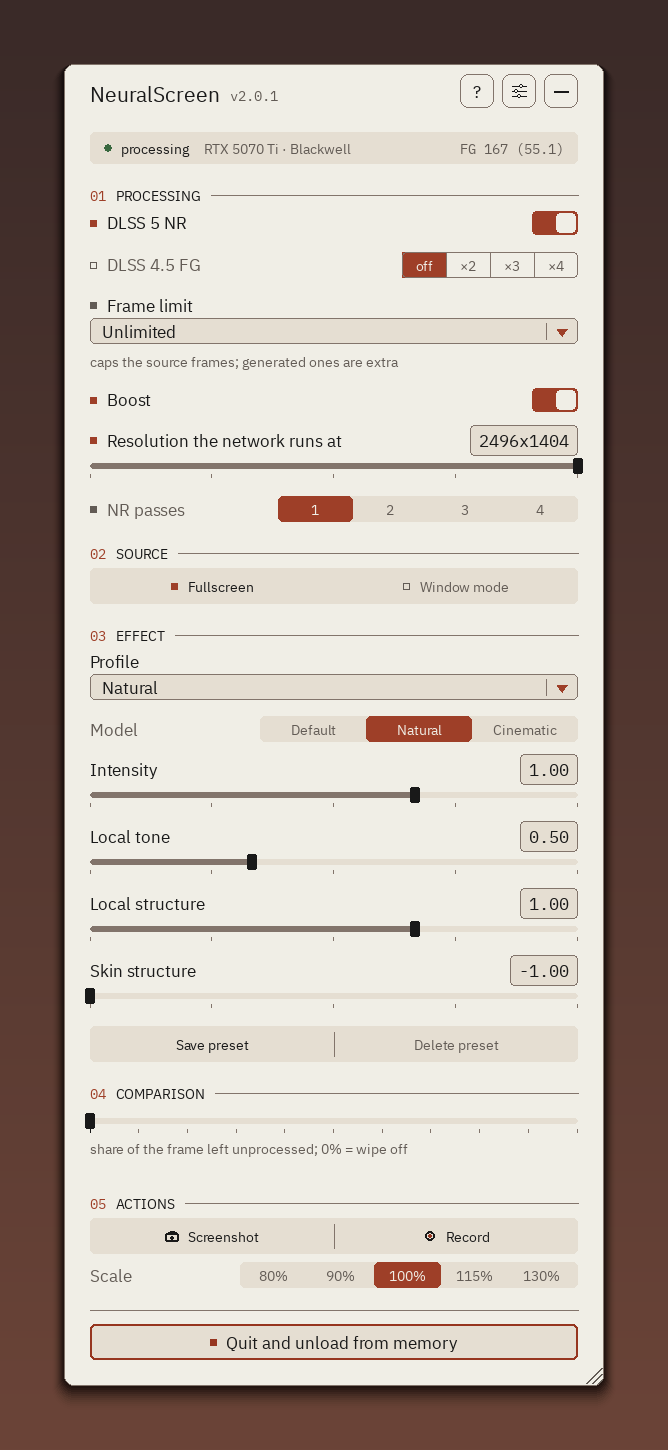
Official interface of NeuralScreen 2.1.6 running Neural Rendering on a GeForce RTX 5070 Ti. Image: NeuralScreen project.
NeuralScreen 2.1.6 enables comparison between NVOFA grids
The main technical novelty appears in the variable NS_NVOFA_GRID. It allows changing the resolution of the vector field delivered by NVIDIA's optical flow backend.
By default, NeuralScreen continues to use the value 4. In this mode, NVOFA produces a motion vector for each 4×4 pixel block. Then, the program expands this field to the required resolution.
However, version 2.1.6 allows requesting NS_NVOFA_GRID=1. In this case, the program asks the driver for a motion field with a vector for every pixel. Therefore, the developer can now directly compare the two approaches.
The official documentation of the NVIDIA Optical Flow SDK confirms that the NVOFA works with 4×4, 2×2, and 1×1 pixel grids on compatible hardware. NVIDIA also states that the 2×2 and 1×1 modes are available starting from the Ampere architecture.
1×1 grid seeks a more detailed motion field
The difference affects the granularity of the vectors. With a 4×4 grid, a single vector represents the motion of a 16-pixel block. Meanwhile, the 1×1 grid can provide a vector for each pixel.
According to the developer of NeuralScreen, the 4×4 field undergoes bilinear expansion. Consequently, a moving edge may experience smoother deformation. The DIS method executed by the CPU, on the other hand, produces a pixel-level field and can preserve edges differently.
The new control creates precisely a way to compare these conditions. However, the developer warns that requesting the 1x1 field requires more GPU time.
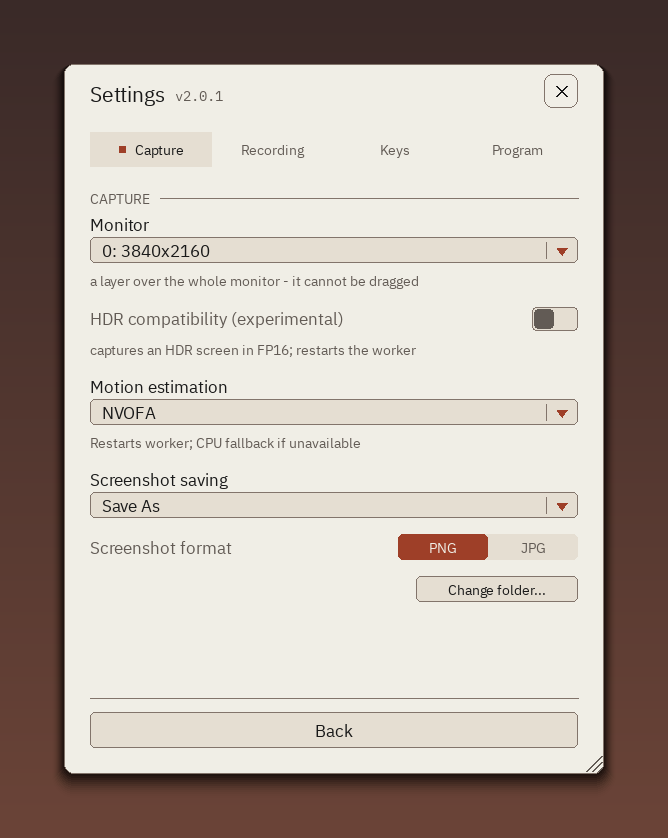
Settings screen shows NVOFA as a motion estimation option. The capture is from an earlier version of the interface and serves as a visual reference. Image: NeuralScreen project.
The change does not automatically improve the image
Despite the greater granularity, the project does not claim that the 1x1 grid necessarily produces a better image. In fact, the version keeps the 4x4 grid as default.
In addition, the developer describes NS_NVOFA_GRID as a measurement and comparison tool. Thus, the default NeuralScreen image did not change simply by installing version 2.1.6.
The program also queries the grids offered by the driver. If the user requests a configuration that the system does not accept, NeuralScreen reverts to the preference reported by the driver itself and records the situation in the log.
This validation avoids a misleading comparison. Without it, the user could select a grid and believe that the program actually used it, even when the driver had refused the configuration.
Why NVOFA matters for NeuralScreen
NVOFA is a dedicated accelerator present in compatible NVIDIA GPUs. It calculates optical flow by analyzing pixel displacement between frames.
According to NVIDIA, the hardware receives two frames and produces a map with vectors representing the movement between them. The Optical Flow SDK exposes this mechanism to applications through the company's APIs.
In NeuralScreen, this information has an especially important function because the program applies Neural Rendering outside of a game's traditional integration. Therefore, it does not necessarily receive the same movement data that a natively supported title can provide directly through the game engine.
Therefore, changes in the generation and granularity of this field can be useful for investigating temporal stability, movement, and artifacts. However, version 2.1.6 does not yet feature a visual benchmark demonstrating a definitive advantage of the 1×1 grid.
Counter now tracks the actual state of Neural Rendering
The second change fixes the counter displayed by the program. Prior to version 2.1.6, it could query an outdated copy of the panel state.
For example, the user could activate Neural Rendering via the Num1 shortcut. Processing would begin and the log would record the execution, but the counter could remain invisible.
The inverse problem also existed. If a worker terminated Neural Rendering, the old snapshot could cause the counter to continue indicating a pass that had already stopped.
Now, the values track each frame sent to the HUD. Thus, the counter accurately reflects the effective processing state. The panel snapshot remains only as a fallback for components that do not use the HUD.
Version passed the project's test suite
The developer reports that version 2.1.6 passed 226 checks, with no failures and five tests ignored. The graphical user interface test cycle also finished without error.
In addition, the project added specific tests for the new NVOFA control. They verify the default value, the accepted grids, and the response when the driver rejects a configuration.
The counter test also received new cases. Thus, the suite checks whether the state carried by the HUD prevails over an old snapshot.
NeuralScreen remains an independent project
NeuralScreen does not represent an official NVIDIA implementation. The project applies Neural Rendering to Windows desktop capture and also offers features such as Boost, multiple passes, Frame Generation, window capture, and Spout2 output.
According to the current project documentation, the RTX 50 is the family validated locally for Neural Rendering, while there are reports on RTX 40. Support for other configurations remains in different stages of validation.
The developer also recommends the latest NVIDIA driver. Furthermore, the project itself warns against using the overlay in competitive games with anti-cheat systems.
Finally, version 2.1.6 does not make the 1×1 grid the new standard. Its main advancement is allowing developers and technical users to compare, in a controlled manner, the granularity of the motion field provided by NVOFA.
Sources: official release of NeuralScreen 2.1.6, official NeuralScreen repository and official documentation of the NVIDIA Optical Flow SDK.