The SmackDown vs. Raw 2009 received an unofficial native PC port on October 8, 2026. The WWE-SVR2009-RECOMP project adapts the Xbox 360 version for Windows and promises 60 FPS matches and up to 4K resolution. In addition, the same package can work on Linux and Steam Deck through Proton.
In turn, developer nefariousjosiah made available the code and instructions on GitHub. However, the download does not include the game: each person needs to use an ISO image produced from their own legally acquired copy of WWE SmackDown vs. Raw 2009 for Xbox 360.
SmackDown vs. Raw 2009 on PC: what changed?
Instead of running the game through traditional emulation, the project recompiles the Xbox 360 code for x86-64 computers with ReXGlue. In turn, a Vulkan-based renderer presents the graphics on the PC GPU. Thus, the port uses the original game program but adapts its execution to the new system.

Triple H's entrance in a demonstration published by the developer themselves. Source: GitHub / WWE-SVR2009-RECOMP.
According to the documentation, the port allows choosing 720p, 1440p, or 4K, in addition to toggling between 30 and 60 FPS. The 60-frame mode uses an internal game option, with adjustments to maintain the correct animation speed. However, these numbers describe the features announced by the author; they are not an independent measurement on different computers.
The project also offers 16x anisotropic filtering, controller support, and an in-game settings menu. To start, simply place the ISO of your own copy next to svr2009.exe and open the executable. Furthermore, the author reports match loading times of about 20 seconds, compared to almost a minute in the original version. This time may vary depending on the equipment.
Gameplay of the SmackDown vs. Raw 2009 port
For example, the official demonstrations show Triple H's moves against Undertaker, including the Pedigree and Spinebuster. Therefore, it is already possible to observe animations and combat running in the project. Even so, the GIFs do not replace independent tests of the entire campaign.
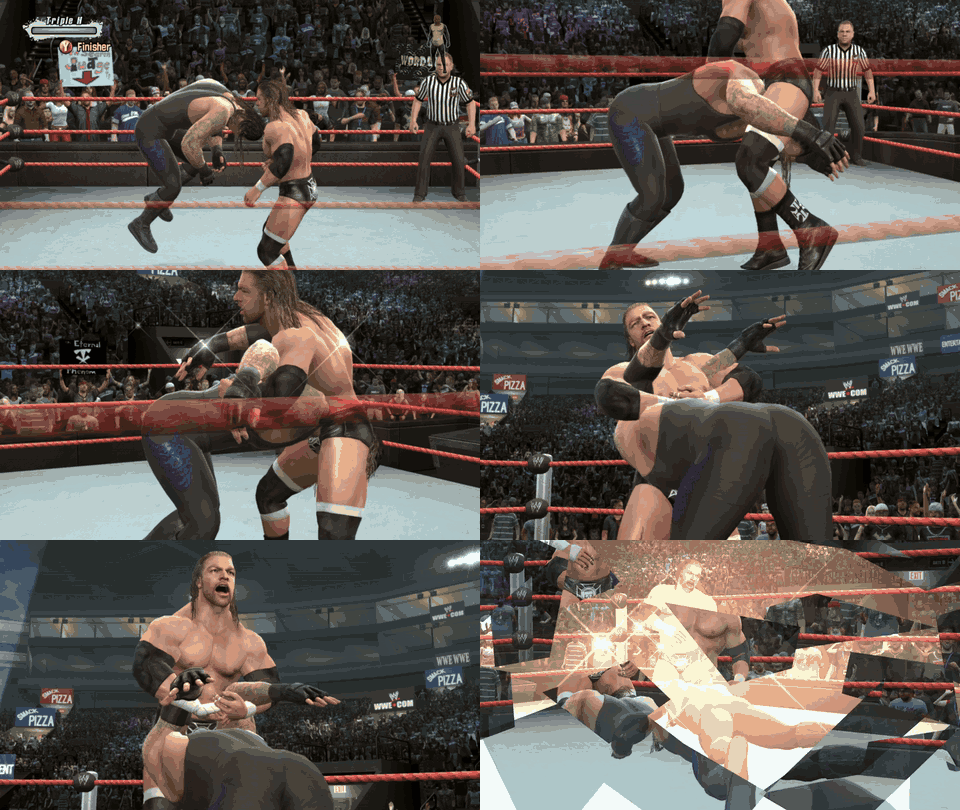
Pedigree move shown in the showcase of the PC port. Source: GitHub / WWE-SVR2009-RECOMP.
It is worth remembering that the 2008 game had versions for several consoles. This work, however, specifically uses the files from the Xbox 360 edition. Those who follow other recompilation projects can also check out the native port of WWF WrestleMania and the Naruto: Rise of a Ninja PC port.
How to download and play WWE SmackDown vs. Raw 2009 on PC
Currently, the developer publishes the file SVR2009-NATIVE.zip on GitHub. It works for Windows and also for Linux or Steam Deck via Proton; therefore, there is no separate native Linux executable. Follow the steps corresponding to your platform.
- Download the updated official package for the platform on which you intend to play. The three buttons below lead to the same ZIP, because the project distributes a single Windows package compatible with Proton.
Windows (native package):
DOWNLOAD UPDATED WWE SVR 2009 PC WINDOWS PORT
Linux (via Proton):
DOWNLOAD WWE SVR 2009 PORT LINUX PROTON UPDATED
Steam Deck (via Proton):
DOWNLOAD WWE SVR 2009 PORT STEAM DECK UPDATED
- Extract the ZIP to its own folder. On Windows, one option is C:\Games\SVR2009-NATIVE, outside of Program Files.
- On Windows, copy your Xbox 360 ISO to the same folder as svr2009.exe and run this file. The program finds the ISO automatically; if it is in another location, it allows you to select it on the first run.
- On Linux or Steam Deck, copy your ISO to the same folder as svr2009.exe. Then, add this executable to your Steam library as a non-Steam game and enable Proton Experimental in the compatibility properties.
- On Steam Deck, return to game mode and open the shortcut from the non-steam games section. On Windows, press F1 during gameplay to open the resolution, screen mode, and FPS options.
Important: use only your own USA/Europe Xbox 360 ISO, with title ID 54510826 and media ID 7AFA4596. The port does not include games, ROMs, or disc images. Additionally, the launcher verifies if the selected edition is compatible.
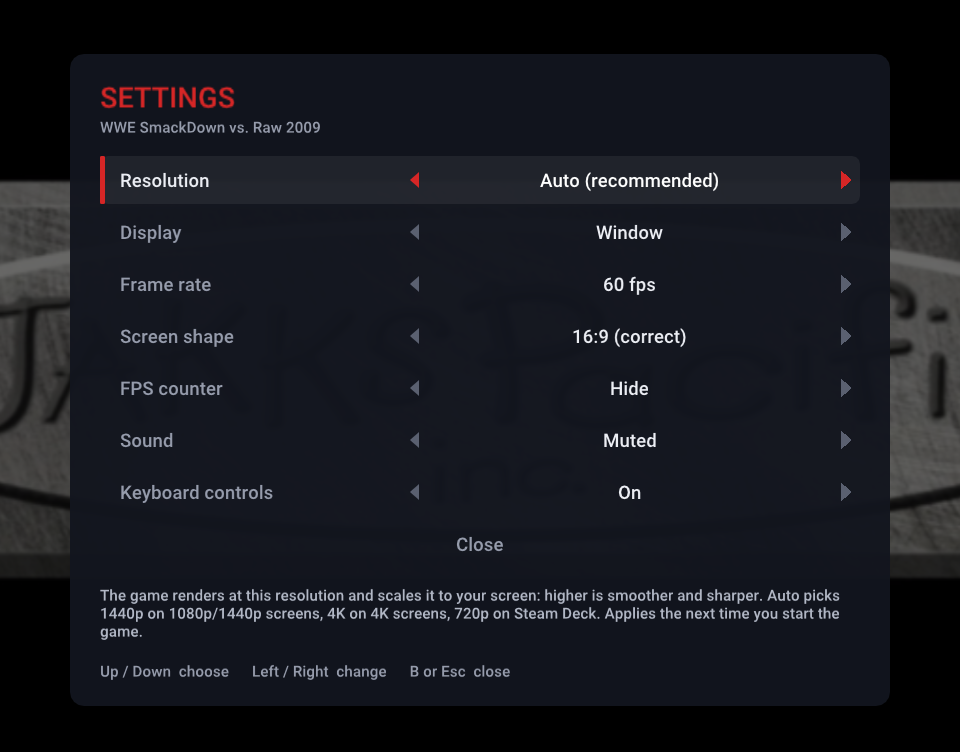
Internal settings menu of the PC port, opened by the F1 key. Source: GitHub / nefariousjosiah.
Steam Deck, compatibility and limitations
As for the Steam Deck, the developer reports 720p and 60 FPS via Proton. Official instructions advise opening svr2009.exe via Steam with the ISO in the same folder, without a separate launcher. The internal settings menu can be opened with the View + Menu buttons on the device.
On the other hand, on Linux computers, compatibility depends on Steam, Proton, and updated Vulkan drivers. On Windows, 64-bit Windows 10 or 11 and a Vulkan-compatible GPU are required. The author recommends a controller; keyboard controls have not yet undergone sufficient testing.
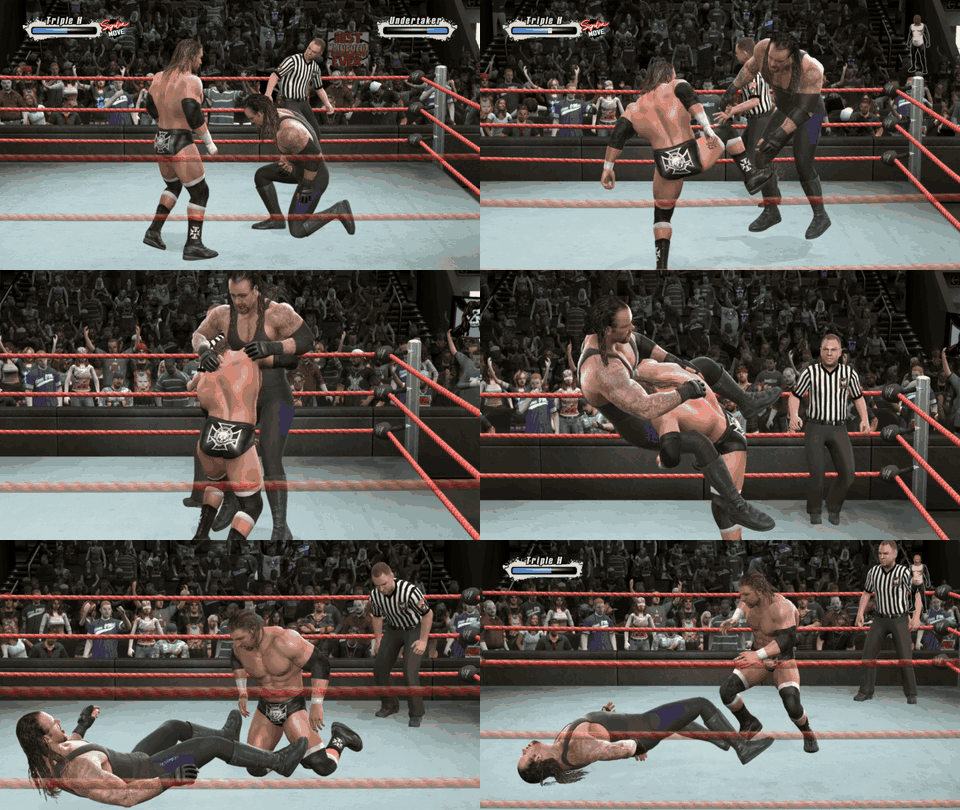
Spinebuster in a match demonstrated by the developer. Source: GitHub / WWE-SVR2009-RECOMP.
Finally, the project remains independent and unaffiliated with WWE, THQ, or Yuke's. Although the repository presents promising features, support for each mode and stability across different graphics cards still require practical verification. Those looking for other Xbox 360 ports can check out the King Kong Recompiled project for PC.
Sources: official repository and README; releases and download package.