The ARMSX2 iOS fixed on October 2, 2026, a save issue when using the option Back to Menu. Previously, the game could remain open behind the library without triggering the auto-save. Now, returning to the menu triggers the auto-save and reduces the risk of losing progress made since the last save.
Furthermore, the change appears in the recent development of the iPhone and iPad version. Although it is a small fix in size, it directly affects the safety of the gaming session, especially for those who frequently switch between emulation and the library.
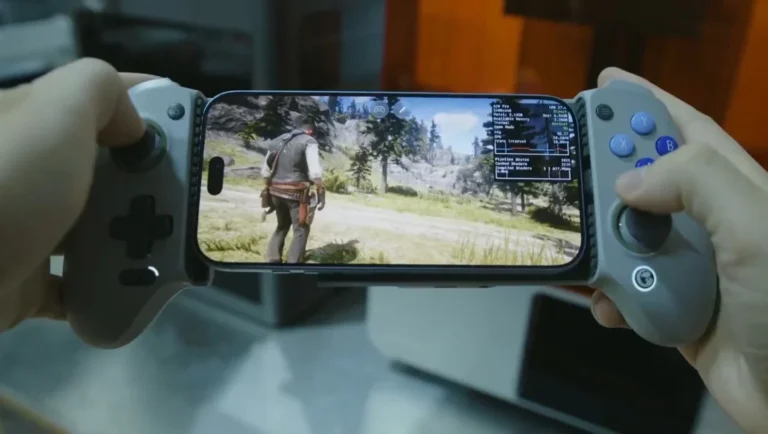
ARMSX2 running on iOS. Video: Allves Games.
ARMSX2 iOS now saves when returning to the menu
The fixed issue occurred when the user selected Back to Menu. The app would visually return to the library, but the game session remained active in the background. As a result, the routine responsible for auto-saving was not triggered at that moment.
With the new commit, exiting this way now triggers the save routine. Therefore, the behavior is much more consistent with the expectations of anyone using the menu to end or switch a session.

The ARMSX2 library on iOS gathers the games added by the user. Image: ARMSX2.
Fix reduces risk of progress loss
On the other hand, the fix does not replace virtual memory cards or save states. Instead, it corrects the timing of when the app should automatically persist the expected state upon returning to the main interface.
This matters because a game that remains open behind the library can give the impression that the session has already been closed. Now, the flow of Back to Menu handles this transition more securely.

The pause menu gathers per-game options and session controls. Image: ARMSX2.
iPhone version still requires JIT
Finally, ARMSX2 is a PlayStation 2 emulator aimed at ARM hardware and features a native version for iOS. The project's documentation states that iPhone and iPad require a JIT configuration to achieve adequate performance in most games. If you are still setting up your device, also check out our guide to playing PS2 on iPhone.
In addition, the emulator does not come with a BIOS or games. To perform tests, only use a BIOS dumped from your own PlayStation 2 and backups of games you legally own.
Sources: fix commit; official website for the iPhone and iPad version; official iOS documentation.