With this, the VBoy Color is a new Virtual Boy emulator that allows you to view games from the old Nintendo handheld with different color schemes, instead of just shades of red. The project was presented by the author on October 9, 2026, and offers execution on PC and Meta Quest, maintaining the stereoscopic image in virtual reality environments.
VBoy Color changes the appearance of Virtual Boy games
To do this, yuk27 developed the emulator, which uses the Beetle VB core, derived from the work of VirtualBoyGo. The official VBoy Color repository describes automatic colorization modes by layer and depth, gradients, tint filters, and multicolored profiles prepared for specific games.
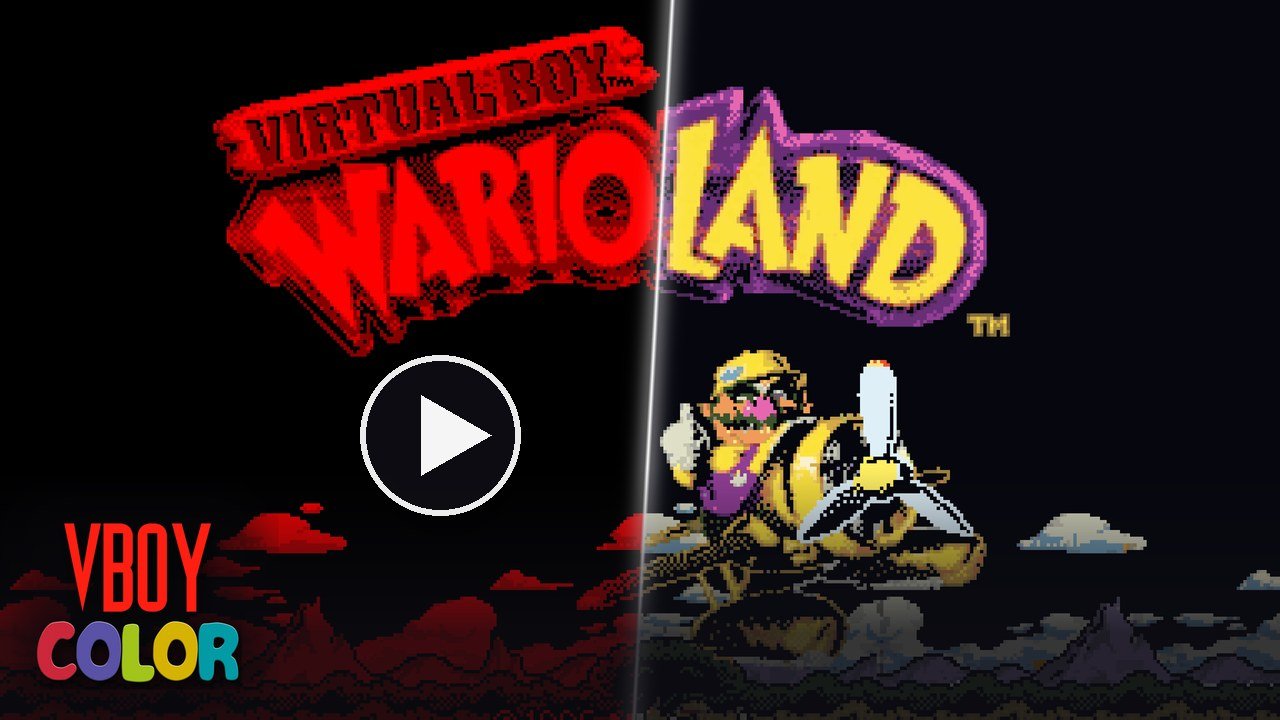
Among the titles with their own profiles are Wario Land, Mario Clash, Mario's Tennis, Galactic Pinball, and Teleroboxer. Furthermore, the project offers save states and compatible controls. However, the results vary depending on the game and the chosen scheme; this is not an official version of the color Virtual Boy.
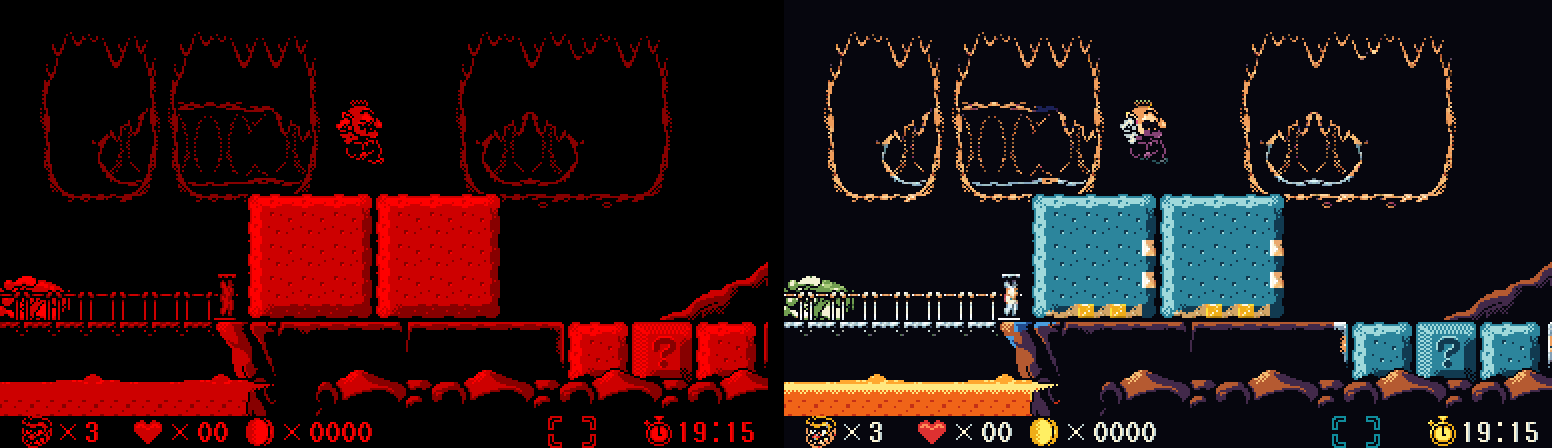
VBoy Color applied to Virtual Boy Wario Land; comparison published by creator yuk27 on GitHub.
Emulator works on PC and Meta Quest
Additionally, the public packages include Windows and Linux for PC, as well as an APK intended for Meta Quest. On a computer, it is possible to play in a 2D window. On compatible headsets, the proposal maintains the console's original three-dimensional effect through stereoscopic viewing.
More recently, according to the updated documentation, there is also experimental support for ARM64 Android phones and tablets with Vulkan. This possibility depends on device compatibility and may present limitations; therefore, it does not equate to confirmation of functionality on all Android devices.
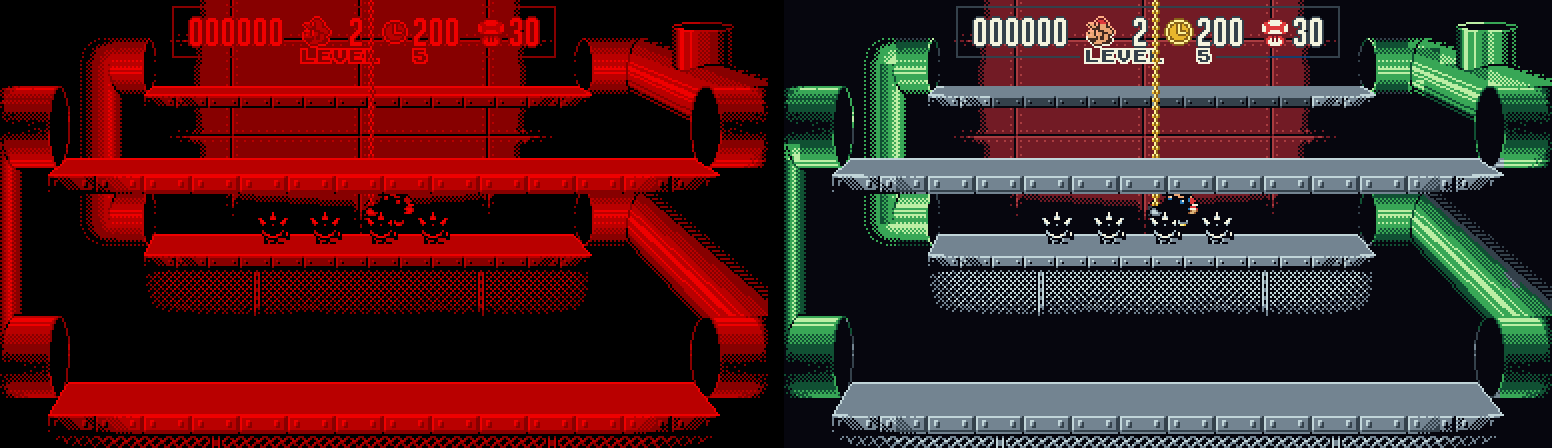
Official comparison of colored Mario Clash, published in the VBoy Color repository. It is not an official Nintendo game in color.
The Allves Games has already covered another initiative related to virtual reality, the experimental RetroArch support for OpenXR on Linux. Despite similar goals, they are independent projects, and VBoy Color is not a passthrough mod that combines different games.
Video shows the original games in comparison with the colors
As a demonstration, the developer made available a official demonstration video comparing the traditional red presentation with the colors applied in Virtual Boy games. The material represents the project, but does not replace independent performance measurements or tests on each headset.
How to download VBoy Color
Currently, the public beta 1.0.0 beta 5 version includes dedicated packages for Windows, Linux, and Meta Quest. No commercial ROMs are distributed with the emulator; therefore, the user needs legally obtained files.
- Visit the official beta 5 release and select your system package.
- On Windows, extract the ZIP; on Linux, use the TAR.GZ file according to the README; on Quest, use the APK with a compatible installation method.
- Prepare your own Virtual Boy ROMs and follow the developer's instructions to open the games.
- Test different color profiles and, when available, choose the stereoscopic view.
The project is free and open source. However, it remains in beta and may present graphical issues or incompatibilities.
Sources: Official GitHub; releases; developer video.