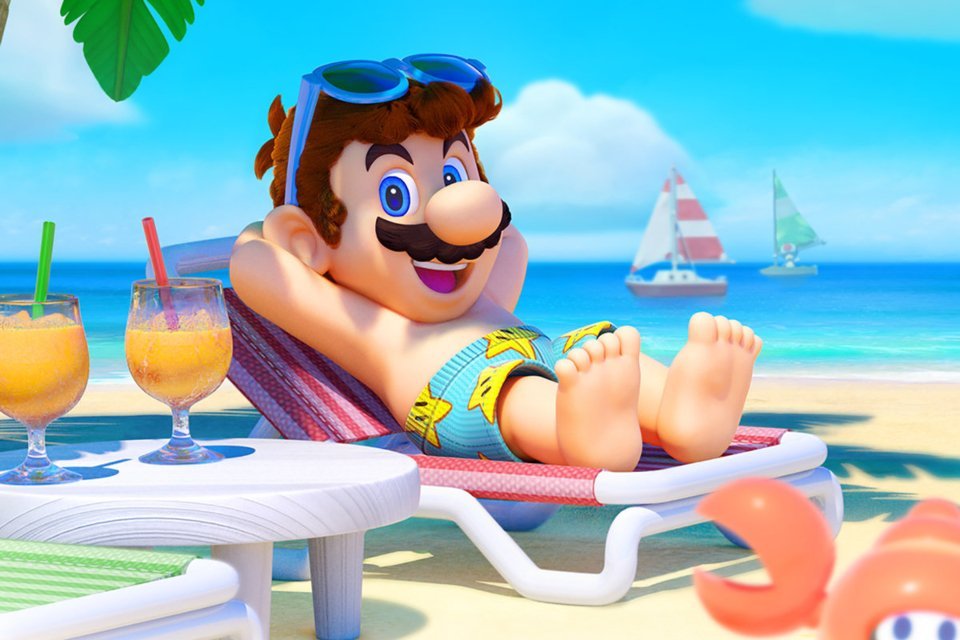
The Super Mario Sunshine PC has received a native version for Windows and Linux that runs the GameCube classic without relying on a traditional emulator. The project offers 60 FPS at the correct speed, up to 8x internal resolution, ultrawide, graphical filters, free camera, and an initial online co-op mode for up to eight players.
In addition, the port received version 1.4.0 on October 6, 2026, and uses its own launcher for installation, adjustments, and updates. The approach resembles other recent recompilation projects we have followed, such as the native port of Super Mario Bros. Wonder on Windows, but here the foundation comes from the decompilation of Super Mario Sunshine.
Super Mario Sunshine PC reaches 60 FPS and up to 8x resolution
The project allows choosing 30 or 60 FPS without speeding up the game. In addition, the internal resolution can go up to 5120 × 4224, equivalent to 8x compared to the original 640 × 528 image.
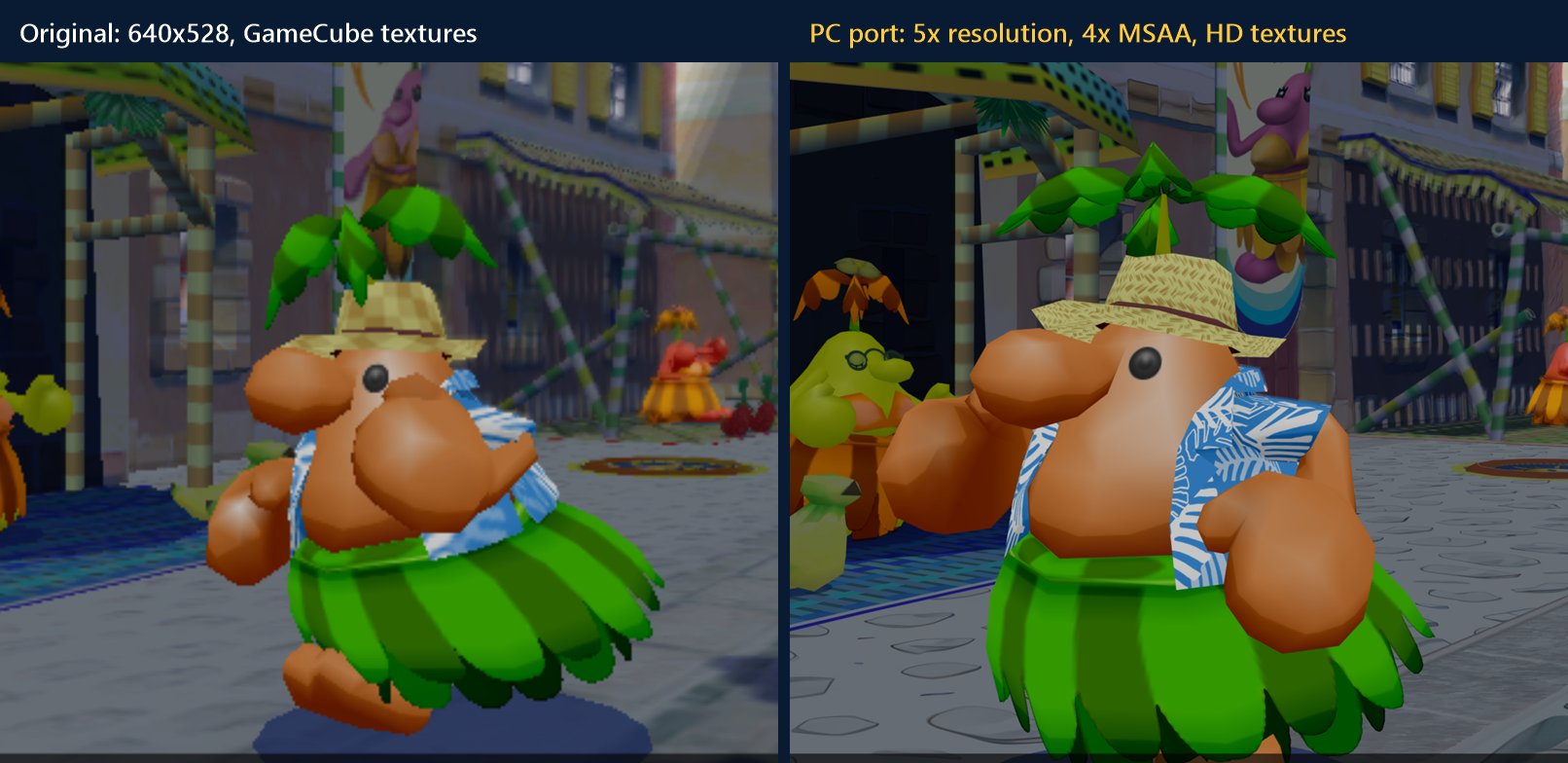
Official comparison of the project between the original image and the port at an upscale resolution with visual enhancements.
There are also aspect ratios from 4:3 to 32:9, 2x/4x/8x MSAA, FXAA, anisotropic filtering, and support for the UHD texture pack. Therefore, the user can greatly improve the presentation without altering the commercial game files distributed by the project.
Launcher gathers installation, controls and updates
The launcher concentrates installation and settings. On the first run, it asks the user to select their own Super Mario Sunshine disk image, checks for the compatible revision, and prepares the files locally.
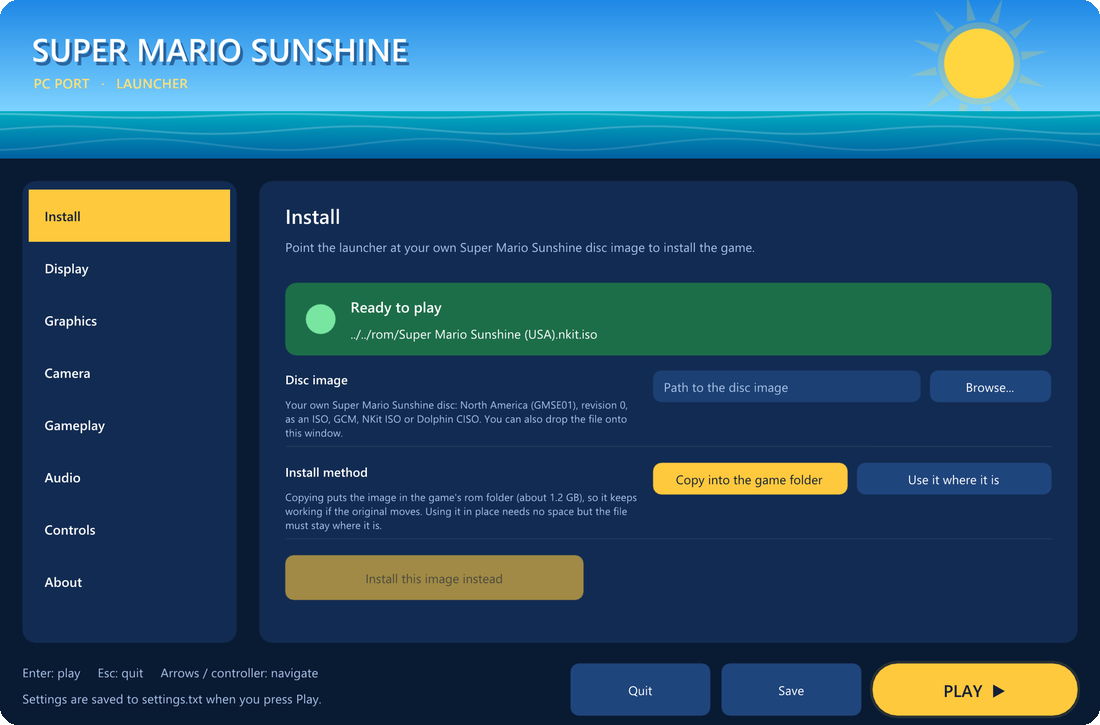
Official launcher screen used to install the game from the user's legally acquired copy.
Furthermore, the launcher allows you to configure resolution, fullscreen, VSync, anti-aliasing, camera, mouse look, and controls. It also checks for new versions and offers automatic updates, reducing the need to manually reinstall the port with each release.
How to download Super Mario Sunshine PC on Windows and Linux
The public packages do not include the game. Therefore, you need to use your own legally acquired copy of Super Mario Sunshine, at the revision indicated by the project.
- Download the package corresponding to your system.
DOWNLOAD SUPER MARIO SUNSHINE PORT WINDOWS UPDATED
DOWNLOAD SUPER MARIO SUNSHINE PORT LINUX UPDATED
- On Windows, extract the ZIP and open
sms.exe. On Linux, make the AppImage executable and open the file. - In the launcher, select your own compatible image from disk and press the install option.
- Adjust resolution, aspect ratio, controls, and other options. Then, press Play.
The routes above accompany the project's most recent public packages for Windows x64 and Linux x86-64. They do not provide ISO, ROM, copyrighted Nintendo files, or any other protected content.
Super Mario Sunshine PC also gets online co-op
Another important difference is in the multiplayer. The online mode allows one player to host the session while the others join via the host's address. Currently, up to eight players can appear simultaneously when they are in the same stage and episode.
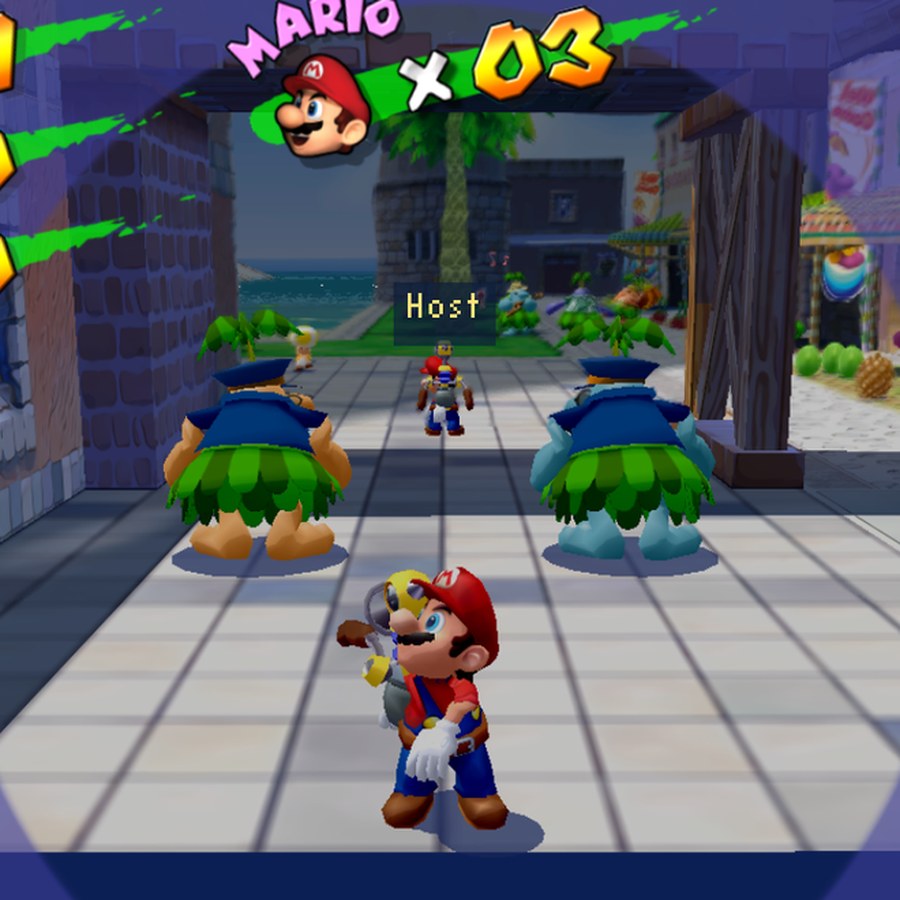
The port's online mode displays other players in Delfino Plaza and supports up to eight participants in this initial stage.
For now, each participant maintains their own progress: enemies, stages, and Shine Sprites are not synchronized. Even so, the feature already places other animated Marios in the same setting, complete with name and FLUDD visual state.
Project continues in development
Despite the features already available, the port remains an evolving project because the base decompilation is still receiving work. Thus, future versions may fix bugs, change requirements, and expand compatibility.
This evolution also brings Super Mario Sunshine closer to other native GameCube game ports. For example, the Allves Games has already shown the Metroid Prime PC and Android Port, another project that brings a console game to modern platforms using reverse engineering work.
Finally, the repository itself emphasizes that the project does not contain game data and is not affiliated with Nintendo. The user must provide their own compatible copy to install and run the port.
Sources: official Super Mario Sunshine PC port repository and official releases.