The mod Granny Minecraft Passthrough brings Minecraft features into Granny Legacy by running both games simultaneously on Windows. The first public release came out on October 7, 2026, and update 0.1.1 already offers an installable package. The creator himself, cabcrab, warns that the project is experimental and may present crashes, incorrect lighting, and collision glitches.
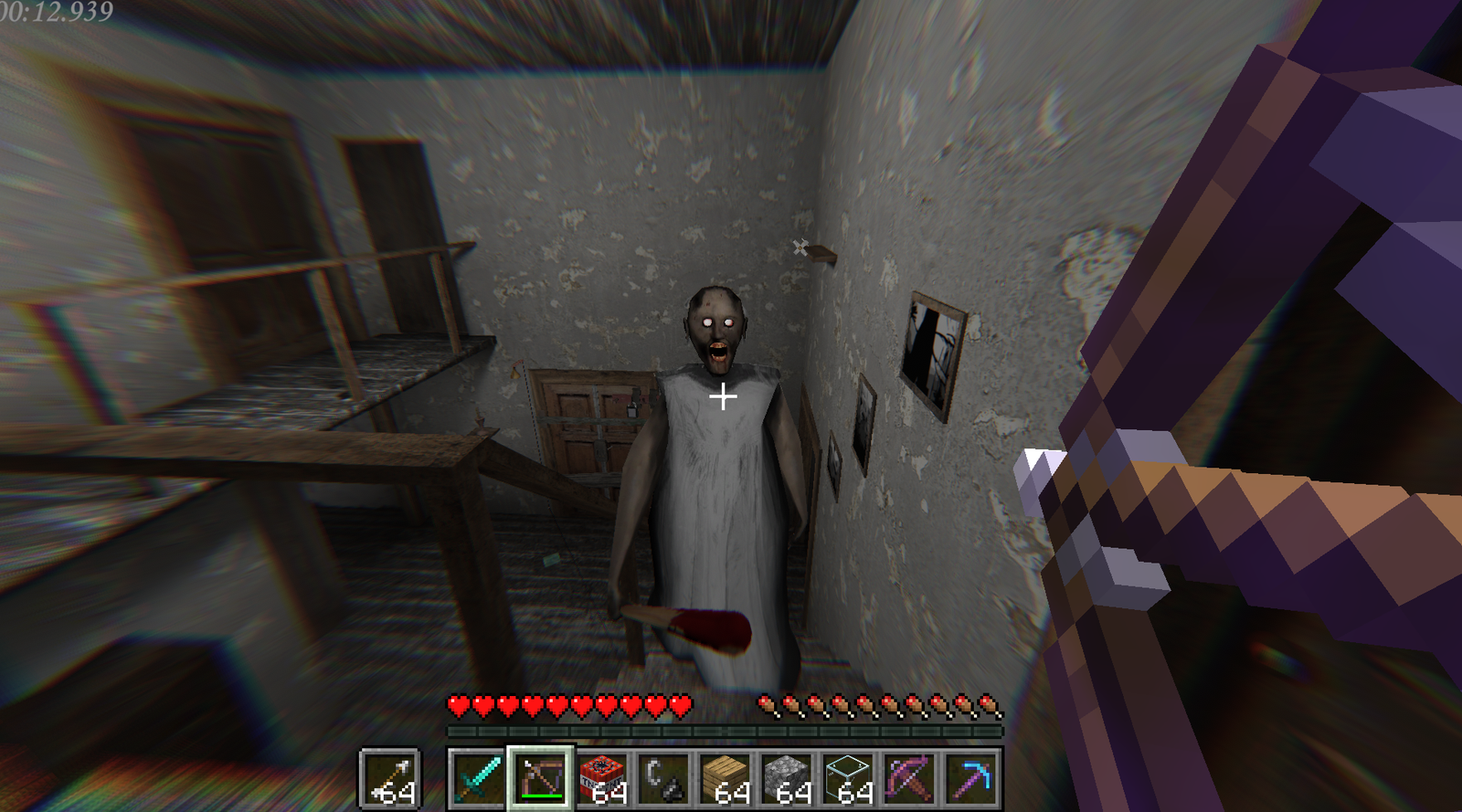
Unlike a simple texture swap, the mod combines Minecraft's imagery and depth with Granny's setting. Thus, the player can see Minecraft blocks, weapons, and interface inside Granny Legacy's house. The code and instructions are on official repository.
How does Granny Minecraft Passthrough work?
The README explains that Granny Legacy and Minecraft Java Edition 26.3 keep running at the same time. A BepInEx plugin and a D3D11 compositor integrate the visuals, while a Fabric mod synchronizes the camera, scenery, and collisions.
According to the developer, swords, arrows, crossbows, and TNT can deal damage to Granny, Grandpa, and other creatures. In addition, the player can place blocks, use the Minecraft hotbar, and destroy specific parts of the house. These areas reappear after about 30 seconds, according to the default configuration described in the project.
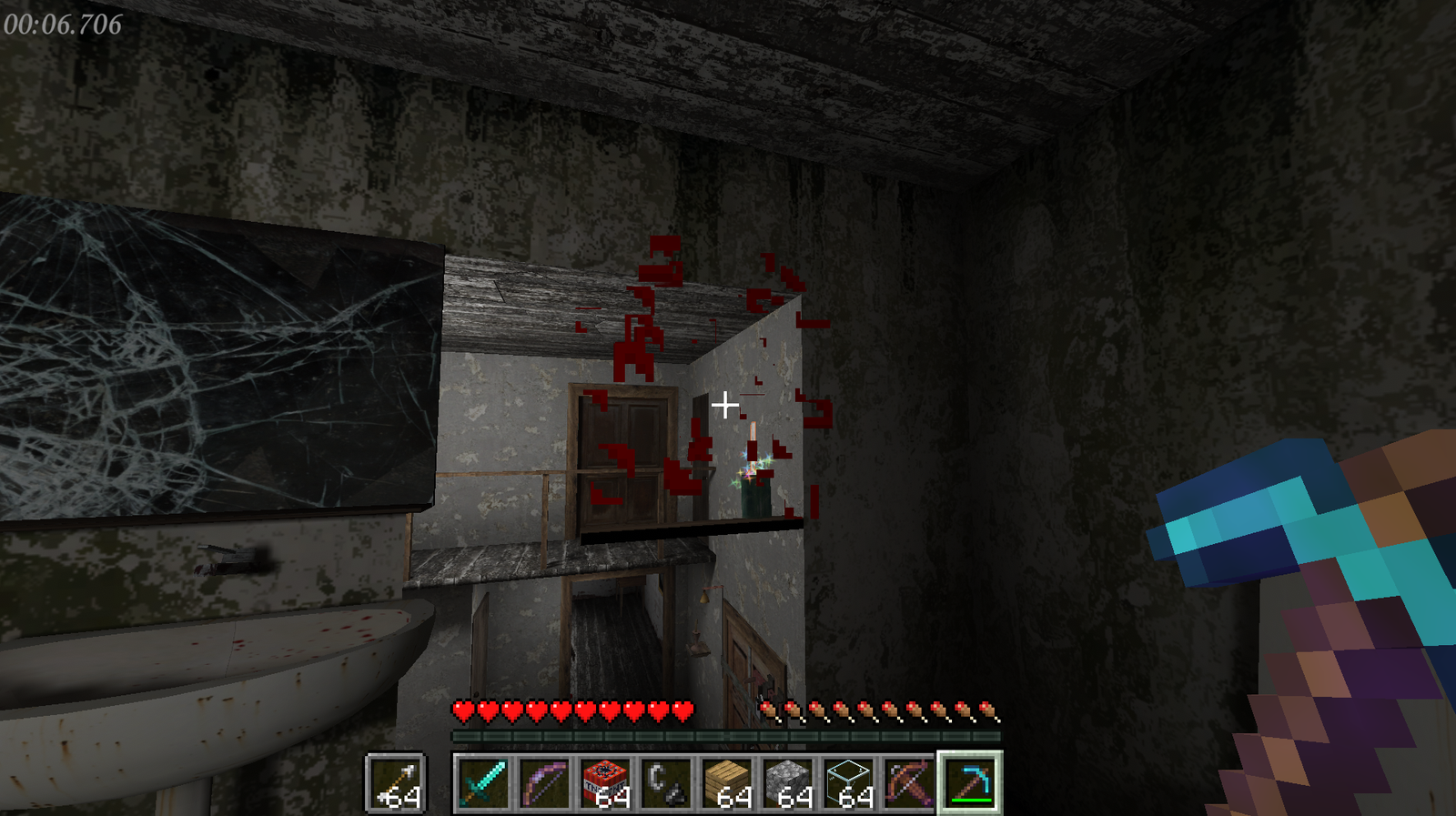
Experimental breaking of parts of Granny's house with Minecraft tools. Source: cabcrab/GitHub.
For example, the author also documents switching between first and third person, arrow collision on walls, and hiding objects behind furniture. However, these functions are accounts from the documentation; we did not perform independent tests.
How to install Granny Minecraft Passthrough on Windows
To get started, the official 0.1.1 package was released on October 7, 2026, and contains the installation scripts. It only works on 64-bit Windows 10/11, requires about 2 GB of free space and a GPU capable of running both games. You need to own Granny Legacy on Steam and Minecraft Java Edition 26.3, purchased legally.
- Confirm that Granny Legacy is installed via Steam and that Minecraft Java 26.3 is available in your launcher.
- Download the latest public package of Granny Minecraft Passthrough for Windows using the button below.
DOWNLOAD UPDATED GRANNY MINECRAFT PASSTHROUGH FOR WINDOWS
- Extract the ZIP into a folder and run Setup.bat. The installer searches for Granny Legacy and allows using your current Minecraft launcher or a portable installation of Prism Launcher.
- After configuration, run Play.bat, open the Granny Minecraft Passthrough profile and launch Minecraft. Granny Legacy should open automatically when the connection is ready.
- In-game, use F8 to toggle the passthrough. If anything fails, consult the Troubleshooting section of the README and the log files indicated by the creator.
After that, the setup copies Granny's files to a separate folder, creates a Minecraft profile, and saves a backup of the modified settings, as per the README. Still, examine the scripts and back up your files before running experimental software. The author provides Uninstall.bat to remove the Minecraft integration.
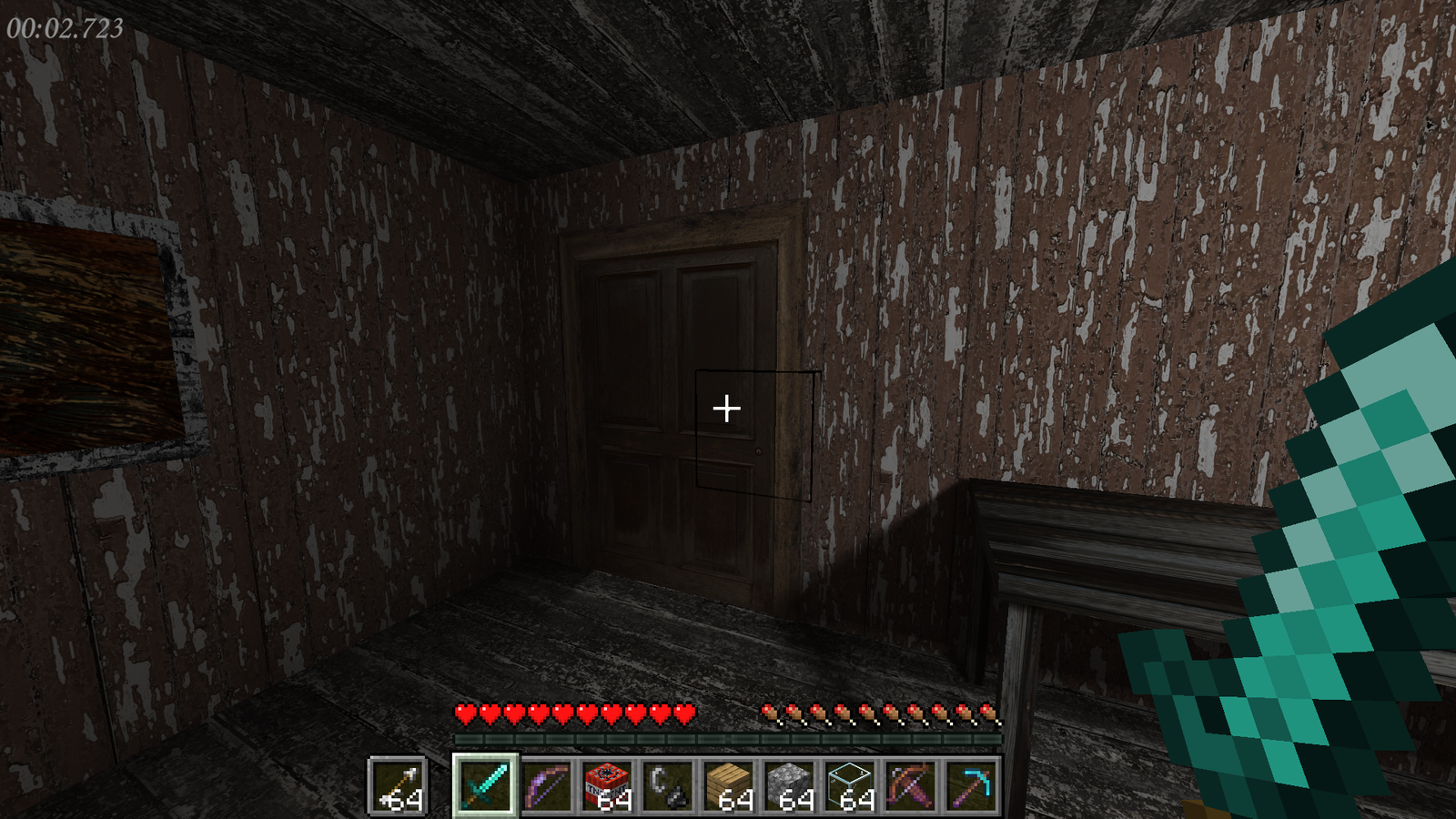
Minecraft HUD rendered inside the Granny Legacy setting. Source: cabcrab/GitHub.
What changed in version 0.1.1?
In turn, version 0.1.1 added support for the already installed Minecraft launcher and adjustments to the setup process. In addition, the update restores temporarily changed preferences during execution and includes the uninstaller. The official release package contains the approximately 9 MB ZIP; this does not include commercial games.
The project has no official affiliation with the developers of Granny Legacy, nor with Mojang or Microsoft. Therefore, it is not an official expansion of either game.
A cross-game passthrough experiment
Generally, this type of mod seeks to transport objects and systems from one game into another without entirely replacing its engine. In Granny's case, the code combines two running applications rather than turning Granny Legacy into a conventional Minecraft map.
For comparison, see also the EldenCraft, which integrates Minecraft and Elden Ring, and the CallOfWarcraft, another passthrough project.
For now, the stage remains early. The README classifies the mod as very unstable, with possible crashes and objects that do not work correctly. Thus, the download represents an experimental version, not a guaranteed stable experience.
Sources: creator's README and code; official release 0.1.1.