The XPSemu Alpha 2.1 received an update on October 10, 2026, that expands original Xbox emulation features on the jailbroken PlayStation 5. The main new feature is support for up to four local players. In addition, developer ZiZc3 fixed saving issues and added language options for games.
According to the official Alpha 2.1 release notes, the emulator now recognizes controllers from different users connected to the PS5. Before this update, only the first controller worked inside games.
XPSemu Alpha 2.1 allows up to four players on the PS5
The update introduces simultaneous support for up to four controllers during matches. Thus, users can enjoy local multiplayer features of original Xbox games that offer this type of experience.
Furthermore, XPSemu dynamically connects players two through four. According to the creator, the process takes up to two seconds after each user or guest logs in on the PS5.
Player one remains responsible for controlling the emulator's menus. Meanwhile, the remaining controllers become available for compatible games.

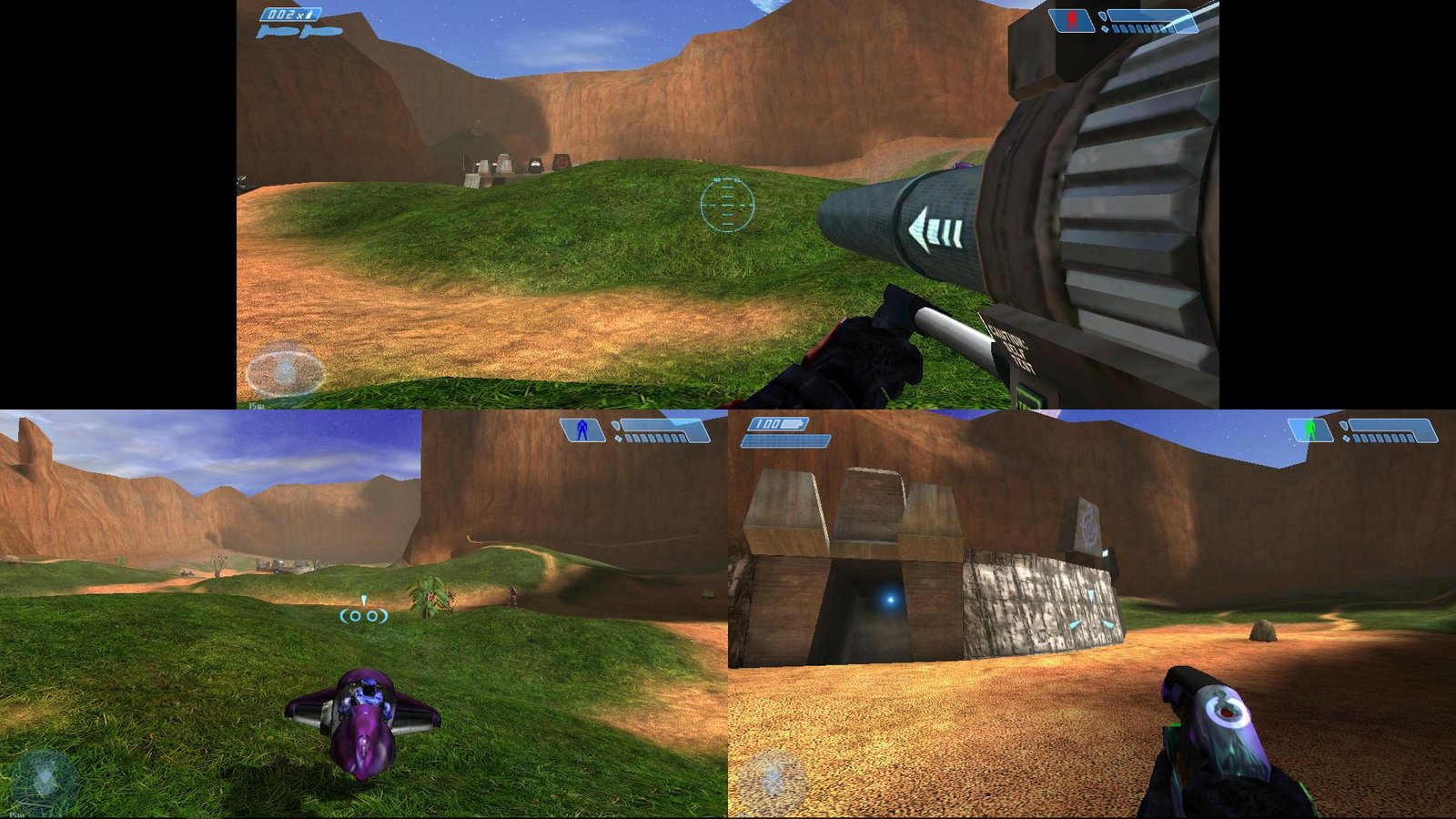
Halo: Combat Evolved multiplayer on the original Xbox. Illustrative image of the game, not a capture of four controllers working in XPSemu Alpha 2.1. Source: Allves Games archive.
However, this advancement does not mean that all Xbox games will have perfectly working local multiplayer. The experience still depends on each title's compatibility with the emulator.
Update fixes lost and corrupted saves
Another important change involves the saving system. Previously, some players would lose progress when leaving a match. This happened because the emulator could shut the game down before finishing writing the data to the virtual disk.
Now, XPSemu waits for the recording to finish before ending the session. In addition, the developer has implemented a mechanism that attempts to repair interrupted save files.
The program also keeps copies of the changes in the folder /data/xemu/save-repair/. Thus, the new system aims to reduce issues that could prevent other saves.
During the save finalization, the Now Playing bar displays a progress animation. Meanwhile, the user is still able to navigate through the menu.
Emulator gets game language option
The XPSemu Alpha 2.1 also introduces the path Settings > Interface > Game language. In it, the player can select Portuguese, English, Spanish, French, German, Italian, Japanese, Korean, or Chinese.
Previously, the emulator started games in English. Now, it attempts to apply the chosen language, provided the game itself contains that translation.
Therefore, the change does not add non-existent subtitles or dubbing to the original titles. It simply allows the use of languages that are already part of the game files.
Official material from XPSemu Alpha 1, a previous version of the project. Source: ZiZc3, via the Allves Games library. Does not represent a capture of the new Alpha 2.1 menus.
In addition, the changelog for the new version mentions adjustments to the interface and file management. Thus, the developer seeks to make using the emulator more predictable on the PS5.
XPSemu Alpha 2.1 fixes crashes in Ninja Gaiden Black
The release notes also mention fixes for an issue that caused crashes after approximately 15 to 20 minutes in games like Ninja Gaiden Black.
In addition, the project received changes to reduce failures during the creation of many graphics shaders. The developer also decreased the number of graphics pipelines the system needs to prepare.
Another fix protects the virtual Xbox hard drive when the emulator closes unexpectedly or when the user closes the application from the PS5 home screen.
Previously, some of these situations could cause loading errors. Now, the author aims to preserve file integrity xbox_hdd.qcow2, preventing the user from having to delete it to start games again.
How does original Xbox emulation work on PS5?
XPSemu uses code from the open-source xemu emulator, adapted to run as a native application on a PS5 with a compatible homebrew environment.
However, this does not turn Xbox games into native ports for the PlayStation 5. The application still emulates the Microsoft console's hardware.
To achieve this, the project employs QEMU TCG JIT for CPU emulation and uses xemu's Vulkan renderer with the RADV driver. In addition, it offers its own interface to browse games and adjust settings.

Halo: Combat Evolved from the original Xbox. Contextual image of the base game, not an independent test of XPSemu Alpha 2.1. Source: Allves Games collection.
Allves Games had already presented the XPSemu Alpha 1 running original Xbox games on PS5. However, that version did not yet offer the new four-player system, save fixes, or language selector described in this update.
How to install XPSemu Alpha 2.1 on PS5?
The developer makes the package available PPSA97358.zip on the official version page. However, the procedure requires an unlocked PlayStation 5 with compatible homebrew tools.
In addition, the user needs to legitimately obtain the boot and BIOS files from the original Xbox itself, as well as the games in XISO format. XPSemu does not include this commercial content.
- Access the official page of the Alpha 2.1 version and download the XPSemu package for PS5.
- Extract the file
PPSA97358.zipand copy the folderPPSA97358to/data/homebrew/. - Prepare the environment with kstuff,
helper.elfand ShadowMountPlus, according to the project documentation. - Place your file
mcpx_1.0.binand its BIOSComplex_4627.binin/data/xemu/. - Add your XISO games to the folder
/data/xemu/games/or the folderxemu/games/of a compatible USB drive. - Finally, launch XPSemu from the PlayStation 5 home screen.
DOWNLOAD UPDATED XPSEMU ALPHA 2.1 PS5
The button uses the Allves Games download route associated with the Alpha 2.1 version. Before installing, also check the official instructions on GitHub.
What limitations remain in XPSemu?
Despite the improvements, XPSemu remains in experimental development. Some demanding games still exhibit performance limitations, especially in scenes that rely more heavily on the CPU.
The project also maintains compatibility restrictions with certain game images and original Xbox features. Therefore, correct installation does not guarantee that the entire catalog will function in the same way.
Additionally, the new save backup system does not equate to full support for save states. The emulator continues to use the original saving mechanism of the games.
Interested parties can track new versions, report issues, and check updated instructions in the official XPSemu repository.
Sources: XPSemu Alpha 2.1 — release notes; official ZiZc3 documentation.