
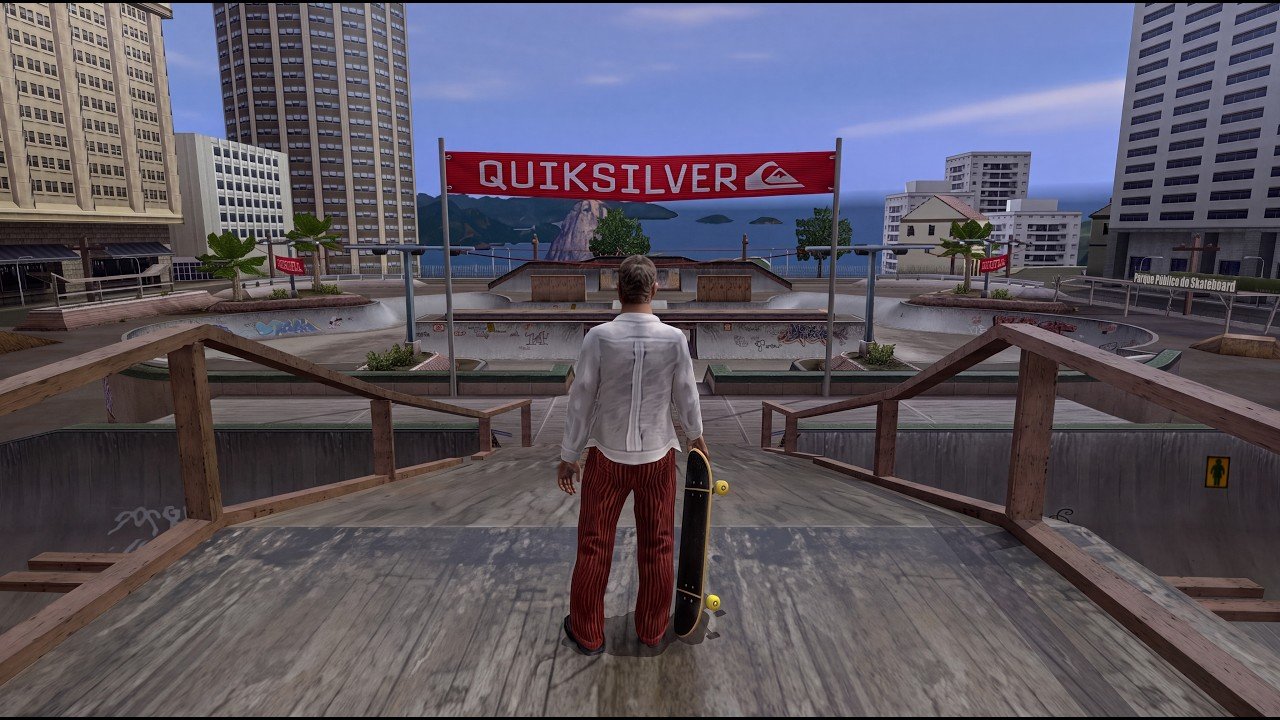
The NeuralScreen 2.1.4 fixes Frame Generation by resolving an issue with interpolated frame pacing. The update, released on September 24, 2026, makes the program's presenter synchronize generated frames with the compositor's actual back buffer availability, instead of relying on the fallback timing mechanism used in previous versions.
The change is important because NeuralScreen already tried to use this synchronization, but the path never worked as intended. The program called SetMaximumFrameLatency(1) and GetFrameLatencyWaitableObject(), yet created the swap chain without the flag required for these functions to operate correctly.
Version 2.1.4 finally adds DXGI_SWAP_CHAIN_FLAG_FRAME_LATENCY_WAITABLE_OBJECT. As a result, a Frame Generation session reduces the maximum swap chain latency from 3 to 1 and restores the value to 3 when FG ends.
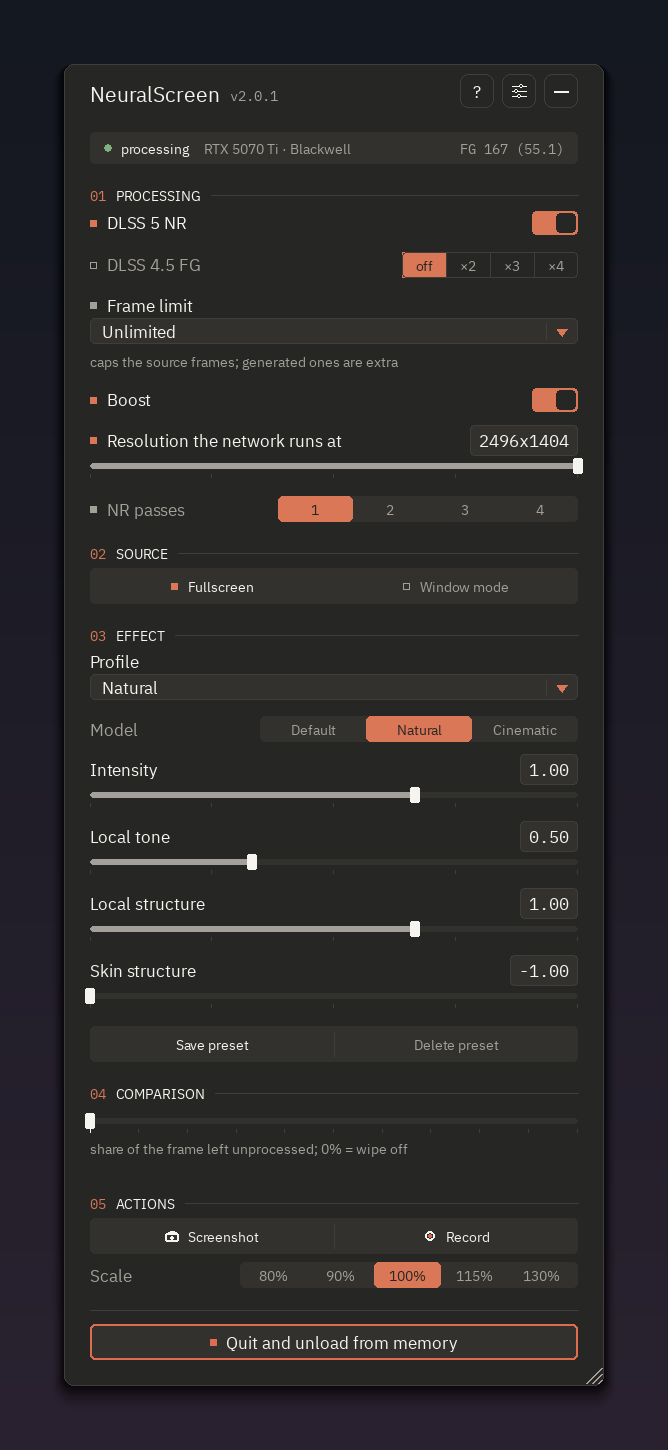
Official interface of NeuralScreen 2.1.4. The panel allows enabling Frame Generation at 2x, 3x, or 4x multipliers. Image: perseval-BLR/NeuralScreen.
NeuralScreen 2.1.4 fixes Frame Generation pacing
The developer detailed the fix in the official version 2.1.4 release notes.
The goal of the Frame Generation presenter has always been to wait for the compositor to release the previous back buffer before presenting the next frame. This way, the system could better align the delivery of generated frames with the actual presentation.
However, this approach did not work.
The cause lay in the creation of the swap chain. NeuralScreen used the functions intended for frame latency control, but did not enable DXGI_SWAP_CHAIN_FLAG_FRAME_LATENCY_WAITABLE_OBJECT.
Without this flag, the waitable object required for synchronization did not offer the behavior the presenter expected. Therefore, the code ended up resorting to an alternative path based on timing.
Version 2.1.4 fixes precisely this step.
| Status | Before | NeuralScreen 2.1.4 |
|---|---|---|
| Swap chain flag | Absent | FRAME_LATENCY_WAITABLE_OBJECT |
| FG active | Pacing fallback | Max latency 1 |
| FG off | — | Latency returns to 3 |
The developer confirmed the new path during a live run. The log started recording the message:
[fg] the presenter is paced by the compositor (latency 1)
Thus, the fix does not exist only in the code. The project also confirmed that the presenter actually enters the synchronized mode during a Frame Generation session.
What changes in practice during movement?
The main expected effect appears in the regularity with which NeuralScreen presents the interpolated frames.
An FPS counter might indicate a high rate and yet movement can still feel irregular. This happens because frame count and presentation regularity are different metrics.
For example, 120 frames distributed irregularly over one second do not necessarily produce the same visual sensation as 120 frames delivered at consistent intervals.
Prior to 2.1.4, the NeuralScreen presenter did not use compositor synchronization as intended. Now, it can wait for buffer availability before presenting the next result.
Therefore, users who noticed irregular pacing, choppy movement, or a feeling that the generated frames were not keeping up properly with the screen have a concrete reason to re-run tests.
However, the update does not guarantee that any Frame Generation visual issues will disappear.
The fix does not eliminate Frame Generation artifacts
NeuralScreen works with Frame Generation at the screen level, without receiving all the internal information that native integration within a game can provide.
According to the technical documentation of the project, the system uses flat depth and estimates motion from the images.
Consequently, UI elements, texts, particles, rapidly appearing objects, and complex movements may still exhibit distortions.
Version 2.1.4 does not change this interpolation algorithm.
The update fixes when NeuralScreen presents the frames, not how the network creates each intermediate frame.
Therefore, a movement that previously looked jittery because of pacing may improve. Meanwhile, an object deformed by motion estimation may still remain deformed.
Why doesn't NeuralScreen keep latency at 1 all the time?
The developer had already experimented with a simpler approach: creating the swap chain and keeping latency at 1 permanently.
However, this path caused flicker in conventional Neural Rendering.
That is why the final implementation adopts a dynamic behavior.
The swap chain starts with a maximum latency of 3. When the user activates Frame Generation, NeuralScreen changes the value to 1. Afterward, when FG finishes, the program restores it to 3.
Thus, the project attempts to achieve the most appropriate pacing for FG without permanently altering the behavior of the traditional Neural Rendering path.
HDR must not silently remove the new synchronization
The update also takes into account swap chain changes during execution.
When the program calls ResizeBuffers, it reuses the swap chain's own flags. This way, DXGI_SWAP_CHAIN_FLAG_FRAME_LATENCY_WAITABLE_OBJECT remains present after buffer recreation.
This matters especially when the user switches to an HDR configuration.
Without this care, a mode switch could recreate the buffers without the flag and silently cause the presenter to revert to the old behavior.
Version 2.1.4 prevents this scenario.
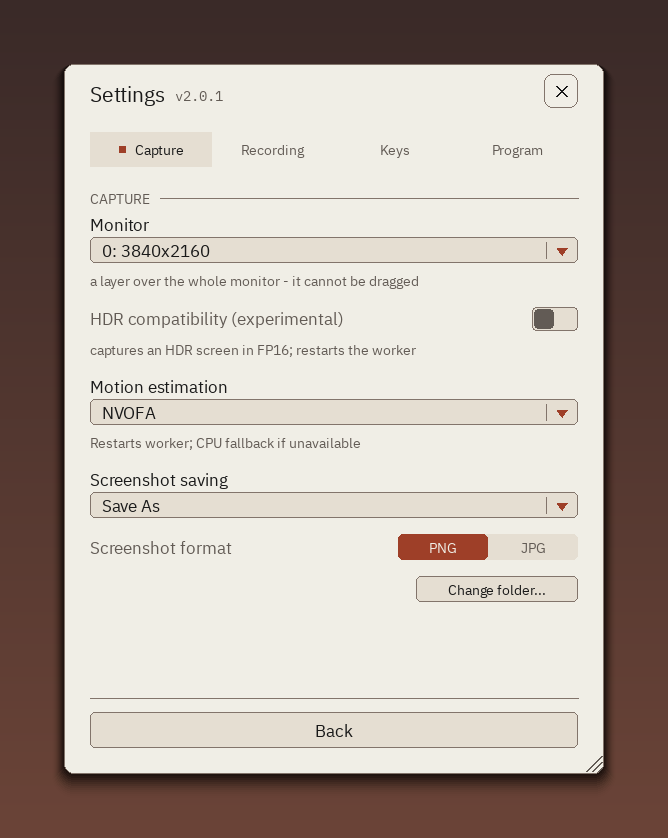
NeuralScreen 2.1.4 settings include experimental HDR capture and motion estimation options. Official image: perseval-BLR/NeuralScreen.
NeuralScreen 2.1.4 also fixes inverted image with HDR and NR
The update resolves another issue related to HDR.
On certain display or inverted capture configurations, the capture shader applied the transformation rotate180 to SDR proxies.
However, the HDR composition read the native frame without applying the same orientation.
As a result, the user could encounter a duplicated and inverted image when enabling Neural Rendering.
Version 2.1.4 now applies the same orientation to the frame used by the HDR composition. Thus, both paths work with the image in the same position again.
DRED can now help investigate GPU crashes
Another technical fix involves DRED, which stands for Device Removed Extended Data.
Windows offers this mechanism to log additional information when Direct3D loses the graphics device, a situation that can occur during a driver or GPU crash.
Before the update, NeuralScreen attempted to enable DRED breadcrumbs through the pre-existing D3D12 device.
This path did not work. Therefore, the log returned 0x80004002 and reported that the resource was unavailable.
Now, the program obtains the correct interface through D3D12GetDebugInterface before calling D3D12CreateDevice.
In practice, this does not increase FPS or improve image quality. However, the change can produce much more useful information when NR or FG cause a device removed.
Thus, an error report now has a higher chance of pointing out where the GPU was working when the failure occurred.
Version also fixes validation of legitimate NVIDIA DLLs
NeuralScreen checks the origin of certain runtimes before loading them.
However, two legitimate copies of sl.dlss.dll presented certificates that had already expired. The program was checking the chain using the current date and ended up rejecting these DLLs as if they did not have a valid NVIDIA signature.
Version 2.1.4 now correctly considers the timestamped signature.
This means that a DLL validly signed when NVIDIA published it is not unrecognized simply because the certificate used in that signature later expired.
Therefore, the change improves provenance verification without simply disabling validation.
Fixes also affect windowed mode
The release also includes adjustments to the overlay behavior when NeuralScreen captures only a single window.
In one of the fixed situations, an old and larger image could remain visible beyond the window boundaries after a resize.
Now, the program temporarily hides this image until resizing is complete.
In addition, a size mismatch could freeze the last frame and then make the overlay reappear continuously. The update also fixes this path.
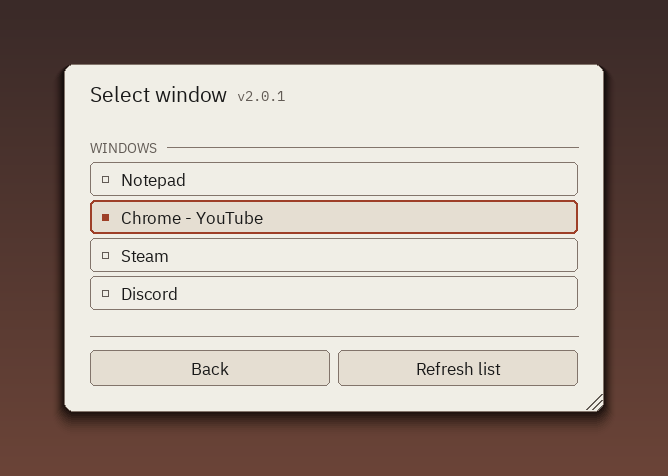
NeuralScreen can process the entire screen or just a user-selected window. Official image of version 2.1.4: perseval-BLR/NeuralScreen.
Does the fix apply to games and emulators?
Yes. NeuralScreen's Frame Generation operates on the image captured by the program and does not require specific integration within the game or emulator.
Therefore, the presenter fix applies to the general Frame Generation path on Windows.
The user can capture the entire screen or select a specific window. Therefore, games, videos, applications, and emulators can go through the same pipeline.
However, the visual result still depends on the captured content.
A game with predictable movement may produce different results from an emulator with a HUD, text, rapid camera changes, or overlapping 2D elements.
Additionally, NeuralScreen still recommends avoiding its use in competitive games with anti-cheat systems.
Is it worth repeating the tests done on NeuralScreen 2.1.3?
Yes. The change directly interferes with the presentation of the frames produced by Frame Generation.
Therefore, a direct comparison between 2.1.3 and 2.1.4 may reveal differences that an FPS counter alone does not show.
For a more reliable A/B test, ideally you should keep:
- the same game or emulator;
- the same scene;
- the same resolution;
- the same base FPS;
- the same Frame Generation multiplier;
- the same Neural Rendering configuration;
- the same Boost;
- the same frame limit;
- the same camera movements.
After that, it is worth observing mainly the visual consistency during pans, lateral movements, and camera rotations.
It also makes sense to record frametimes, if the tool used is able to measure the final presentation adequately.
On the other hand, a simple "FPS before and after" comparison probably won't show the main benefit of this fix.
Version 2.1.4 was not announced as an update aimed at increasing the number of generated frames. The goal is to present these frames at the correct time.
The AMD version has not yet been validated on actual Radeon hardware
The release once again mentions the separate project NeuralScreen-AMD.
However, the developer himself is still looking for users to perform tests on real hardware.
The documentation states that this variant has not yet been successfully executed on a real Radeon.
In addition, Frame Generation in the AMD build does not currently work, as this path relies on the optical flow runtime used by the NVIDIA implementation.
Therefore, the Frame Generation fixes in version 2.1.4 should not be interpreted as confirmation of FG working on Radeon cards.
What do the official tests actually confirm?
The official release states that the project has added or expanded tests for orientation conversion, log rotation, inter-instance communication, theme reconstruction, and worker security.
According to the developers, each of these tests failed on the version 2.1.3 code prior to their respective fixes.
In addition, the developer confirmed in actual execution that the presenter enters the new synchronized path with the compositor and registers latency 1 during Frame Generation.
For now, however, there is still no independent benchmark showing how much this change modifies frametimes, latency, or smoothness in a specific game or emulator.
Thus, the available evidence confirms the technical fix and the operation of the new path. The magnitude of the visual difference still requires comparative testing on different configurations.
What actually changes in NeuralScreen 2.1.4?
The main new feature is not in the number of frames that NeuralScreen can manufacture.
The breakthrough lies in the way these frames reach the screen.
In previous versions, the program had code to synchronize the presenter with the compositor, but the swap chain lacked the necessary flag to make this mechanism work.
Version 2.1.4 finally connects the two parts.
Now, when Frame Generation kicks in, the swap chain switches to maximum latency 1 and the presenter waits for the back buffer to be released. When the user disables FG, the system returns the latency to 3 and preserves the behavior of conventional Neural Rendering.
Therefore, the update deserves attention especially from those who had already tried Frame Generation and noticed jerky motion even with a high FPS counter.
At the same time, it is important to keep expectations correct: NeuralScreen 2.1.4 fixes presentation pacing, but does not modify the interpolation itself responsible for potential deformations in the generated frames.
Sources: NeuralScreen — official release v2.1.4 | NeuralScreen — official repository and documentation | NeuralScreen — technical documentation | NeuralScreen-AMD — official repository.

Pingback: NeuralScreen 2.1.7 Reduz Stutter do Frame Generation