The mod Minecraft GTA V received a new public preview for Windows on October 10, 2026. Experimental version 0.1.7 expands the integration between Minecraft Java and GTA V Legacy, with adjustments to vehicle explosions and arrow damage. The project runs both games on the same computer and connects their systems via a passthrough mod.
Initially, developer 0RageQuit released the first Melty package on October 9, in version 0.1.4. Since then, the package 0.1.7 has added combat fixes. However, the author reports that automated tests have passed, but a full validation of live gameplay is still missing.
Minecraft GTA V connects building and driving
According to the project documentation, the mod allows walking and building with Minecraft controls within the Los Santos setting. Additionally, the player can access the inventory, toggle the camera, use the elytra, and switch back to GTA V controls to drive vehicles.
In this system, blocks placed by the player can also gain collision in the GTA V environment. However, the integration remains experimental: uneven terrain, rapid camera changes, and some objects may still present collision or rendering issues.
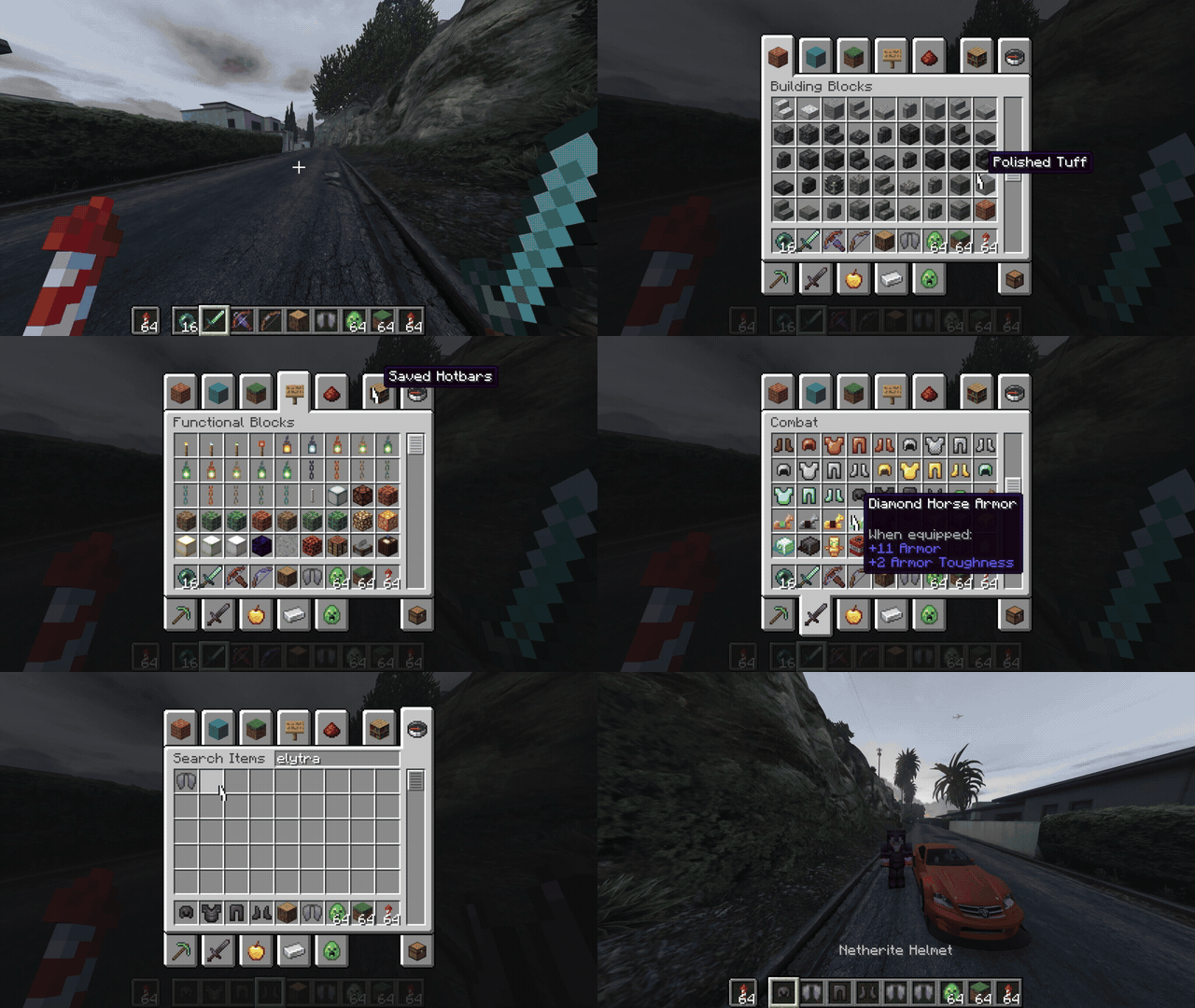
Demo GIF included by the author in the Minecraft × GTA V repository. Source: 0RageQuit/GitHub. External file.
However, the feature is not equivalent to a conversion of GTA V to Minecraft. In practice, both games work together, with a bridge between controls and world elements. Therefore, the experience requires more computer resources than running just one of the titles.
Preview 0.1.7 adjusts TNT, rockets, and arrows
In version 0.1.7, the author changed the interaction of TNT and crossbow rockets with GTA V vehicles. Additionally, arrows now forward damage to corresponding characters in the Rockstar game. Furthermore, the update fixes internal mappings that would break the bridge after certain shots.
Despite the code changes and automated tests, the changelog highlights that full testing within both games remains pending. Therefore, it is not possible to state that the combat is completely stable or that all interactions work in long sessions.
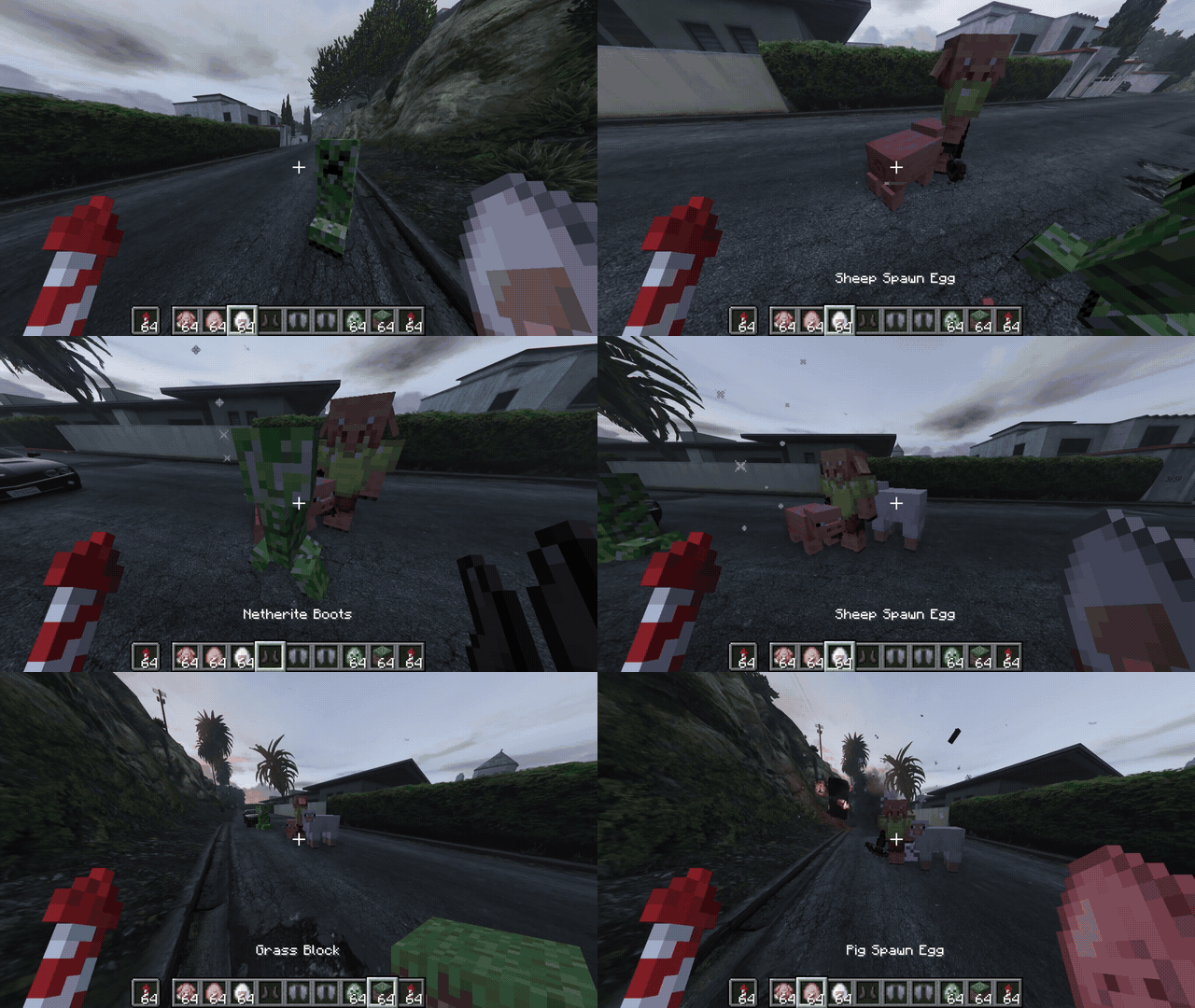
Visual material published by the project itself; it illustrates the integration in development, not an independent test of version 0.1.7. Source: 0RageQuit/GitHub. External file.
Meanwhile, this type of mod also appears in other projects followed by Allves Games. For example, the LibertyCraft integrates Minecraft into GTA IV, but uses another game and another implementation. As for the MinePeak try the integration with PEAK. None of them should be confused with the work of 0RageQuit.
How to install the Minecraft GTA V mod on PC
Currently, the latest confirmed public package is the 0.1.7 preview for Windows, distributed by the developer themselves. It requires GTA V Legacy on build 1.0.3889.0 and Minecraft Java 26.3, both obtained legally. In this case, the project uses Melty to automate part of the installation, but does not include the commercial games or credentials.
- Check the requirements and back up your saves and your GTA V Legacy installation.
- Download the Melty 0.1.7 package from the official release. Do not confuse the installable ZIP with the separate source code file.
- Read the author's installation guide and follow Melty's steps to prepare the components.
- Run only the Story mode of GTA V Legacy and a dedicated instance of Minecraft. GTA Online and the Enhanced version are not supported.
As this is an experimental preview, the user may encounter glitches even if the requirements are met. Furthermore, update 0.1.7 does not constitute proof of stability on varied hardware. The author recommends preserving original installations and avoiding the use of the mod in online sessions.
Sources: release 0.1.7; first Melty 0.1.4 package; installation documentation; 10/10 commit.