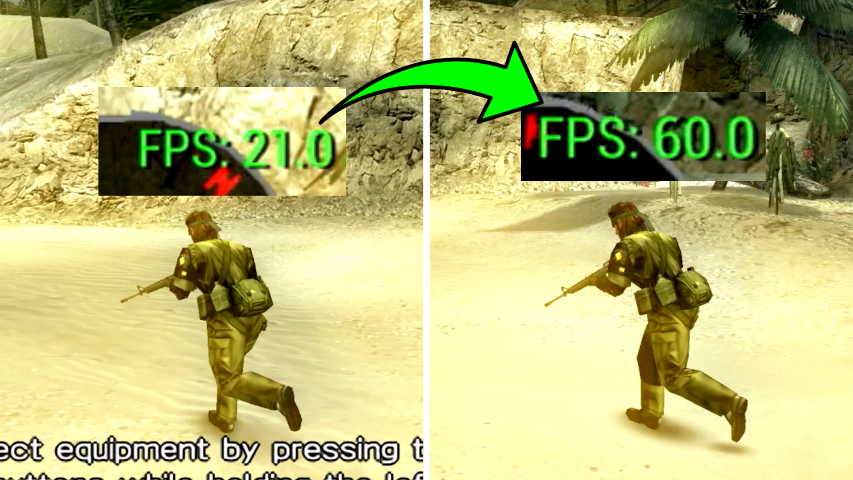
Some PSP games do not run natively at 60 FPS, as is the case with Metal Gear Solid. In this article, you will learn how to unlock the 60 FPS mode in these games using the PPSSPP emulator. Although the step-by-step guide is demonstrated on an iPhone, the process is the same for Android devices.
https://youtu.be/ol1BgSwrjzY
1. Accessing the Emulator Settings
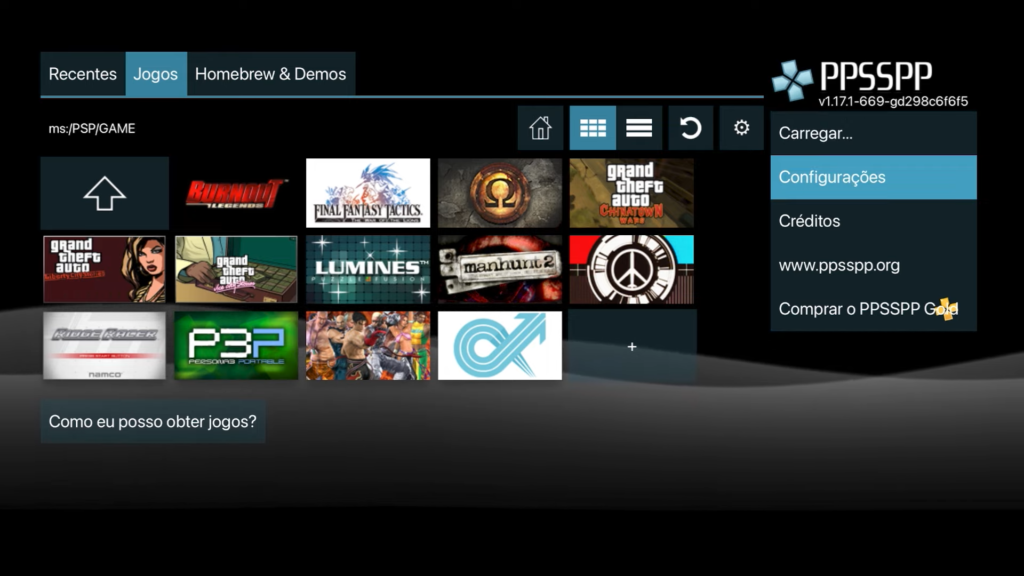
First, open the PPSSPP emulator and go to Settings.

2. Enabling Cheats
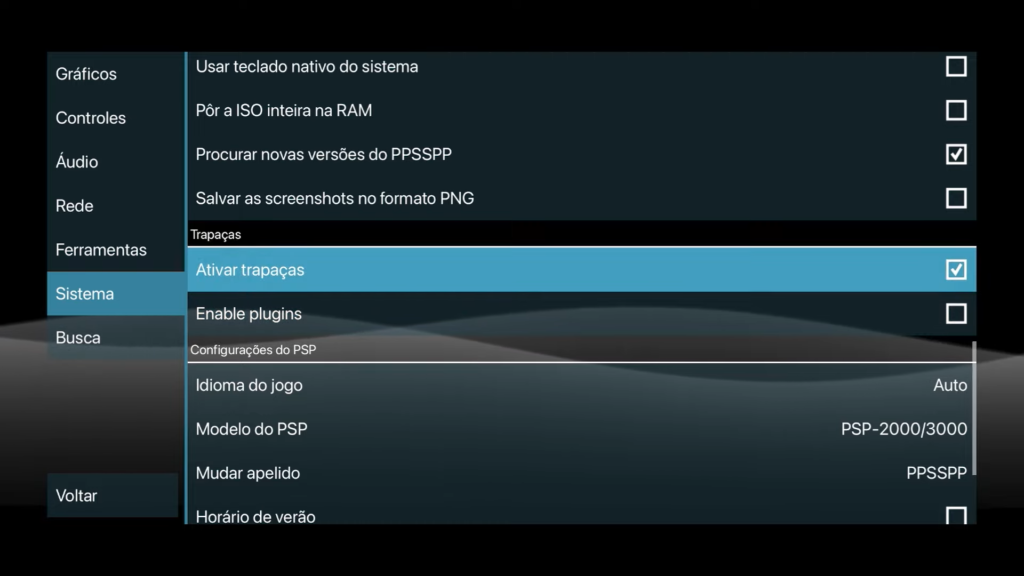
In the left menu, select System and then look for Cheats. Enable this option. A folder named Cheats will be created in your phone's files.
3. Selecting the Game
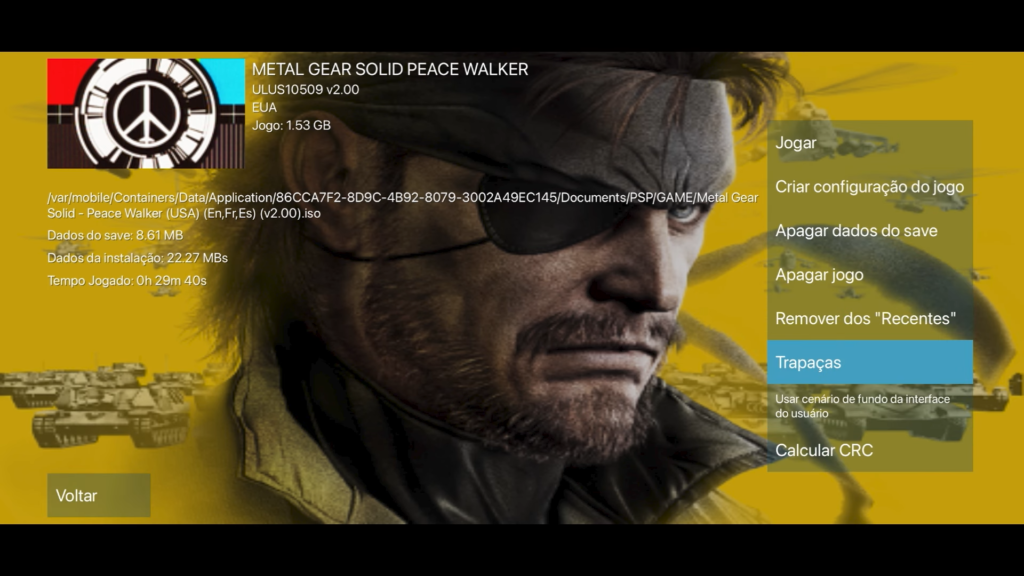
Return to the game selection screen, long-press the icon of the desired game (in this example, Metal Gear Solid) and select Cheats.
4. Inserting 60 FPS Codes
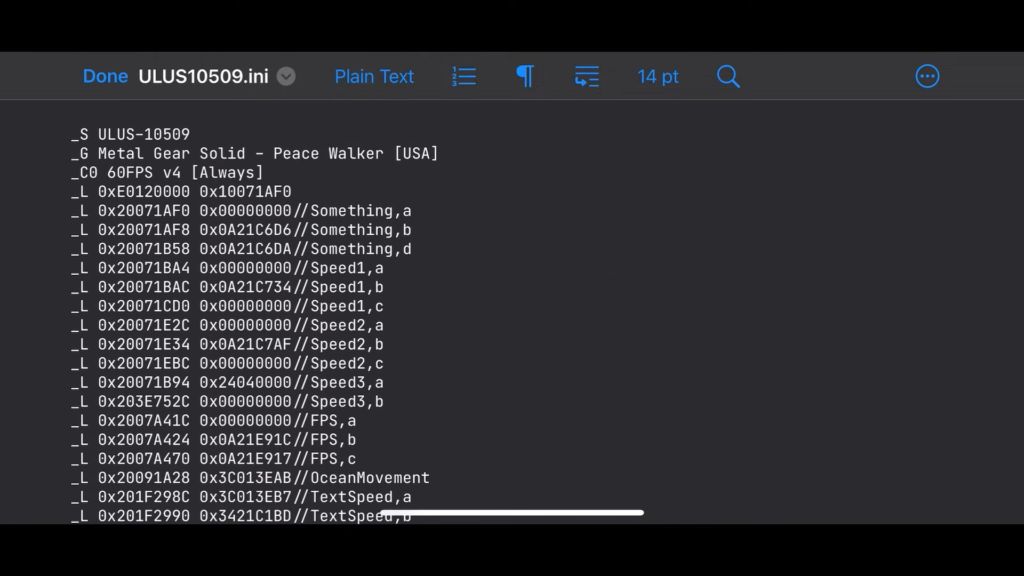
In the folder Cheats, a new file with the game code will appear. Note this code. Next, open the list of codes to unlock 60 FPS.\n\nLook for the specific code for your game version (for example, ULUS10509 for Metal Gear Solid). Copy the corresponding code.\n\nOpen the file in the folder Cheats using a text editor (such as Runestone on iPhone or QuickEdit on Android). Paste the copied code into the file and save.
5. Enabling 60 FPS Mode
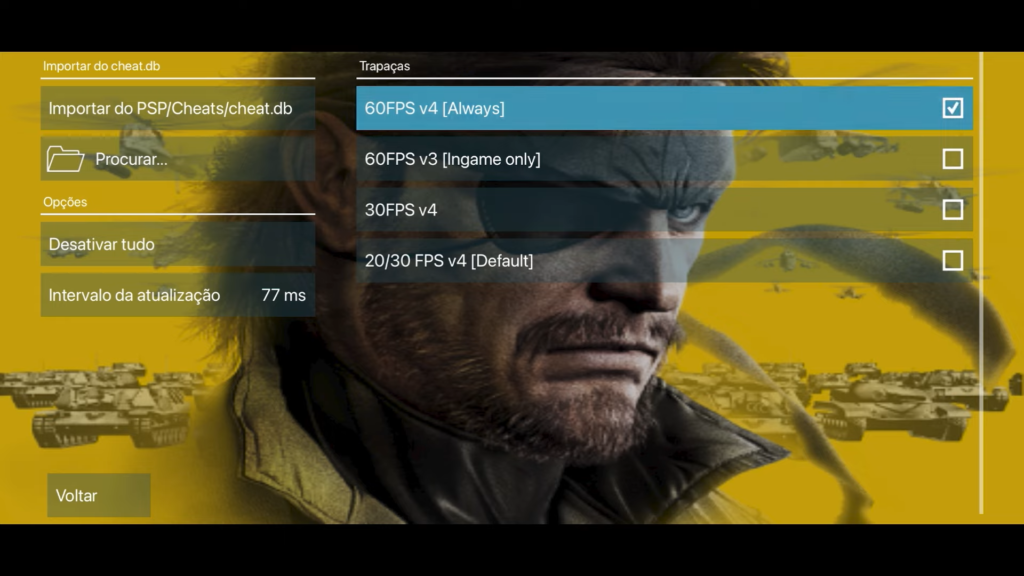
Go back to the PPSSPP emulator, open the game cheats and enable the option 60 FPS Always. Now, when starting the game, it will run at 60 FPS, providing a much smoother gameplay experience.
Conclusion
Unlocking the 60 FPS mode in PSP games on PPSSPP significantly improves the gameplay experience. If you enjoyed this guide, don't forget to leave a like on the video, subscribe to the channel, and hit the notification bell to receive more tips.
For more information on the best PSP games running in 4K on PPSSPP, check out our recommended video at the beginning of the article.