The project of Case Zero on Mac received its first Apple Silicon package in version 1.1.3, released on October 14, 2026. In addition, the Dead Rising 2: Case Zero port fixes issues in the co-op ending and brings new graphical tweaks.
However, the maintainer reports that this is the last planned release. The code and history remain available, but no future fixes are promised.
Case Zero on Mac still has limited testing
The package supports Macs with M1 or higher and macOS 13 or newer. According to the official notes, testing took place on an M1 MacBook Air, achieving around 40 FPS. However, the game may freeze after approximately 15 minutes of being idle.
Therefore, the debut does not confirm stability on all Macs. Intel is not part of the announced support, and the packages do not include the game's commercial files.
Co-op ending and new graphical tweaks
The update fixes an issue that crashed the session when the military arrived. In addition, each player now finishes on a motorcycle and sees the ending cutscene. The project also addresses discrepancies in item identification between machines.

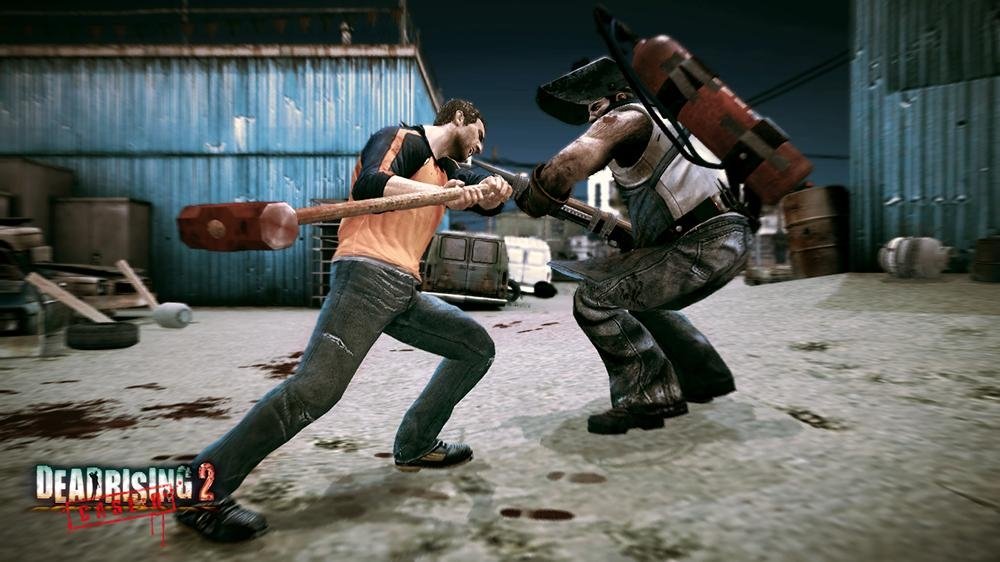
Image of the original Xbox 360 Case Zero, not representing port testing. Source: Capcom/Wired.
Meanwhile, ZOMBIE DETAIL, WORLD DETAIL, and SHADOW BIAS allow you to adjust the presentation at a distance. The patch notes also describe fixes to Chuck's hair and about one millisecond less work for the renderer on crowds, according to the author's measurements.
How to download Case Zero on Mac and other systems
First, prepare the XBLA package from your own copy of Case Zero for Xbox 360. It is not the main Dead Rising 2 installation. The documentation identifies the content by title 58410A8D.
- Download the package for Mac Apple Silicon.
DOWNLOAD UPDATED DEAD RISING CASE ZERO MACOS PORT
For 64-bit Windows, use the specific ZIP.
DOWNLOAD UPDATED DEAD RISING CASE ZERO WINDOWS PORT
Linux users, meanwhile, can choose the AppImage.
DOWNLOAD DEAD RISING CASE ZERO PORT LINUX APPIMAGE UPDATED
Alternatively, the TAR.ZST file supports Linux x86-64.
DOWNLOAD DEAD RISING CASE ZERO PORT LINUX TAR UPDATED
Finally, the Steam Deck has a dedicated package.
DOWNLOAD DEAD RISING CASE ZERO PORT STEAM DECK UPDATED
- Next, extract the complete package. On Mac, keep the application and the folder
assetstogether. - Then, provide your XBLA package in the folder
assets/package/or through the import window indicated in the README. - Wait for the preparation of files and shaders on the first run.
For online, the author requires starting via XenonLive Launcher. Opening the executable directly only starts offline mode. Therefore, check the launcher's compatibility with your system before planning a session.
Latest version maintains limitations
Windows and Linux require a GPU and driver with Vulkan 1.3. On Linux, the documented base is glibc 2.35 or higher. Additionally, the Steam Deck must use the initial preparation in Desktop mode.
The notes record automatic tests and specific validations, but not a long human session on each final package. Thus, the author's results do not guarantee universal performance. See other adaptations in the section of ports.
Sources: , official README; notes 1.1.3; official packages.