Soulcalibur II HD Online received version 0.1.0 of an independent port for Windows, macOS, and Linux on October 16, 2026. n0madic's project adapts the PlayStation 3 edition through static recompilation and builds the game on the user's computer. According to the author, Windows and Apple Silicon Macs already run the fights. However, Linux support still has limited testing, and the online mode does not work.
In practice, the packages provide the launcher and the runtime environment. Therefore, you need to provide your own game and the corresponding license. The download does not include title files or Sony firmware.
What changes in Soulcalibur II HD on the computer
The project pre-translates the code from the PS3's PPU and SPU processors into C/C++. Then, it compiles the result for the local machine using the ps3recomp environment. Thus, the first use requires preparation; subsequent launches take advantage of the already built files.
This initiative is independent of RingOut, another Soulcalibur II project already covered by Allves Games. It also does not correspond to the Dreamcast port of the first Soulcalibur. Despite the similar names, each work uses a different base.

Cervantes and Taki in the original HD edition. Historical game image, via LaunchBox; not a capture of the new port.
Windows and Mac work; Linux still requires caution
On Windows x86-64, rendering uses Vulkan. Furthermore, the author reports menus, cutscenes, and fights at 60 FPS on a laptop with a Core Ultra 7 258V and Intel Arc 140V. However, the first scenes of each arena are slower while shaders load. This result describes an individual test, not a minimum requirement or a guarantee for any PC.
The macOS package supports Apple Silicon Macs and uses Metal. The developer cites an M4 Max with macOS 26 as the test environment. Even so, this configuration does not define an official minimum hardware or system requirement. There is no package for Intel Macs in this release.
On Linux x86-64, tests were performed only with llvmpipe, a software renderer, including on WSL2. In this scenario, fights were close to 10 FPS. Therefore, this number does not measure a physical GPU: the author has not yet tested one. There is also no confirmation of compatibility with Steam Deck.
No online multiplayer and no 4K internal resolution
Although “Online” is part of the original name, the port does not offer matches via PSN. Furthermore, the internal resolution remains at 1280 × 720, with no adjustable scaling. Therefore, enlarging the window or using full screen does not turn the image into native 4K.
The project also records occasional crashes between fights, frame drops during loading, and minor audiovisual sync deviations. On Windows, the alternative D3D12 path does not render the game after opening. Therefore, the guidance is to use Vulkan.

Spawn and Heihachi in the HD edition. Historical disclosure via Digital Spy; the image does not prove the port's performance or features.
What to prepare for Soulcalibur II HD
First, set aside your own copy of the American PS3 edition, identified as NPUB31366, in PKG format, and its RAP license. Additionally, the program accepts the 01.00 game and, optionally, the 01.01 update. Other regions do not appear as compatible in the documentation for this version.
In addition, install Python 3.10 or higher and reserve about 1.5 GB for installation and compilation. Therefore, the ZIPs are small: they do not contain the game. To compile, the launcher looks for clang; on Mac, it can use the Xcode command line tools.
If it does not find a suitable compiler, it offers to download Zig 0.17.0, approximately 55 MB, after asking for confirmation. Therefore, this initial preparation may require internet and additional space. The time depends on the computer.
How to download and launch Soulcalibur II HD
1. Download the official package for your platform
Choose below the version 0.1.0 corresponding to your system. The Windows x86-64 ZIP is about 13.1 MB; the macOS ARM64 one, 6.15 MB; and the Linux x86-64 one, 8.57 MB. Then, extract the entire archive into its own folder.
On Apple Silicon Macs, use the ARM64 package below. It does not support Macs with Intel processors.
For Linux, the x86-64 package remains experimental. The published tests do not yet include a physical GPU.
DOWNLOAD SOULCALIBUR II HD PORT LINUX X86-64 EXPERIMENTAL UPDATED
2. Enter your game and license
Open the terminal in the extracted folder containing sc2hd.py. On Windows, run the command below, replacing the names with your file paths:
py sc2hd.py --pkg "MEU_JOGO.pkg" --rap "MINHA_LICENCA.rap"On macOS and Linux, use python3 instead of py. Alternatively, the launcher accepts a ZIP file containing the game and looks for the license inside it. To add update 01.01, provide a second --pkg "MINHA_ATUALIZACAO.pkg", always after the base package.
3. Wait for the preparation and open it again
On the first run, the program installs its copy, translates the code and compiles the local files. After that, run only py sc2hd.py on Windows or python3 sc2hd.py on other systems. Thus, subsequent sessions do not need to repeat the whole process.
To include the update later, provide the base and update packages again. According to the documentation, the process keeps the saves. Even so, back up data/hdd0/home/ before messing with the installation and do not share the game data folder.

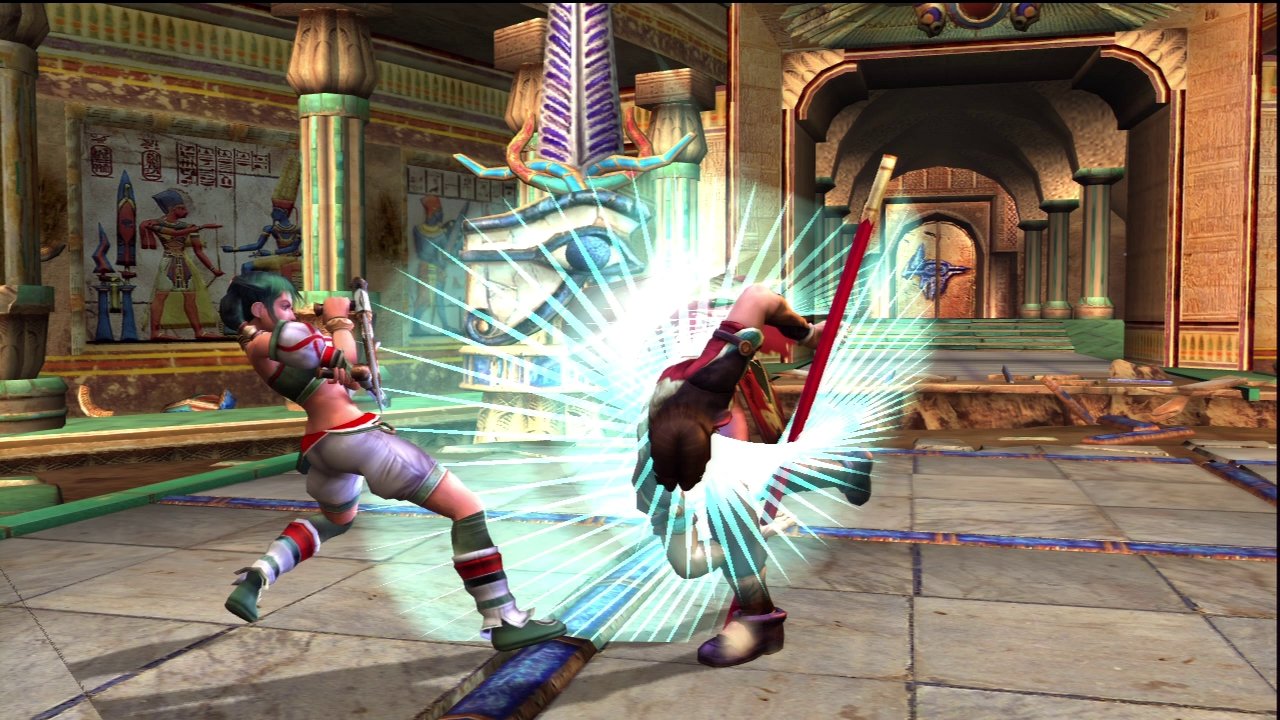
Weapon Master in the original PS3 version, recorded by SPAZBO4 / World of Longplays. Historical capture, not a test of the port.
Controls and settings for Soulcalibur II HD
In addition, controls go through SDL, although the author has not yet thoroughly tested keyboards and gamepads. On the keyboard, the arrow keys act as the D-pad; Z, X, A, and S represent the four main buttons. Finally, Enter or Esc pause the fight.
On macOS, there are options for FXAA, anisotropic filtering, and initial window size. However, FXAA softens the HUD slightly. Linux, on the other hand, maintains a fixed 720p window and does not offer these filters in this version. To keep track of subsequent fixes, check the release notes before swapping the package.
Sources: official release 0.1.0, dated 10/16/2026 and documentation corresponding to the version. Independent project, not affiliated with or endorsed by Bandai Namco.