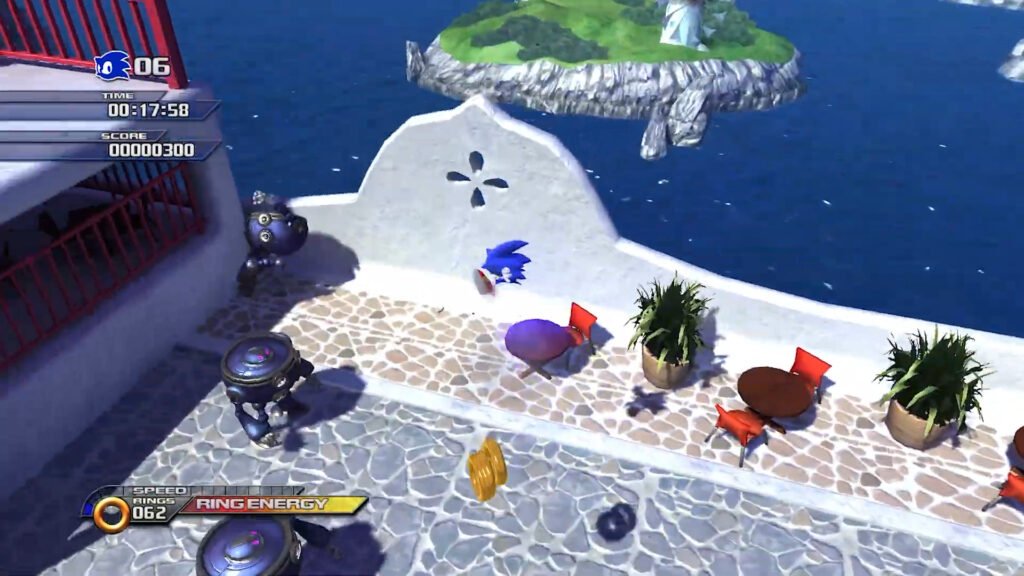
Sonic Unleashed, one of the blue hedgehog's most iconic games, has finally received a native PC port! This feat was made possible thanks to the project
Unleashed Recompiled, which uses static recompilation to bring the Xbox 360 game to computers. In addition to making the game accessible to more players, this version features several improvements, such as support for
high resolutions, ultrawide, unlocked framerates, and modding. Below, see how to install and configure this version on your PC.
https://youtu.be/WyZ_sjHx9d4
Download the necessary files to play Sonic Unleashed
First of all, you will need to download some essential files:
- The latest version of the Unleashed Recompiled recompiler (Click here to download)
- The game file (Click here to download)
- The Title Update file (Click here to download)
- The game's DLCs - optional step (Click here to download)
For this, follow the links provided in the project's official community. Make sure to download the most up-to-date version to avoid issues during installation.

Installing and configuring the Sonic Unleashed port
After downloading the files, follow this step-by-step guide:
- Extract the file UnleashedRecomp-Windows.zip.
- Open the file UnleashedRecomp and click Next until you reach the file selection screen.
- Click on Add Files and select the main game file, which is about 5 GB.
- Click on Add Files again, and in the folder Title Update, select the file that is inside.
- Click on Next.
- If you want to add the DLCs, click again on Add Files and select the corresponding folders. If you don't want to, click on Skip.
- After confirming the files, click Next to start recompilation. The process may take a few minutes.
Finalizing installation
After recompilation, a new executable will be generated. Now, whenever you click on this file, the game will open automatically on your PC, without the need for an emulator. This method ensures smoother and more optimized performance for modern computers.
Enhancing the experience
With the game installed, you can further improve your experience by adjusting a few settings:
- Resolution: Access the graphics options to increase visual quality.
- Framerate: Unlock the FPS for smoother gameplay.
- Controller compatibility: The game automatically recognizes PlayStation and Xbox controllers.
Conclusion
The
Sonic Unleashed PC port is an excellent choice for franchise fans who want to relive this classic with enhanced graphics and optimized performance. If you haven't tried it yet, follow the tutorial, make the necessary adjustments, and enjoy this incredible version!
For more content on ports and emulation, keep following our posts and stay tuned for the latest news!







Pingback: Black Knight: Sonic de Wii ganha port para PC e 60 FPS