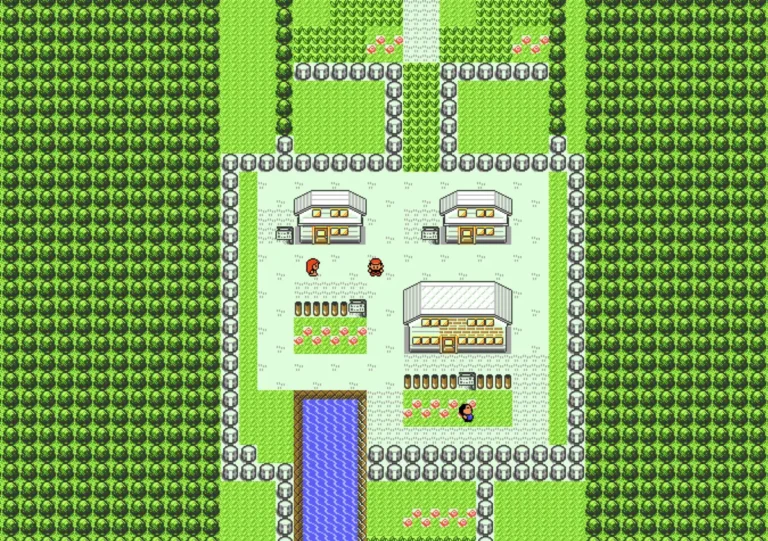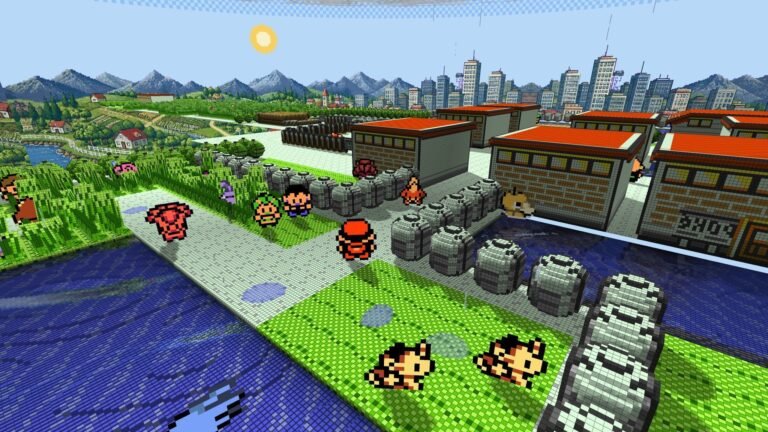
Imagine reliving the entire Johto journey in Pokémon Crystal — complete with day and night cycles, weekly events, and the legendary quest for Suicune — completely transformed into a gorgeous native 3D world on your mobile phone. This is the new reality delivered by Gen1Recomp++ Android running alongside the powerful Gen2 Voxel Mod.
https://youtu.be/wkZZAHgRnKsUntil recently, the three-dimensional experience was restricted to the first generation of little monsters. Now, with the evolution of reverse engineering and the arrival of dedicated voxel mods for the Game Boy Color era, the Johto region comes to life with scenic depth, dynamic lighting, and native fluidity without relying on traditional heavy emulation methods.
How does the Gen2 Voxel Mod transform Johto into 3D?
The Gen2 Voxel Mod is a structural modification developed specifically to interpret the classic architecture of Pokémon Crystal and convert its 2D blocks (tilesets) into three-dimensional volumetric structures. The main advantages include:
- Depth in Maps: Iconic cities like Goldenrod, Ecruteak, and Violet City gain buildings with actual relief, elevated roofs, and trees with 3D volume.
- Internal Clock Integration: The mod's lighting system respects Crystal's real-time cycle, offering dynamic shadows that change according to morning, afternoon, and night.
- Rendering Optimization: Polygonal mesh generation is done intelligently in real time, preventing sudden performance drops during route transitions and cave entrances.
Pokémon Crystal 100% in Brazilian Portuguese
For a complete and immersive story experience, you can apply the PT-BR Translation Mod. The translation perfectly adapts the dialogues with the Gym Leaders, Pokégear phone calls, move descriptions, and the official Pokédex, working in full compatibility with the three-dimensional graphics of the Gen2 Voxel Mod.
How to Install and Configure on Android
Remember: to keep everything compliant and legal, the project requires you to use your own Pokémon Crystal (GBC) ROM, dumped directly from your original cartridge.
Download the necessary files below:
- Step 1: Install the APK of Gen1Recomp++ Android on your device and open the application.
- Step 2: Point the launcher to your original Pokémon Crystal ROM file.
- Step 3: Inside the application's main menu, go to
MODS > Import mod .zipand select the file for Gen2 Voxel Mod and the file for PT-BR Translation. - Step 4: Restart the app for the textures and 3D world data to be applied correctly.
With this structure set up, you are all ready to explore the entire Johto region with a modern and smooth perspective right on your smartphone screen.