The EldenCraft for PC reached version 0.25 on October 9, 2026, featuring a major change in the fusion of Minecraft and Elden Ring on PC: according to developer SocketByte, blocks, water, lava, fire, and portals now directly become part of the FromSoftware game's visual composition. The update expands graphical integration and improves the fit between the two worlds. The project, however, remains in the alpha stage.
First, version 0.25.0 introduced visual integration. Then, 0.25.1 and 0.25.2 brought inventory, mining, and mounting fixes. Meanwhile, 0.25.5, released on October 10,fixed bosses that could get stuck at 1 HP due to damage transfer bugs, including Godskin Duo, Godfrey/Hoarah Loux, Maliketh, Messmer, and Consort Radahn. In addition, the author added collision caching, GPU geometry buffers, background mesh processing, and D3D12 copy fixes that caused crashes. The changelog also adjusts weapons, armor, and stamina. These are fixes stated by the developer, with no independent benchmark proving an FPS gain. The official route points to the public Windows x64 ZIP.
EldenCraft for PC: version 0.25 integrates blocks into Elden Ring's visuals
In addition, according to the version 0.25.0 changelog, the composition begins to draw Minecraft elements alongside the Elden Ring image, including blocks and fluids. In addition, textures with mipmaps and GPU resource sharing seek to reduce differences between the two scenes.
In turn, the README describes a shared texture composition and the use of depth information. Thus, the world of Elden Ring continues to provide scenery, enemies, and collisions, while Minecraft maintains inventory, blocks, equipment, and interface. The author announces support for composition at resolutions up to 4K; this does not equate to an independent performance benchmark.

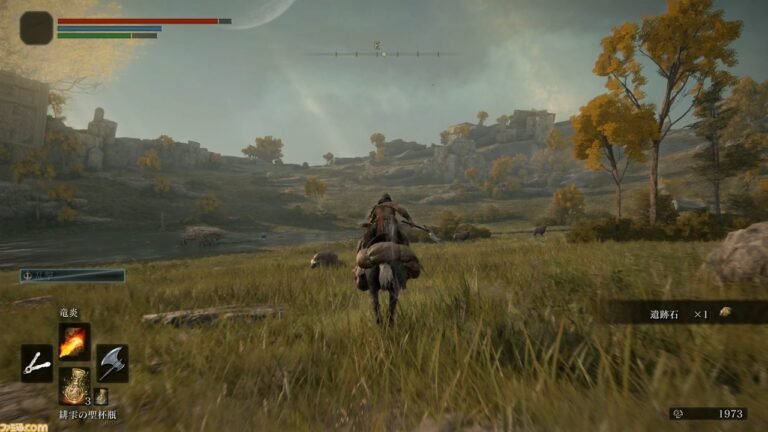
Mining in the Elden Ring terrain with Minecraft tools. Source: SocketByte / GitHub; project image.

In practice, the short videos that the creator links in , official README show mining in the terrain and the Nether environment. However, these are demonstrations attributed to the project; there is still no independent testing here nor a validated video player for insertion.
Collisions, camera and progression receive tweaks
Beyond the visuals, EldenCraft for PC reorganizes the link between camera and movements. According to the documentation, native collision continues to decide how the character encounters terrain and buildings. This includes changes for blocks with partial shapes, such as stairs and slabs.
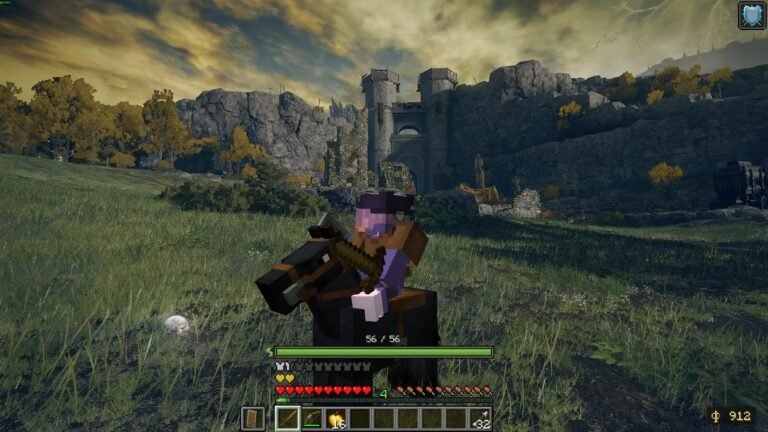
At the same time, there are adjustments to exploration, stamina, creative flight and the Torrent mount. Furthermore, the horse appears in Minecraft style, but maintains restrictions linked to Elden Ring's own areas. Therefore, it is not correct to state that the mount works freely in all dungeons.

Block building and redstone mechanism in Limgrave. Source: SocketByte / GitHub.
EldenCraft for PC fixes risks with inventory and saves
After the visual overhaul, the version 0.25.1 fixed, according to the author's notes, an issue that could cause item loss after character death or interruptions in communication between games. In addition, the version addresses mining bugs and situations related to Rennala.
Next, the 0.25.2 adjusted Torrent and TNT interactions, in addition to incorporating weapons and potions. These changes belong to specific updates; they should not be attributed to the initial 0.25.0 package.

Experimental combat with Minecraft equipment. Source: SocketByte / GitHub; does not represent independent testing.
On the other hand, even with backup routines, the developer asks for their own copies of important saves. We did not verify installation, data recovery, or stability on a test machine.
How to install updated EldenCraft on Windows
To install EldenCraft for PC, the project distributes a Installable ZIP for Windows 10/11 x64, excluding commercial games. In addition, you need Elden Ring purchased on Steam, with executable version 2.7.1.0, and a legally purchased Minecraft Java Edition. Furthermore, the mod only works offline, in a single-player session.
- Check the versions of both games and back up your saves before starting.
- Download the latest public EldenCraft package for Windows x64 using the button below.
DOWNLOAD UPDATED ELDENCRAFT MOD FOR WINDOWS
- Extract the entire ZIP file to a writable folder, keeping
scripts,configandpayloadoption next toEldenCraft.cmd. - Log in to Steam, close both games, and run
EldenCraft.cmd. - On the first launch, log into your Microsoft account via Prism Launcher and close the launcher when prompted.
- Next, open an Elden Ring character and wait for the automatic connection to the dedicated Minecraft world.
During this process, the package prepares dependencies through a launcher, but does not include copies of the original games. Therefore, the public download of the mod does not replace the licenses for Elden Ring and Minecraft. The official installation guide also explains the verification commands and the option -CpuFrames for environments without GPU frame sharing.
What changes compared to version 0.24.1?
For example, the previous article already described the coexistence of games, mining, the Nether portal, combat, and Torrent. The new milestone does not represent the debut of all these features. The difference lies mainly in the graphical composition, integrated collision, and subsequent stability and item fixes.
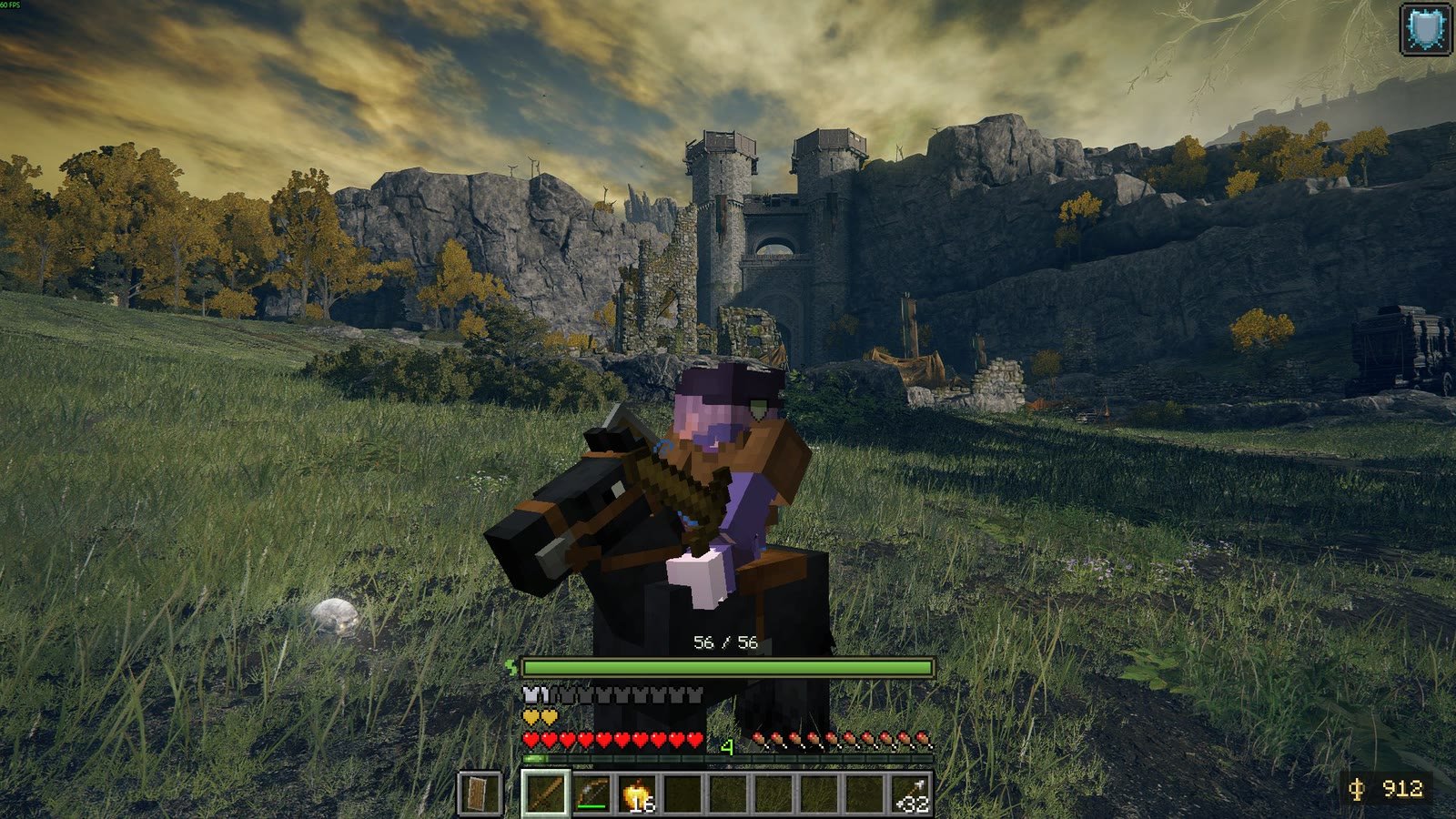
Official EldenCraft image featuring Torrent. Source: SocketByte / GitHub; illustrates the project and does not independently prove the improvements in 0.25.
Therefore, this distinction also avoids confusing the project with other passthrough mod initiatives, such as CallOfWarcraft. Each integration has its own requirements, limitations and results.
Limitations remain in the alpha version
Despite the advances, the author reports that the game mix can still present crashes, unbalanced progression and incomplete features. Furthermore, the mod does not offer HDR, does not work in online matches and does not guarantee that native enemies will bypass Minecraft buildings. In addition, memory capacity and a GPU are required to run both games simultaneously.
Finally, the documentation describes the features and availability of the release, but does not prove performance on any hardware. Package 0.25.5 was verified by official publication and size metadata, without download or independent installation testing.
Sources: release 0.25.0; 0.25.1; 0.25.2; 0.25.5; Official README and assets for SocketByte.