Pokémon Emerald 3D received the Alpha 0.4.0 version for Nintendo 3DS on October 16, 2026. In addition, ZallaxDev's project, now called Emerald 3DS, expands Hoenn in voxels, adds day and night, and offers experimental local multiplayer. Furthermore, it maintains the dual-screen interface and the use of one's own copy of the game.
According to the official release 0.4.0, the port also got Pokémon following the trainer and new battle adjustments. However, it does not distribute the game commercially nor does it represent a Nintendo release. Meanwhile, the trailer below was published by developer DustZallax on October 16.
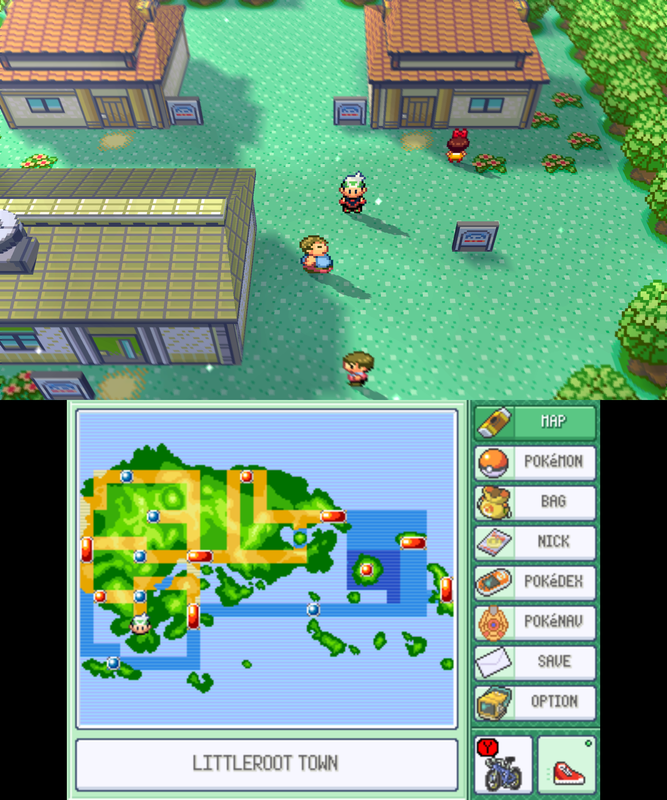
Capture published by the project on 10/10, prior to version 0.4.0. It demonstrates the two screens and the voxel scenery; it does not prove all the features of the update. Source: ZallaxDev/GitHub.
What changes in Pokémon Emerald 3D 0.4.0
Hoenn in voxel and battle interface
Voxel reconstruction has advanced in Hoenn's towns and routes. For example, according to the author, Slateport has been completed, while Rustboro, Petalburg, and Mauville have received revisions. In addition, Cycling Road gained a volumetric bridge, and mountainous routes now feature terraced elevations.
On the New 3DS, the voxel world can use stereoscopic 3D with the depth slider enabled. Meanwhile, the battle interface received information and text boxes at the upper screen's resolution. Furthermore, this version maintains the touch purchases introduced in 0.3.1.
Pokémon Emerald 3D gets optional day and night
The lighting cycle includes morning, day, sunset, and night, both in 2D and voxel mode. In addition, the clock speed can vary from 1x to 120x, affecting berry growth. However, these options are turned off by default and do not replace the original daily events of the game.
In addition, the FOLLOWER option makes the first Pokémon in the party follow the trainer. The sprites and texts come from HeartGold and SoulSilver and are obtained by the builder during preparation. Therefore, this optional feature requires an internet connection at this stage; the package can be generated without it when there is no connection.
Pokémon Emerald 3D still has incomplete areas
Despite the progress, Pokémon Emerald 3D still has large parts of the map and most interiors in a flat presentation. The Battle Frontier is still in an early stage. Therefore, this is not a complete three-dimensional reconstruction of Hoenn. The work by Gen1Recomp on the Hoenn maps is a separate initiative.
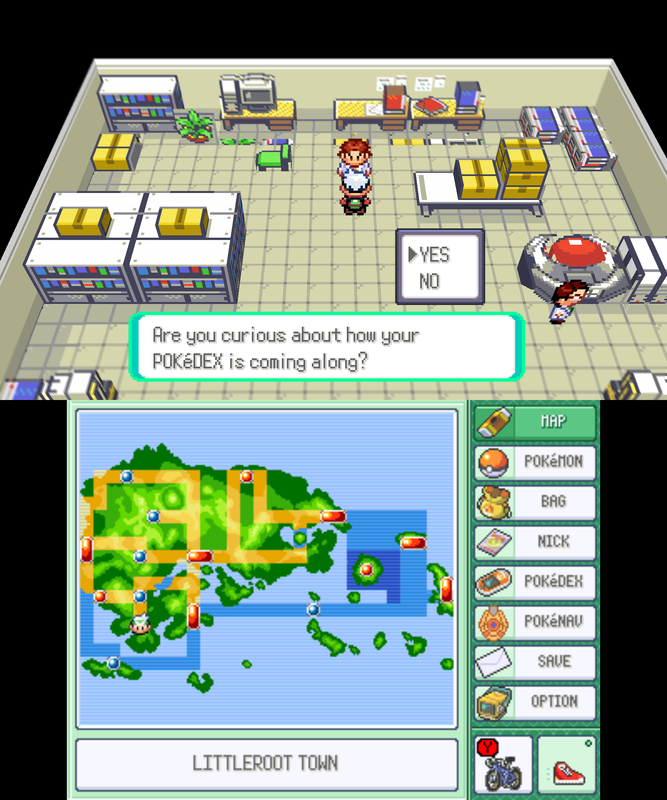
Historical developer image showing the voxel laboratory. This capture does not display an active interface on the lower screen. Source: ZallaxDev/GitHub.
Local multiplayer requires the same version and language
Wireless multiplayer allows connections between two and four nearby consoles, featuring the Union Room, trades, battles, and other link activities. However, the feature is experimental and requires builds of the same version and language. Therefore, keep a save backup before testing. Additionally, there is no promise of internet connectivity.
Furthermore, version 0.4.0 adds French and Italian to English and Spanish. Thus, the language matches the specific cartridge used in the builder. However, Portuguese is not confirmed. The separation between physical and special moves is also optional and comes disabled by default.
How to update Pokémon Emerald 3D on 3DS
Update 0.4.0 modifies the game's generated data. Therefore, players coming from the 0.3 series need to rebuild the package with the new builder or with the official web builder. Simply swapping the 3DSX file is not enough. According to the author, the process preserves the save file. Still, make a copy before updating.
1. Prepare your copy and choose the method
First, have your own clean, compatible copy of Pokémon Emerald in English, Spanish, French, or Italian. You need a 3DS or 2DS already prepared for homebrew and access to the SD card. Per official web builder, the files are generated in the browser from your ROM without uploading it to the server, according to the documentation.
Alternatively, follow the Windows option below. In both cases, use the files from the same version and language. The commercial game is not included with the downloads.
2. Download the Windows builder
Then, use the ZIP Emerald3DS-v0.4.0-Windows.zip, with approximately 34.1 MB. Extract the entire folder and open Emerald3DS-Builder.exe. Therefore, this application prepares the data for the 3DS. On the other hand, it is not a Pokémon version to play on Windows.
3DSX files by language: advanced use
On the other hand, the individual files below require the data emerald3ds.pak compatible with version 0.4.0. Therefore, they do not replace the complete rebuild when migrating from 0.3.x. The first file is the English executable for a compatible proper dump.
For Spanish, use the executable corresponding to the data generated from Spain's Pokémon Emerald.
Additionally, there is a French executable for those using the compatible French edition of the cartridge.
In turn, the Italian edition must be accompanied by the data package built with Pokémon Smeraldo from Italy.
Optional HOME menu shortcut
Finally, the CIA forwarder only installs a shortcut to the already prepared 3DSX on the card. It does not contain the game and does not need to be reinstalled with each update. Therefore, complete the installation of the data before using this optional component.
3. Generate the data and check the audio
Then, select your ROM in the builder and choose the SD card root, or a folder to copy to the card. Press Install. The tool writes Emerald3DS.3dsx, Emerald3DS.smdh and emerald3ds.pak in 3ds/emerald3ds/.
Additionally, the audio requires dspfirm.cdc in SD:/3ds/dspfirm.cdc, outside of the emerald3ds folder. This file is not included with the release. Therefore, follow the sound section of official installation guide before starting.
4. Launch and preserve the save
Finally, put the card back into the console and open Emerald 3DS through the Homebrew Launcher. The save is located in SD:/3ds/emerald3ds/emerald3ds.sav. If using the optional clock, also include emerald3ds.clock and emerald3ds.clock.bak in the backup.
For Linux and macOS, the desktop alternative requires running the builder from source code with Python 3.11 and Pillow. However, the official site offers browser-based generation without installing this tool. There was no independent hardware compatibility testing in this report.
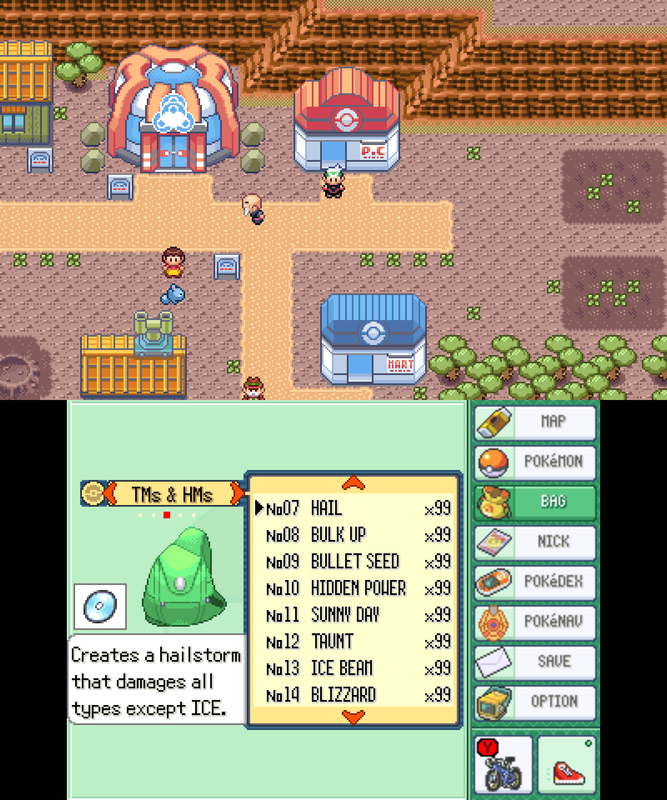
Demonstration published by the project on 10/10. The bag menu appears on the lower screen; the image predates release 0.4.0. Source: ZallaxDev/GitHub.
Pokémon Emerald 3D trailer and sources
The following video showcases version 0.4.0 according to the developer. In addition, instructions and limits can be consulted on official release, in version repository and in the installation guide.
Sources: official release.