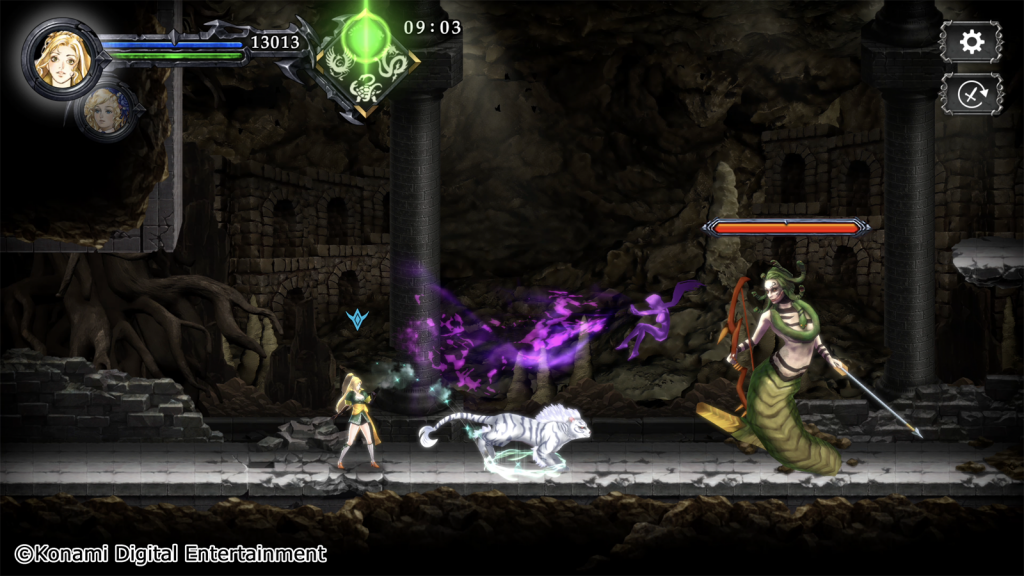
The GoSRecomp for Windows has reached version 1.0.7 and expands the unofficial port of Castlevania: Grimoire of Souls for Windows with controller fixes in the update published on November 4, 2026. According to GitHub project maintained by BLSNCVS, the recompilation runs the version originally released for Apple Arcade on PC, without needing a macOS emulator. However, the package requires the legitimate macOS application file, version 1.4.2.
Furthermore, revision 1.0.7 expands compatibility with third-party controllers, such as Switch Pro and 8BitDo, through standard mapping. The change is incremental: the port already offered Direct3D 11 graphics, offline gameplay, and Xbox and PlayStation controls. Therefore, this is not the game's absolute debut on Windows.
GoSRecomp for Windows: controls in version 1.0.7
The main advancement described in the November changes is for devices that do not exactly follow the Xbox button layout. Thus, the player can select the standard mapping option to use an alternative gamepad. However, actual compatibility depends on the connection mode and the options of each controller.

If the buttons or analog sticks do not respond correctly, the README recommends using the controller's XInput/Xbox or Switch mode. Additionally, it is possible to define standard=2 in gosr.ini and restore defaults in the control menu. Therefore, there is no guarantee of automatic functionality with all models.
What does GoSRecomp for Windows offer?
The PC recompilation works offline and locally incorporates the logic that relied on remote game services. According to the author, missions, characters, summons, and main progression are accessible in the Windows version, with limitations on shader processing and possible occasional delays in effects.

The program also supports keyboard, mouse, and controllers, in addition to frame limits, V-Sync, resolutions, and window modes configured in gosr.ini. However, the game was created for 60 FPS; higher rates may alter the feel of some animations. Thus, it is worth starting with the original limit before experimenting with other values.
How to download and install GoSRecomp 1.0.7
The official GitHub distributes the installable package GoSRecomp-1.0.7.zip, distinct from the source code archive. The project does not include art, music, text, nor the commercial application. Therefore, it is necessary to own the legitimate macOS image, version 1.4.2, in format .dmg.
- Download the official GoSRecomp 1.0.7 ZIP and extract the file to a new, empty folder on Windows.
- Check that the computer runs 64-bit Windows 10 or 11 and has a Direct3D 11-compatible GPU.
- Drag your file
.dmglegitimate macOS 1.4.2 application ontoSetup.bat. Preparation may require about 3 GB of temporary space. - When the process finishes, run
Play.bat. When updating from a previous version, use a new folder and redo the setup; saves are kept in a separate user directory.

In turn, the author states that the program preserves saves in the Windows profile folder, but the experimental configuration may present issues. Therefore, back up your progress before testing updates, especially if using debugging options.
Current limitations of GoSRecomp
First, the software requires the correct macOS 1.4.2 app; an image from another version may cause the installer to halt. In addition, the port does not implement multiplayer and some effects may appear with a delay on the first run, when the program needs to convert shaders.
Thus, despite the progress in controls, GoSRecomp 1.0.7 remains an experimental initiative with no official affiliation with Konami or Apple. To follow other native port initiatives, also see the Allves Games coverage of Castlevania: Curse of Darkness on PC, which is another project and another game.
Sources: GoSRecomp README, release 1.0.7 and update commit. Illustrative screenshots: Konami and Inverted Dungeon.